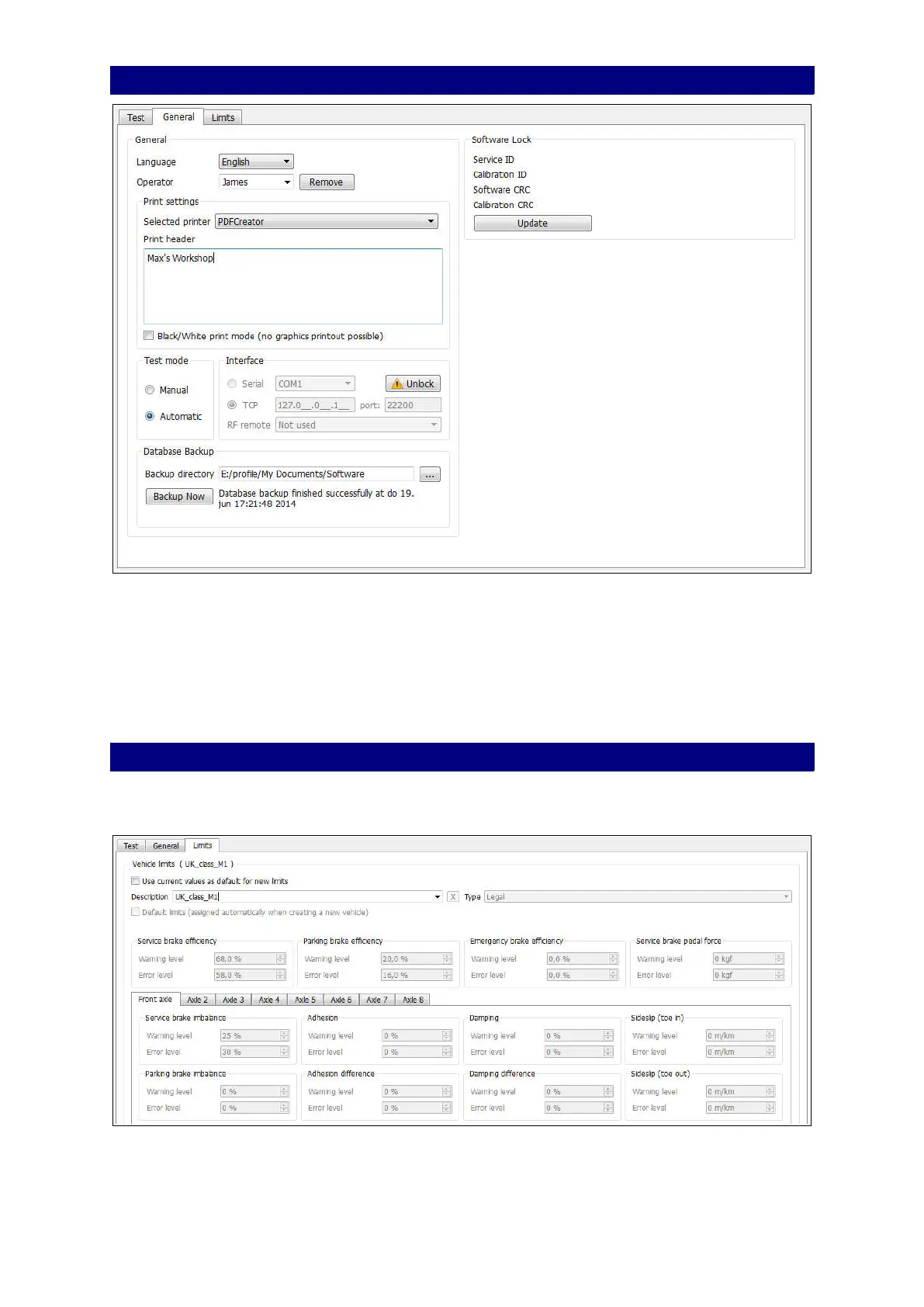
General settings General tab
On the General tab you can select a printer, define the printer header and add or remove an
operator. Test mode: select the default test mode: Manual or Automatic (ATL).
Interface: TCP connection to the test lane. Do not change!
Database Backup: there is no automatic backup of the database, you have to do this
manually. Press the Backup Now button to start the backup to for example a removable
disk.
Software Lock: presents date and time of the last configuration or calibration change.
General settings Limits Tab
On the Limits tab you can check the test limits for the various vehicle types. The system
uses test limits to decide if a vehicle passes or fails the tests.
From the drop-down box Description select your predefined set of limits. These limits can
not be changed.
45



 To Next Page