Remove vehicle or customer data
To remove a vehicle from the list:
1)
❷
In the vehicle list , select the vehicle you want to remove.
2) In the Vehicle Details
❸
area , select the X button next to the Registration field.
To remove a customer from the list:
1) In the Customer Details
❾ ⓿
area , go to the Last Name field . From this drop-down
box, select the customer you want to delete.
2) Select the X button next to the Last Name field.
Note
When test results are stored for the vehicle or customer, these can not be deleted.
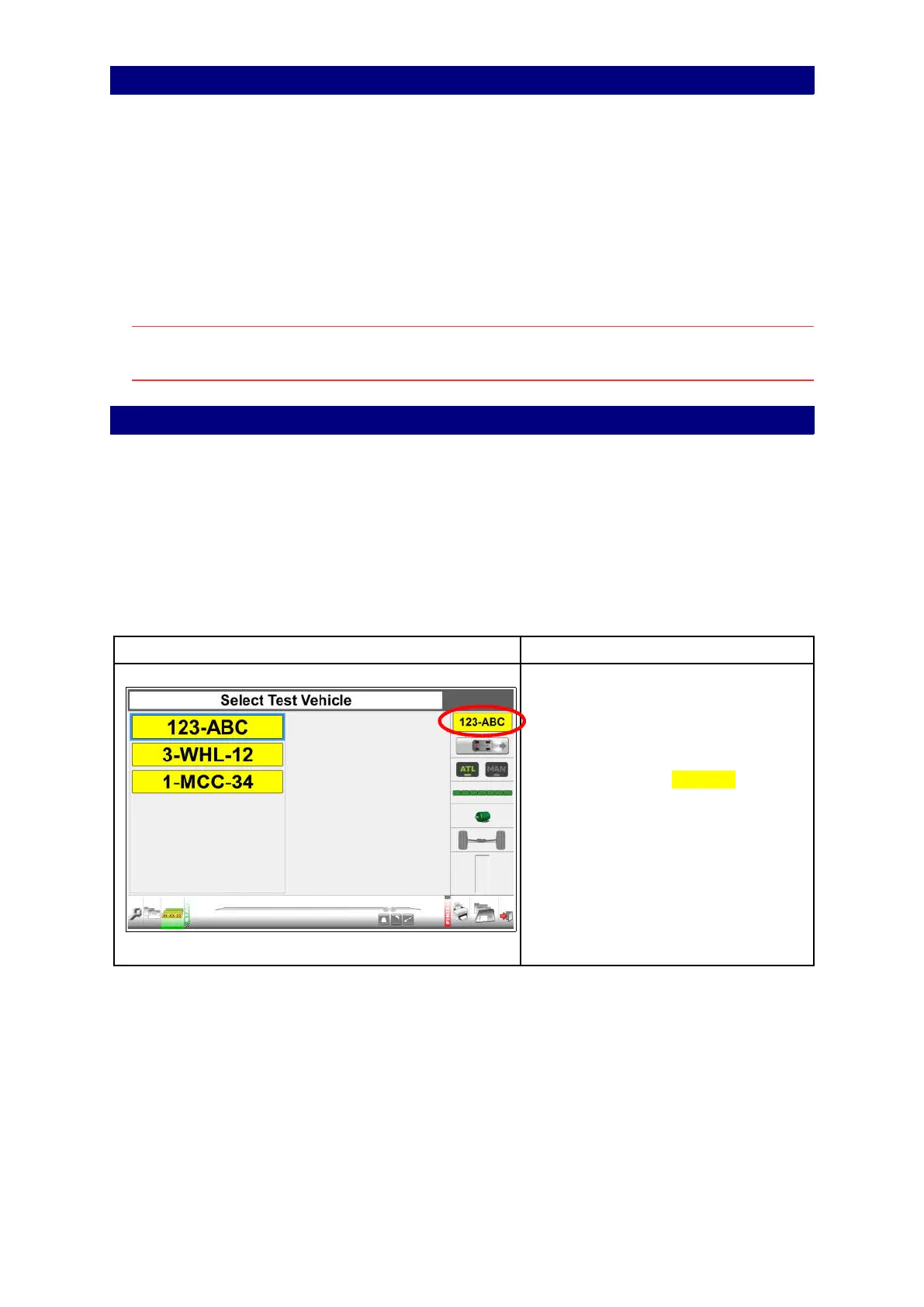
Select a vehicle from the test queue
How to select the vehicle you are going to test:
1) Go to the Select Test Vehicle screen.
2) Select the registration plate from the list.
3) Press Enter or OK.
The test data and limits for this vehicle will be loaded.
4) Go to the start screen.
5) Press Enter or OK to start the test sequence. See chapters 8 and 9 for instructions.
Select a vehicle from the queue
The registration plate icon shows the
registration number (123-ABC) of the
selected vehicle.
Press to go to the start page
“Service brake test axle 1 (= front
axle)’.
23



 To Next Page