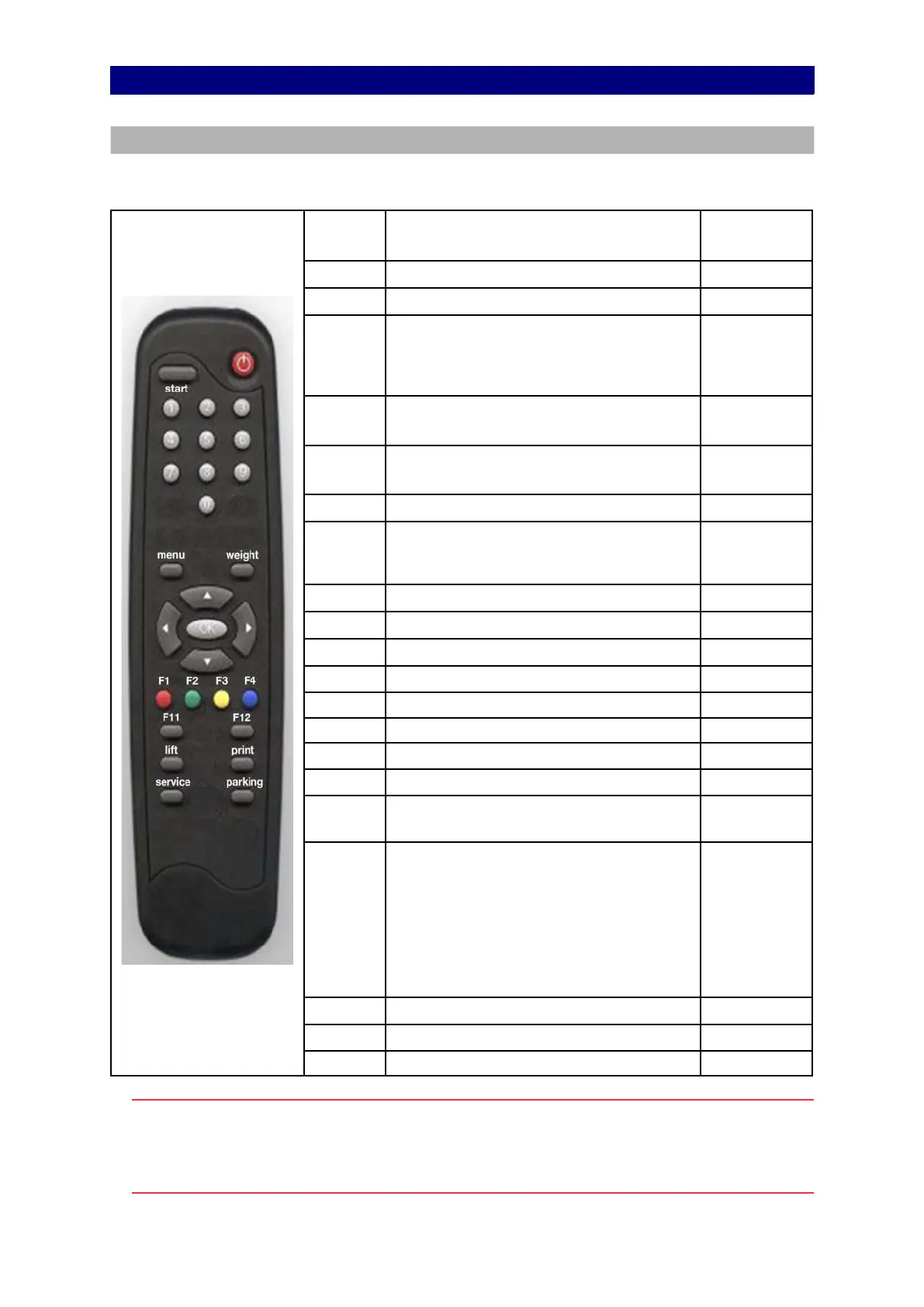
Remote control
Navigate using the remote control or keyboard
You can control the test lane program using the remote control (RC) or keyboard (KB).
The following shortcuts are available.
Image shown for illustration
purposes only.
KEY RC FUNCTION KB
General:
F11 Switch full screen mode on or off
F11
F2 Switch basic screen mode on or off.
In basic screen mode the icons at the
bottom and the right are hidden. This
allows for more room for the test results.
F2 or F10
9 Increase the character size on test
screens. Disabled during test.
+ (plus key)
or 9
7 Decrease the character size on test
screens. Disabled during test.
– (minus key)
or 7
On the start screen:
1-8 Select vehicle type for quick test mode.
On Start screen only. See chapter Quick
manual test mode Class M1, 4, 5L, 7.
1-8
Increase the character size on the screen.
+ (plus key)
Decrease the character size on the screen.
– (minus key)
and
Switch between ATL and MANUAL mode.
and
On the test screens:
F3 Go to the start screen Home or F3
F4 Go to Results Overview screen End or F4
Go to the previous test
Go to the next test
OK
Start the test if not running
Abort the test if running
Enter
1
2
3
5
8
0
Commands in MANUAL test screens:
1 = start left
2 = start both
3 = start right
5 = start both to centralize
8 = start both to drive out
0 = end of test
1
2
3
5
8
0
On the test queue screen
and
Move the selection in the test queue
and
OK Test the selected vehicle Enter
Other keys on the RC are not used.
Note
In MOT stations equipped with two or more brake testers, it is necessary that each test
lane is operated by one dedicated remote control only.
Please contact your supplier if two or more remote control sets are required.
19


 To Next Page