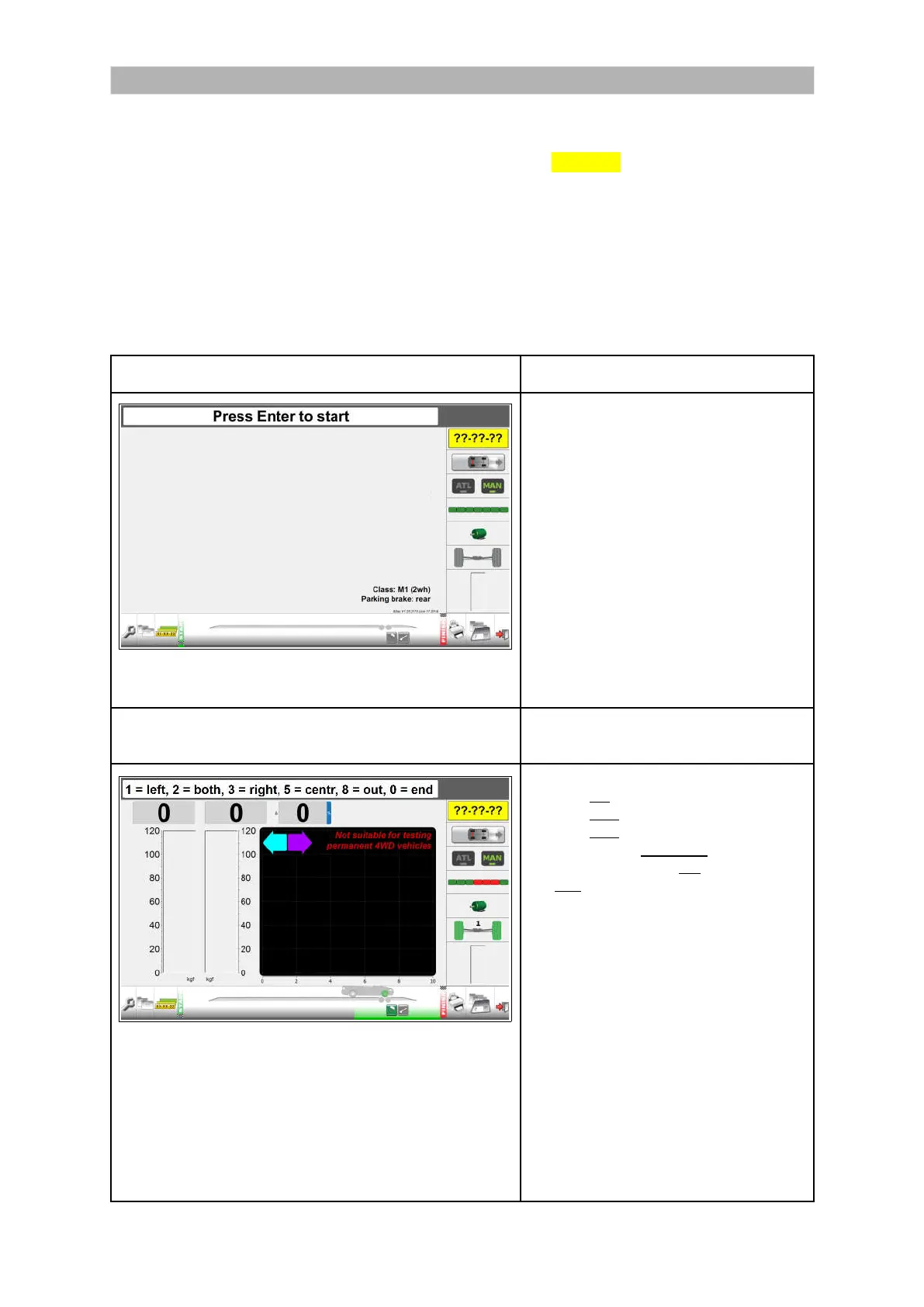
Perform a test
See “Preparations before starting a brake test” on page 25 .
KEY 1: Class M1, 2x2, parking brake on rear axle, dual line brake system is the default
setting after start-up. The registration plate icon shows ??-??-??. Quick test no. 1 is
described below.
In the Quick MANUAL testing mode, the weighing function is switched off.
The axle imbalance is measured automatically at maximum force.
When presented in “Italic”, this indicates a prompt on the screen.
Press Enter to start clears all previous results.
For an accurate measurement, the brake force has to be built up slowly.
In manual mode, rollers can run idenpendently or simultaneously.
In manual mode, press
on the remote control to move to the next test.
Step 1. Select the correct vehicle type.
From the start screen:
Select MAN for manual test.
Select the vehicle type:
Key 1. Class M1 (2wh) PB rear, DL
Key 2. Class M1 (4x4) PB rear, DL
Key 3. Class 4 (2wh) PB rear, DL
Key 4. Class 4 (4x4) PB rear, DL
Key 5. Class 5L (2wh) PB rear, DL
Key 6. Class 5L (2wh) PB front, DL
Key 7. Class 7 (2wh) PB rear, DL
Key 8. Class 7 (2wh) PB front, DL
Press OK to start the first test.
Test 1. Maximum brake force & imbalance service
brake front axle left & right wheel.
“Drive into brake tester”
Options:
1 = start left
2 = start both
3 = start right
5 = start both to centralise
8 = start both to drive out
0 = end of test
Select 5 to start both rollers to
centralise the wheels: “Centralising
vehicle”.
Select 2 to start both and run left and
right simultaneously.
During the test, the operator has to
check for Bind, Rate of Increase,
Fluctuation and Rate of Decrease.
For measuring maximum brake force,
the rollers can be driven independently
or simultaneously. Described is the
independent test left and right.
27


 To Next Page