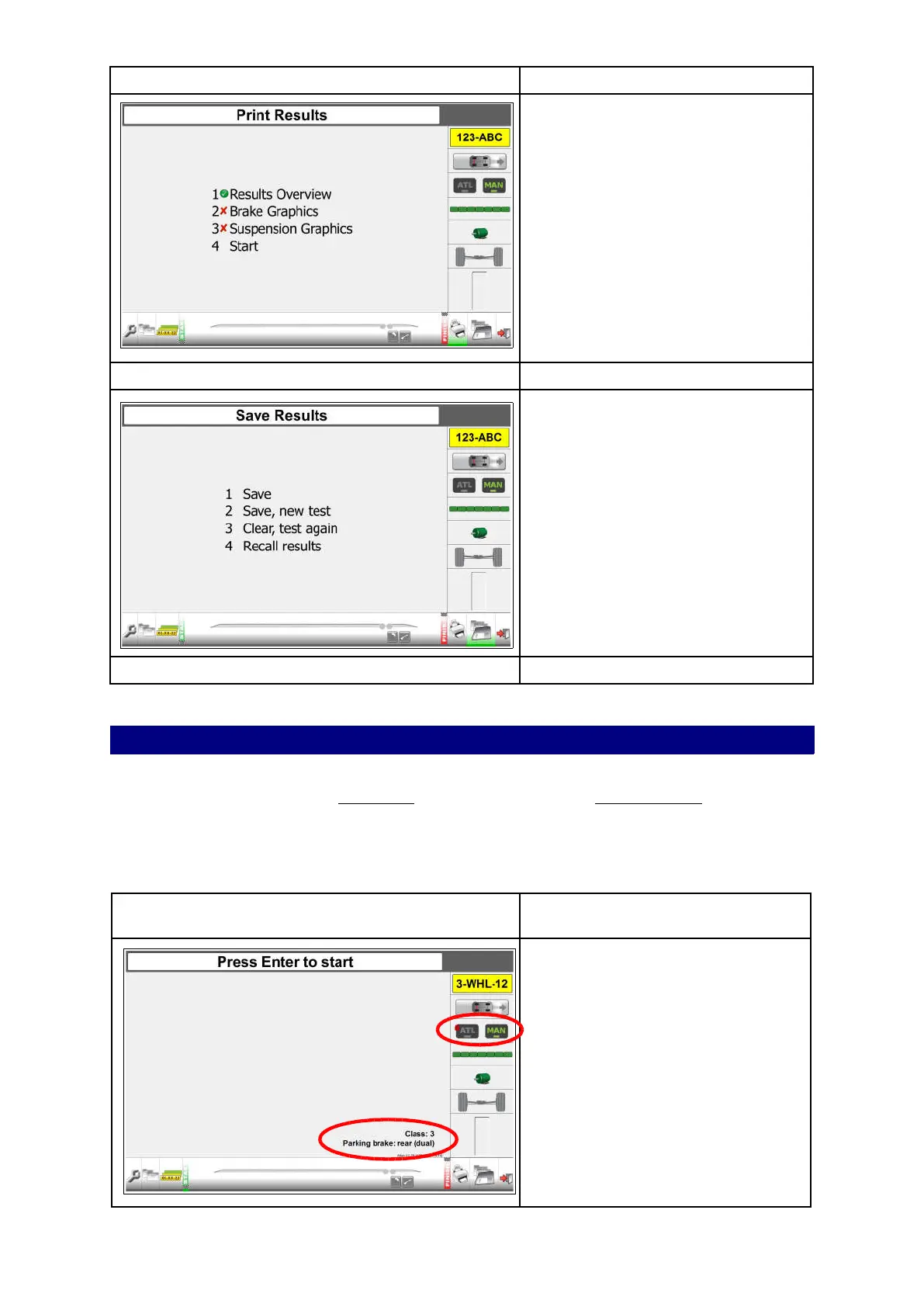
Next step: Print results screen.
Press for “Print Results”
Options:
1. Results overview
2. Brake graphics
3. Suspension graphics
4. Start
All are enabled. A vehicle has been
selected. Printing is possible.
See “Chapter 10 Analyse, print, save
and review results” for instructions.
Next step: Save results screen.
Press for "Save Results”
Options:
1. Save
2. Save, new test
3. Clear, test again
4. Recall results
All are enabled. A vehicle has been
selected. Saving is possible.
See “Chapter 10 Analyse, print, save
and review results” for instructions.
Next step: Perform new test.
Manual test mode class 3 (tested as Class 4)
Special attention is required for a Class 3 vehicle (which is tested as a Class 4). Class 3
vehicles can only be tested in MANUAL mode after entering the vehicle details.
The 3 wheel mode allows the operator to start the right side of the roller bed, if the middle
roller of this side only is pressed. If testing on the left side of the roller bed is required, please
contact your supplier.
Step 1: Select a vehicle from the queue.
See “Add a vehicle to the test queue”
on page 22 for instructions.
The registration plate icon shows the
registration plate of the selected
vehicle.
A lock on ATL indicates you can only
test in MANUAL mode.
“Class: 3, Parking brake: rear (dual)” is
presented.
The single wheel axle is entered in the
vehicle data.
From the start screen:
Press OK to start the first test.
32



 To Next Page