Step 1. Select the correct vehicle type (quick test)
OR
Step 1: Select a vehicle from the queue.
See “Add a vehicle to the test queue”
on page 22 for instructions
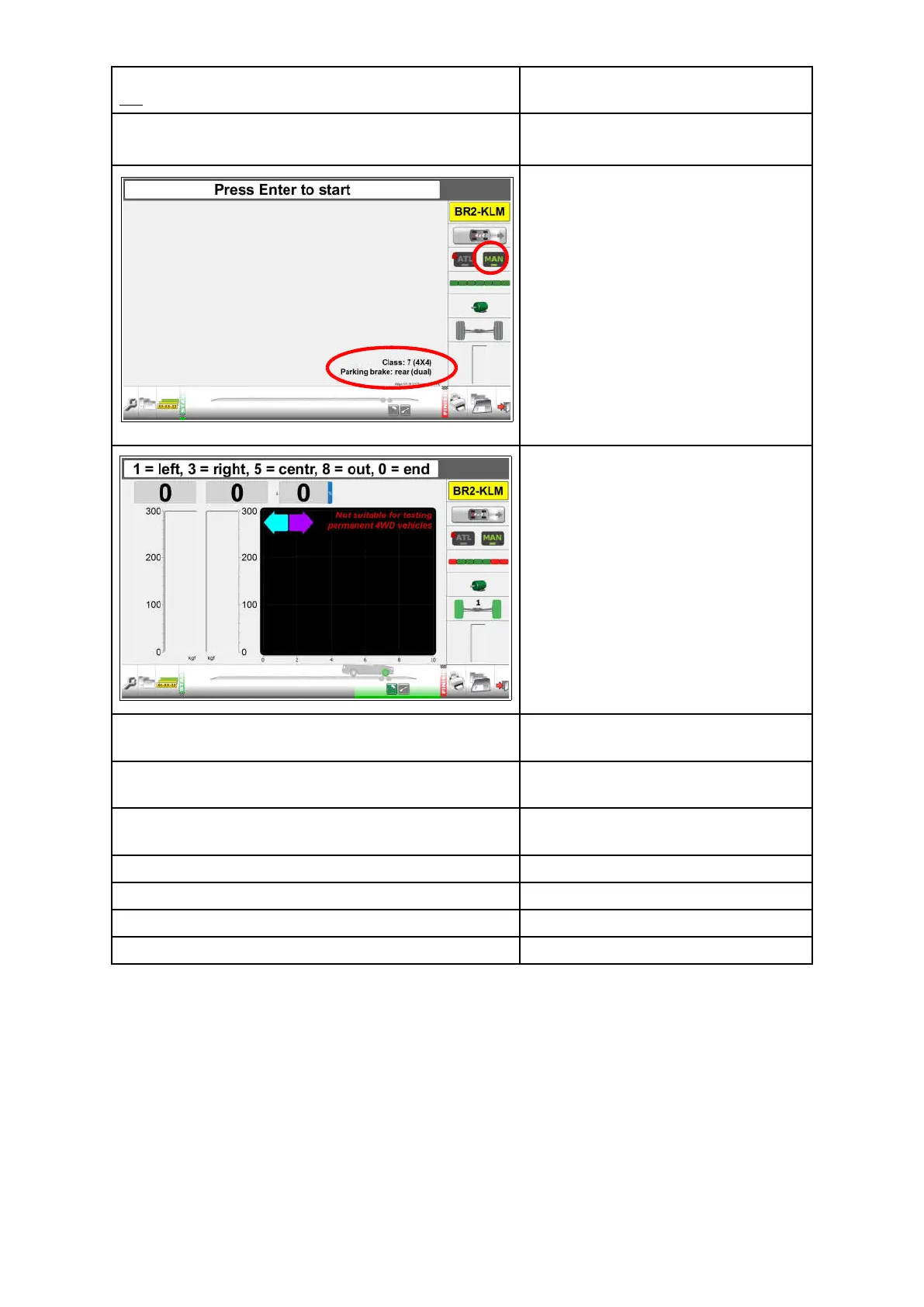
The registration plate icon shows the
registration plate of the selected
vehicle.
The vehicle icon presents “4x4”
A lock on ATL indicates you can only
test is MANUAL mode.
“Class: 7 (4x4), Parking brake: rear
(dual)” is presented.
From the start screen:
Press OK to start the first test.
This manual test is the same as
described for the Quick test with the
following differences:
When testing one side, the other side
runs in opposite direction.
During the test, the operator can check
for Bind, Rate of Increase, Fluctuation
and Rate of Decrease.
The following manual test sequence
applies:
Test 1. Maximum brake force & imbalance service
brake front axle left & right wheel.
Test 2. Maximum brake force & imbalance parking
brake rear axle left & right wheel.
Press for "Parking brake test axle 2"
Test 3. Maximum brake force & imbalance service
brake rear axle left & right wheel.
Press for“Service brake test axle 2”
Next step: Results overview.
Press for “Results overview”
Next step: Print results screen.
Press
for “Print Results”
Next step: Save results screen.
Press
for "Save Results”
Next step: Perform new test.
34



 To Next Page