5. Programming Procedure
5.5 Clear Program
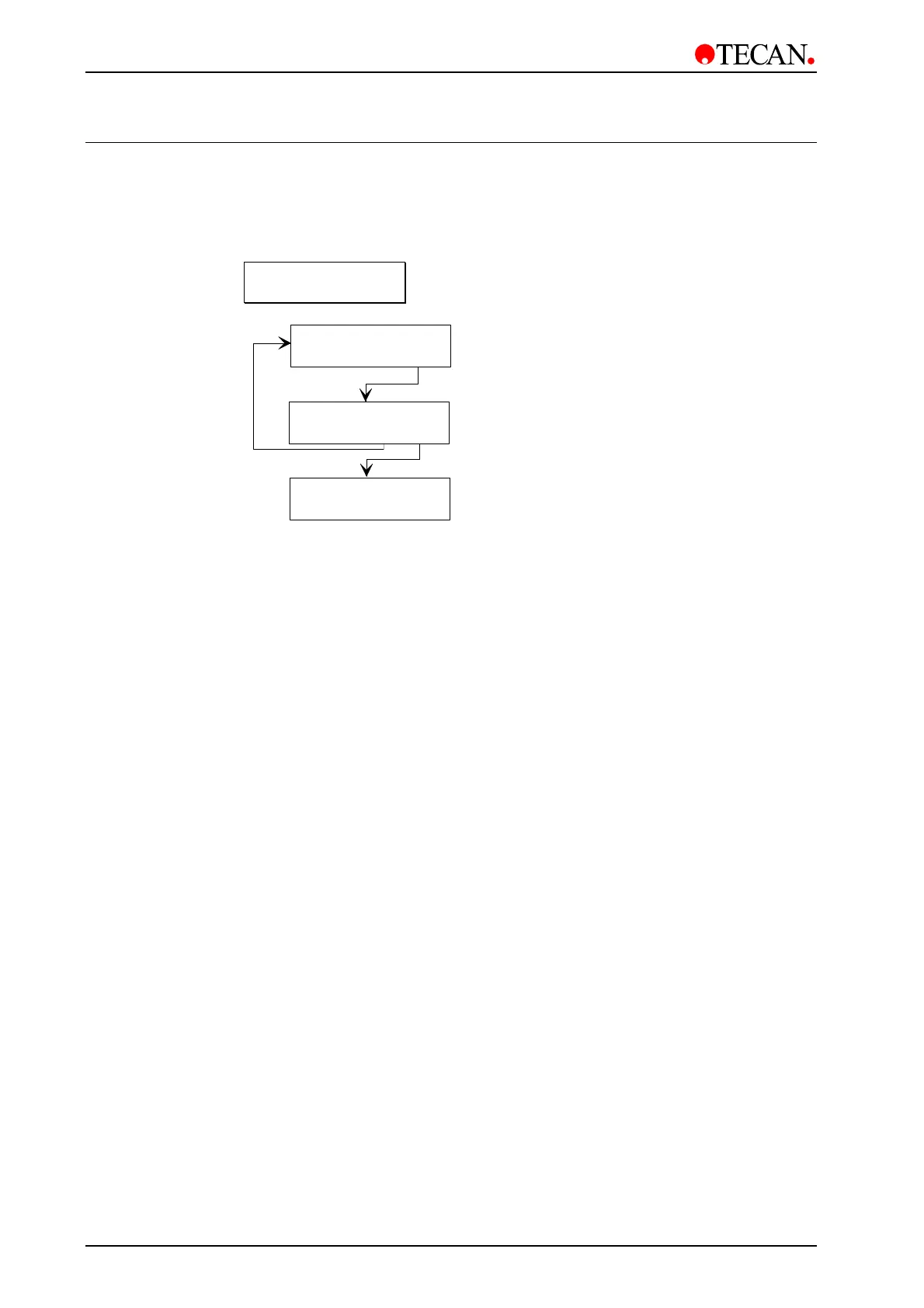
This submenu is used to clear a program from the instrument's memory. If the
program is locked it can not be cleared and the following error message is
displayed:
Program locked
yes
Confirm that selected program is
to be cleared
Clear XX:yyyyyyy
- + other yes
Select required program to be
cleared from instrument's memory
Clear XX:yyyyyyy
no yes
Clear XX:yyyyyyy
- + other yes
Select next program to be cleared or
required option in Mode Selection menu
The function
Clear ALL is available within the Clear Program option. This
function enables you to clear all of the programs (excluding those that are
locked!). The
Clear ALL function is found before program 1 and after program
30. Use the cursor keys to skip through the programs and once
Clear ALL is
displayed press
yes and all of the programs (with the exception of those that are
locked) will be cleared.
This option is not to be confused with the Clear ALL function in the Service
menu. See chapter 9 for more details.
5-8 Instructions for Use for Columbus Washer No. I 109 006 Rev No. 2.2 May 2003


 To Next Page