6. Adjust Menu
6.2 Plate Type
This option is used to set the following parameters for the different types of
microplates. If a plate type is defined in a locked program it can not be edited and
the following error message is displayed:
Plate locked
yes
Before starting the adjustment procedure, insert the microplate to be
adapted into the plate support.
6.2.1 Round Bottom Plates
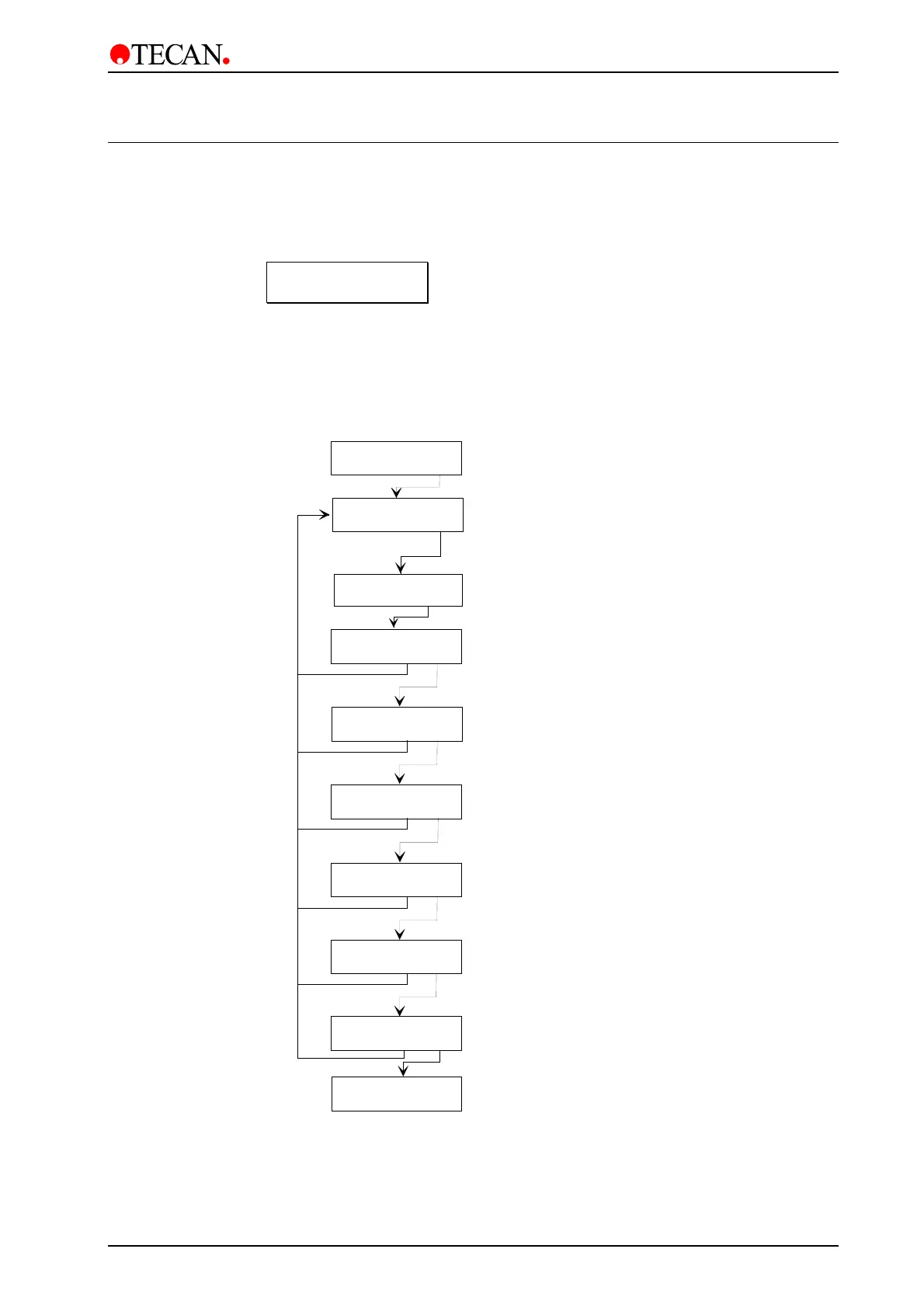
Adjust Menu
other yes
Plate: X
- + other yes
Confirm selection of Adjust menu
Plate type definition menu
Use
-
and
+
keys to select required platetype
(1 - 9)
Plate bottom form setting
Use
-
and
+
keys to select required bottom form
(flat or round)
Set dispensing position
Use
-
and
+
keys to move the plate support so
that the dispensing needles are in the correct position
Set aspirating position
Use
-
and
+
keys to move the plate support so
that the aspirating needles are in the correct position
Bottomform Round
- + exit yes
Disp.Pos XXX
- + exit yes
Asp.Pos XXX
- + exit yes
Asp.Pos Botm XXX
- + exit yes
Set bottom aspirating position
Use
-
and
+
keys to move the manifold so that the
aspirating needles are in the correct position for
aspirating the bottom of the wells
Washpos Botm XXX
- + exit yes
Set bottom washing position
Use
-
and
+
keys to move the manifold so that the
aspirating needles are in the correct position for
the bottom washing procedure
Washpos Ovfl XXX
- + exit yes
Set overflow washing position
Use
-
and
+
keys to move the manifold so that the
aspirating needles are in the correct position for
the overflow washing procedure
Select plate type to be defined
Plate: X
- + other yes
Name:
890
↵
ABCDE
Enter the required name for the program
(up to eight characters)
May 2003 Instructions for Use for Columbus Washer No. I 109 006 Rev No. 2.2 6-3


 To Next Page