WinCNC Controller
WinCNC Users Guide Page 10
Screen Display
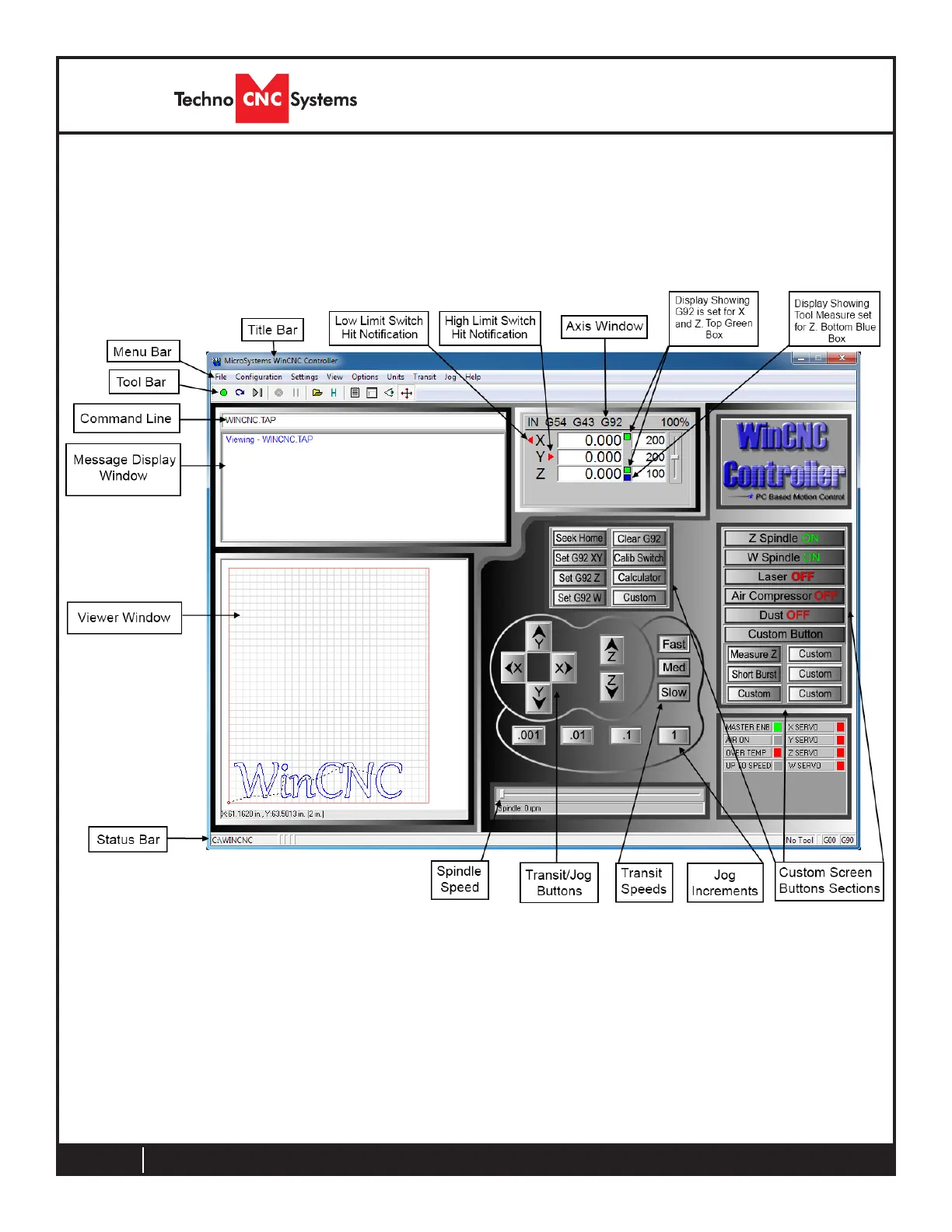
The following section contains a sample of the WinCNC software
display. Common components are labeled to provide clarity.
NOTE : This screen may differ from your screen layout, as it is
highly customizable and may have been altered by the CNC ma-
chine manufacturer.
Screen Display Component Breakdown
Menu Bar
The Menu Bar contains many of the main features of the WinCNC
software. It is broken down into several generalized sections, as
shown below. The menu bar selections are described in the follow-
ing pages. If a menu option has a shortcut key, the shortcut key
combination is listed in parenthesis () after the name of the menu
option.
Program Operation



 To Next Page