17
Call: 1-631-648-7481 or Visit: support.technocnc.com
Titan Series WinCNC Manual
WinCNC
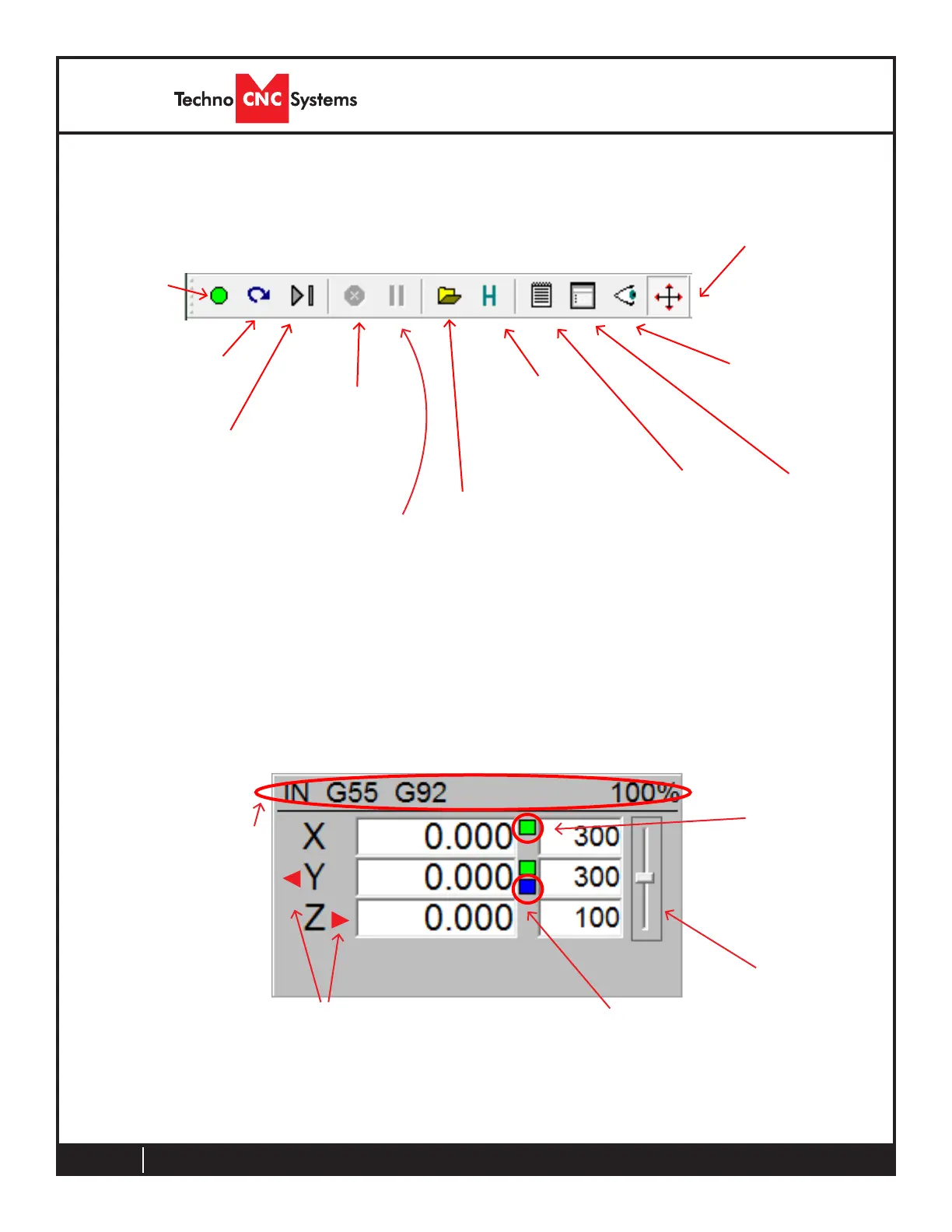
Tool Bar
START
Execute
command
line or job
RESTART / SKIP
Restarts a job at a
given line number
SINGLE STEP MODE
Allows you to execute
single lines of a g-code
leatatime.
STOP / ABORT
Stops a running
command or job
PAUSE
Pauses a running
command or job
VIEW HISTORY
Opens Job history
browser
OPEN
Opens Explorer
to open a job
le
EDIT
Opens Notepad
toeditajoble
SIMULATE
Simulatesaleto
check for errors
and run time
VIEW
Displays the current
job in the viewer
window
SOFT LIMITS
Enables/Disables
soft limit features
Axis Window
Green Box
Indicates an origin
offset is applied
Blue Box
Indicates a workspace offset
or tool length is applied
Red Triangle
Indicates a triggered limit
switch (left low, right high)
Slider Bar
Controls feed
rate override
The axis window is the primary display for current information about each
axis on your machine.
The current positions and velocities for each axis are displayed in the text
boxes.
Machine Status
Displays current
units, active modes
and current feed rate
override percentage
Thetoolbarisacollectionofshortcutbuttonsthatperformspecicactions.



 To Next Page