53
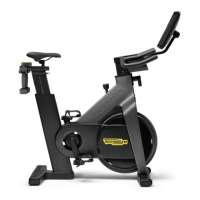
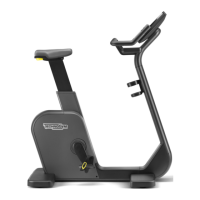
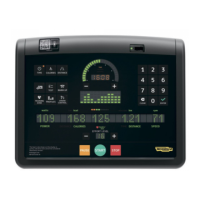
Crossover, Synchro, Vario, Bike, Recline, Climb, Step, Top - Advanced LED display
Other control panel messages
tto
Scrolls during the workout to show the time remaining to the end of the exercise. This message is not displayed in exercises with time goals and exercises where
the total time is neither known nor calculable (Quick Start, Cruise Control).
tt
If, when programming an exercise, a maximum time is set that is greater than the maximum time in the conguration menu, a message prompts the user to
decrease the setting. May appear when setting the time in time proles, in exercises such as GOAL, CPR, time Custom, Training Zone and Weight Loss.
In exercises with calorie consumption or distance goals, or in any exercises with no preset time, if the maximum time setting in the conguration menu is
reached, the exercise stops and the cool down starts.
May appear in calorie and distance proles and in exercises such as calorie and distance GOAL or CPR exercises, distance Custom exercises and Quick Start
exercises.
wtt
In some exercises and tests, this message prompts the user to wear the chest band. Scrolls both while setting the exercise and during the workout, if there is
no heart rate signal from the chest band.
Scrolls during exercises in constant heart rate mode if there is no heart rate signal.


 To Next Page