55
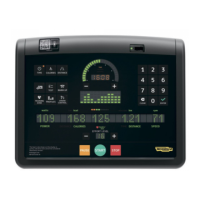
Crossover, Synchro, Vario, Bike, Recline, Climb, Step, Top - Advanced LED display
Other control panel messages
otttttt
During the exercise, if the presence of the user is not detected on the steps for a few seconds, the equipment will stop and the exercise will be paused. If the
speed of the steps permits it, the equipment will stop in the courtesy position. If the TGS key is inserted or the user is connected, the exercise will be stored at
the end of the pause.
tttot
There are safety sensors in the product access area. If they detect a presence, the sensors will lock the steps. To restart step movement, press the START key
on the control panel. The START key is only active is the sensor area is free.


 To Next Page