IPCAM User Manual
22
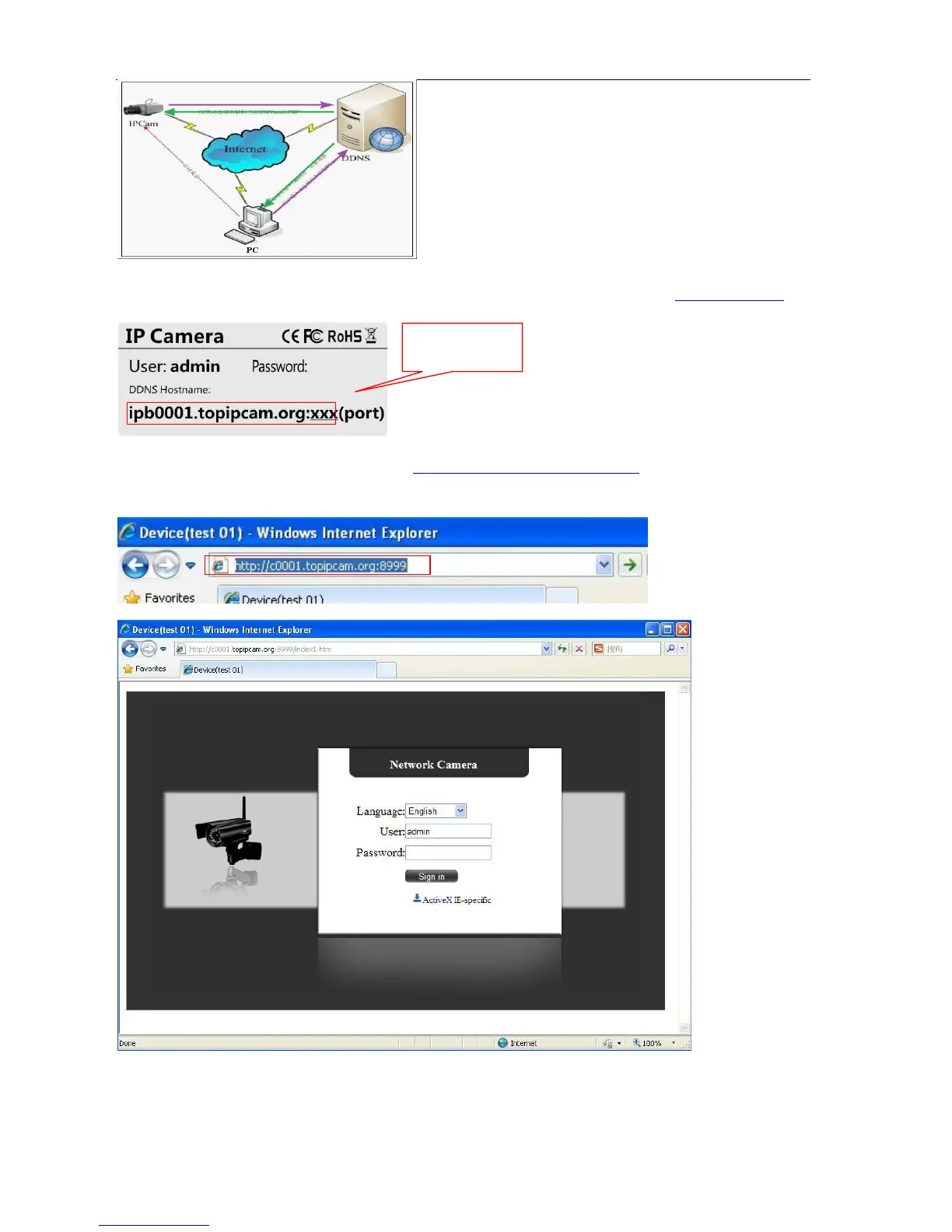
Our products have been configured the DDNS services, of course, you can also apply for the domain name in
registration website for one of your own domain name to configuration. For example: www.dyndns.org
You need fill in DDNS and port. for example:
(http://c0001.topipcam.org;8999/).
The browser will jump to IP
camera’s login page. .
Picture 31
DDNS inside



 To Next Page