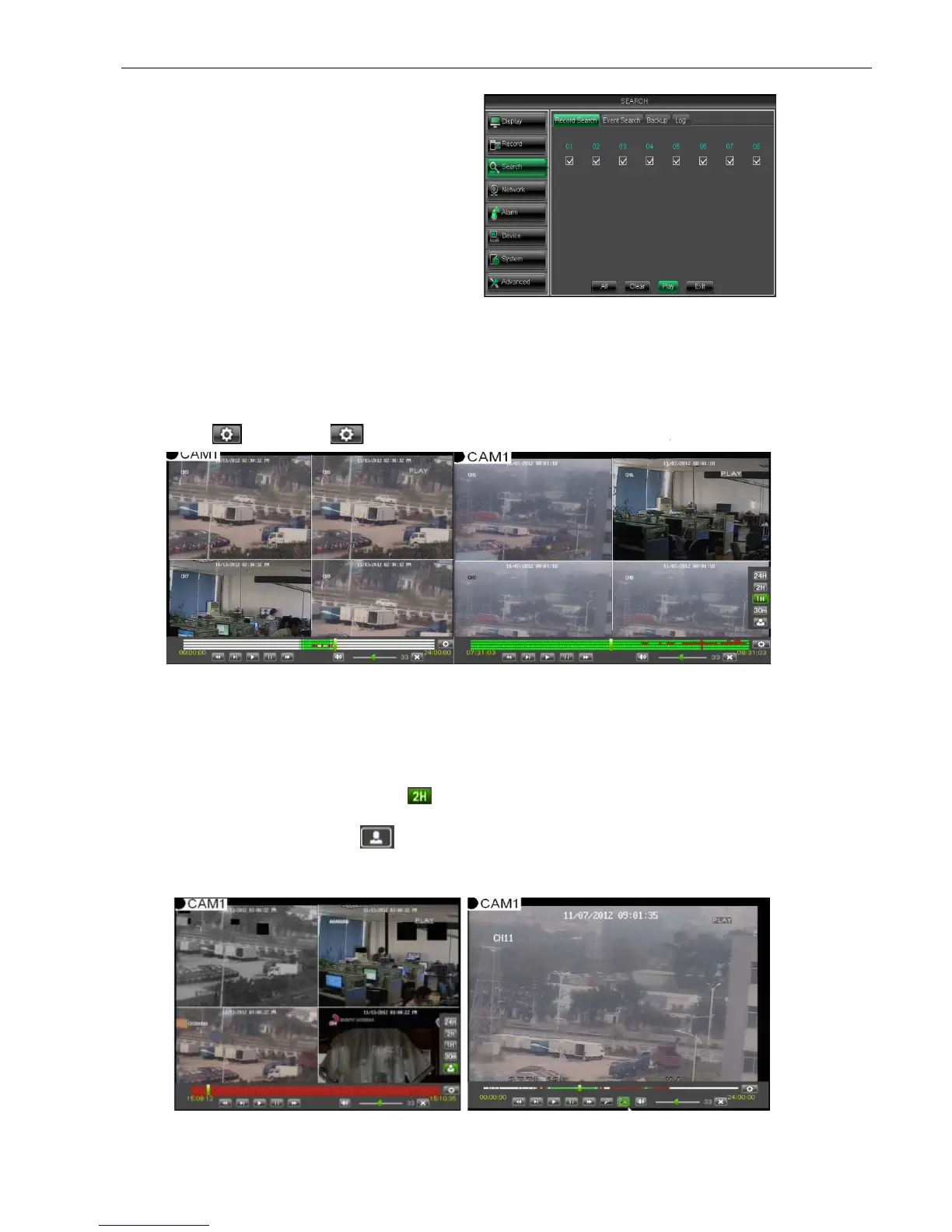
5.2.3.2 Channel Select
5.2.3.3
Time Axis setup, file clip and zoom in/out
supports the processing control bar function when playing back record files shown as
19A (Up to 4 CH is available).
Click [ ] icon beside the processing bar to pop up the interface shown as
Time Axis: defaulted to 24hours, and allow user select 2hours, 1hour, 30minutes or
Detailed operation is as follows:
Detailed operation is as follows:Detailed operation is as follows:
Detailed operation is as follows:
(
((
(1)
))
)
Fixed time axis
: If you select [ ] option, that means the processing control bar cover two
video content.
(
((
(2)
))
)
User-defined: s
elect [ ]option and move the cursor to processing bar to select start time
Now, the whole time axis equals the time quantum you j
Record Clip and backup function and Zoom in/out function
to enter into the interface shown as Picture
select the channel you want to
playback; and click [Play] button to enter
Time Axis setup, file clip and zoom in/out
supports the processing control bar function when playing back record files shown as
19A (Up to 4 CH is available).
Click [ ] icon beside the processing bar to pop up the interface shown as
Time Axis: defaulted to 24hours, and allow user select 2hours, 1hour, 30minutes or
Detailed operation is as follows:
Detailed operation is as follows:Detailed operation is as follows:
Detailed operation is as follows:
: If you select [ ] option, that means the processing control bar cover two
elect [ ]option and move the cursor to processing bar to select start time
, click any points of the proc
essing bar as start time and/or end time
Now, the whole time axis equals the time quantum you j
ust selected (shown as Picture
Record Clip and backup function and Zoom in/out function
to enter into the interface shown as Picture
select the channel you want to
playback; and click [Play] button to enter
supports the processing control bar function when playing back record files shown as
Click [ ] icon beside the processing bar to pop up the interface shown as
Time Axis: defaulted to 24hours, and allow user select 2hours, 1hour, 30minutes or
: If you select [ ] option, that means the processing control bar cover two
elect [ ]option and move the cursor to processing bar to select start time
essing bar as start time and/or end time
ust selected (shown as Picture



 To Next Page