you can set how long the buzzer will sound when object move is detected(10s,
You can set show message on the screen when motion alarm is detected.
you can set how long the buzzer will sound when motion is detected(off, 10s, 30s, 40s, 60s);
Allows you set the alarm images is issued to a specified email.
The function is defaulted to “On". When the motion is detected, the
channel will be switched to the full screen mode.
the record channel will be activated when the object move is detected.
you can set how long alarm record will last when alarm ends (30s, 1
allow you copy current channel parameters to any other channel or all channels.
5.2.6 Device
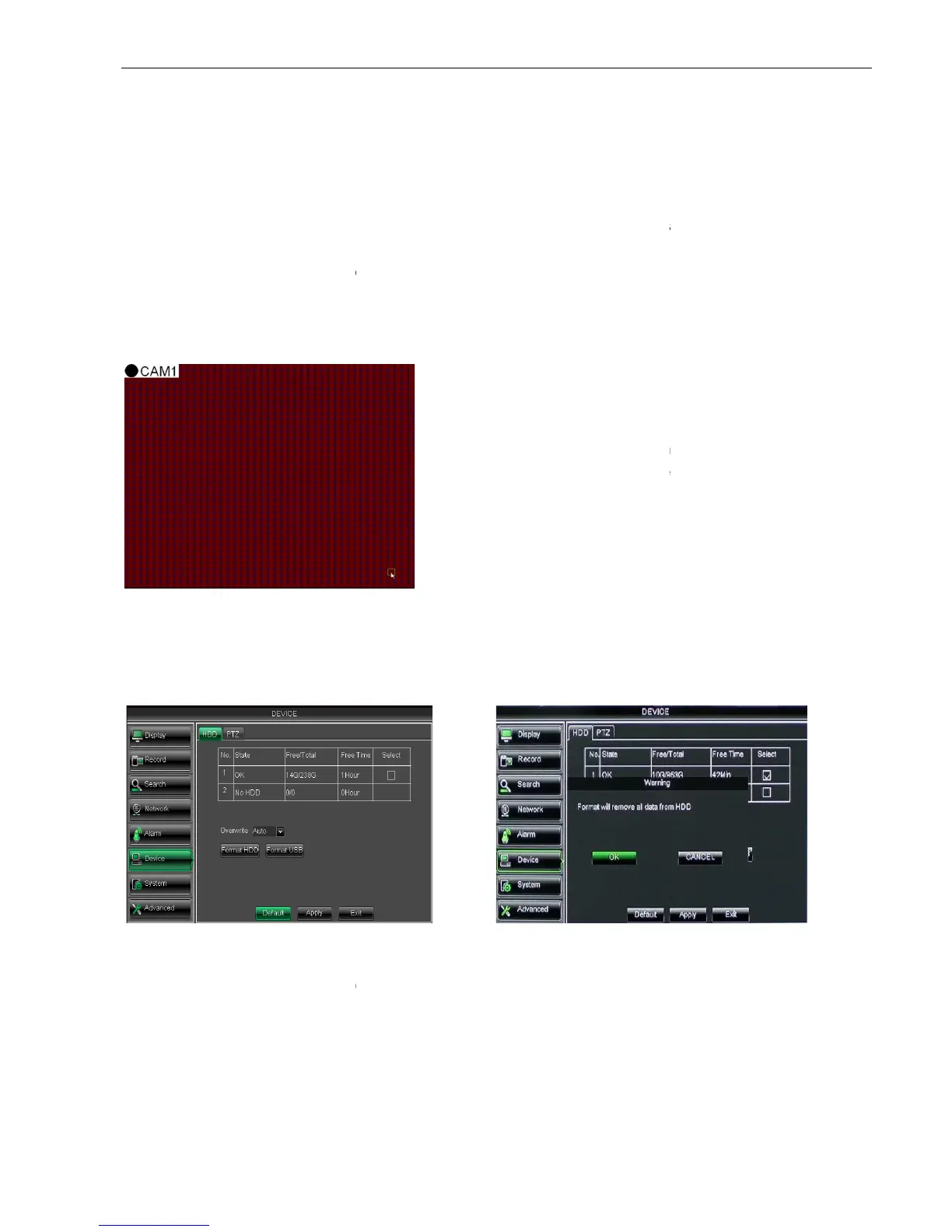
5.2.6.1 HDD Set
Click [Main menuDevice
a HDD, the system will automatically detect if HDD is
If the cable connected to
If HDD need to be formatted, status will be shown as “no format”, o
“Normal”
NO: indicate HDD no pre-
available only when HDD have been formatted.
Total size of the hard drive currently installed.
Total amount of free space available on the hard drive currently installed.
Free space currently available in
When set to ENABLE the DVR will record over the oldest files on the hard drive. The
you can set how long the buzzer will sound when object move is detected(10s,
You can set show message on the screen when motion alarm is detected.
you can set how long the buzzer will sound when motion is detected(off, 10s, 30s, 40s, 60s);
Allows you set the alarm images is issued to a specified email.
The function is defaulted to “On". When the motion is detected, the
channel will be switched to the full screen mode.
the record channel will be activated when the object move is detected.
you can set how long alarm record will last when alarm ends (30s, 1
allow you copy current channel parameters to any other channel or all channels.
HDD] to enter into the interface shown as Picture 5
a HDD, the system will automatically detect if HDD is
is loosen or HDD is abnormal,
HDD status will be shown as “No
If HDD need to be formatted, status will be shown as “no format”, o
therwise, the HDD status will be shown as
available only when HDD have been formatted.
Total size of the hard drive currently installed.
Total amount of free space available on the hard drive currently installed.
Free space currently available in
When set to ENABLE the DVR will record over the oldest files on the hard drive. The
When any object moves into the
motion detection area, and the area where the object
is located is displayed in red
be triggered. In the semi-
transparent area the motion
detection is not activated.
After configuring the above parameters, click <OK> to
you can set how long the buzzer will sound when object move is detected(10s,
You can set show message on the screen when motion alarm is detected.
you can set how long the buzzer will sound when motion is detected(off, 10s, 30s, 40s, 60s);
Allows you set the alarm images is issued to a specified email.
The function is defaulted to “On". When the motion is detected, the
the record channel will be activated when the object move is detected.
you can set how long alarm record will last when alarm ends (30s, 1
allow you copy current channel parameters to any other channel or all channels.
HDD] to enter into the interface shown as Picture 5
a HDD, the system will automatically detect if HDD is
HDD status will be shown as “No
therwise, the HDD status will be shown as
Total amount of free space available on the hard drive currently installed.
When set to ENABLE the DVR will record over the oldest files on the hard drive. The
When any object moves into the
motion detection area, and the area where the object
transparent area the motion
After configuring the above parameters, click <OK> to



 To Next Page