- 17-
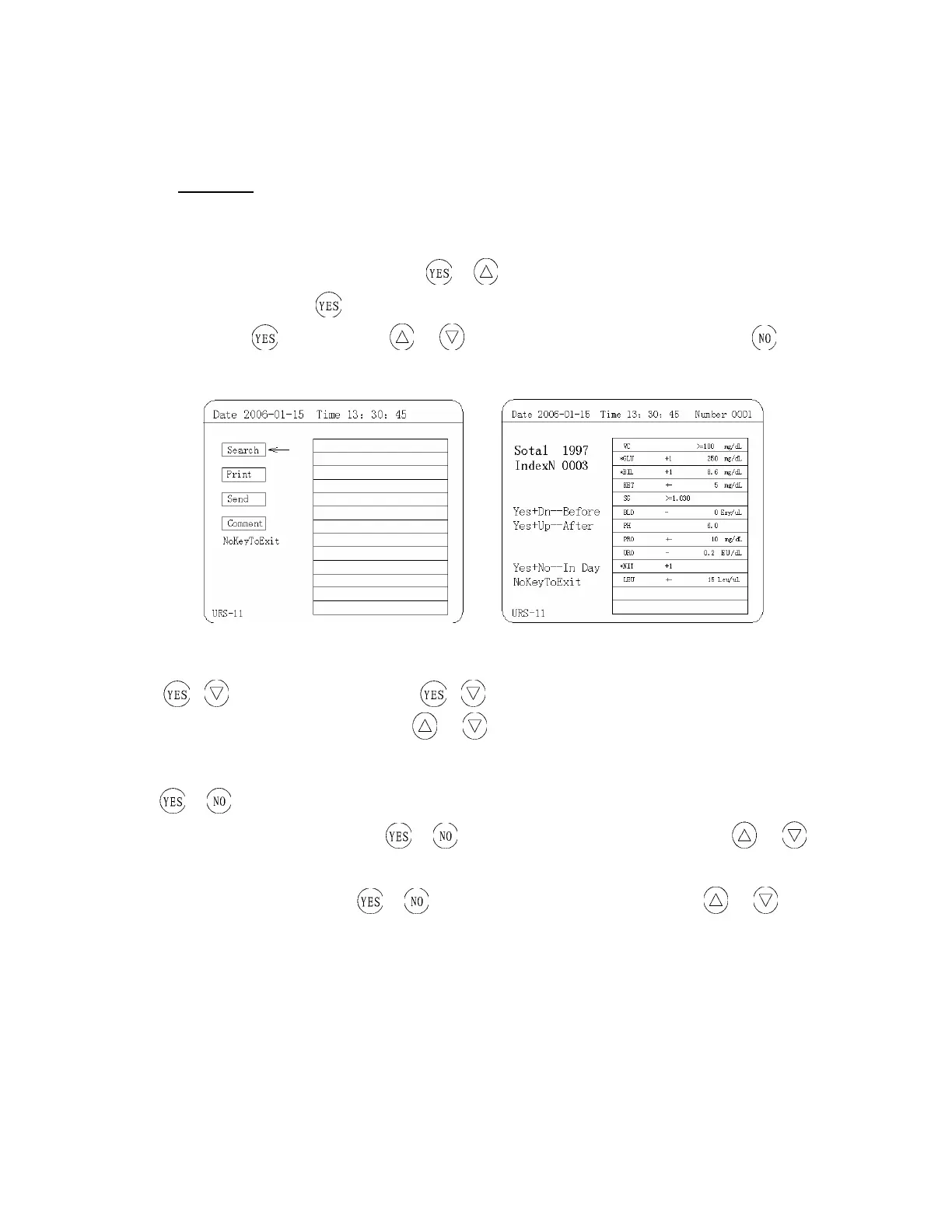
Figure 8: Manage Menu
(
Ⅰ
) Search
You can find the data that you want in “Search” operational interface. There are three searching methods
as following:
① YES +Up —— Search the date: Press
+ together at the same time, the year in the date
(e.g. 2005) flashes, press
, the month in the date flashes. You can switch among year, month and
day by pressing
. Then press key or to set the date you want to search for, press and
you will see the test data of that day (Figure 9).
Figure 9
2.
+ ——search Number: Press + together at the same time, now the number on the
upper right corner flashes and then press
or to set the number, you will search the data all you
want to search for.
③
+ —according to search number
According to search number:Press
+ together at the same time, and then press or
key and you will see all tested data.
According to search day: Press
+ together at the same time, and then press or key
and you will see all test data on the displayed date of the apparatus.


 To Next Page