- 18-
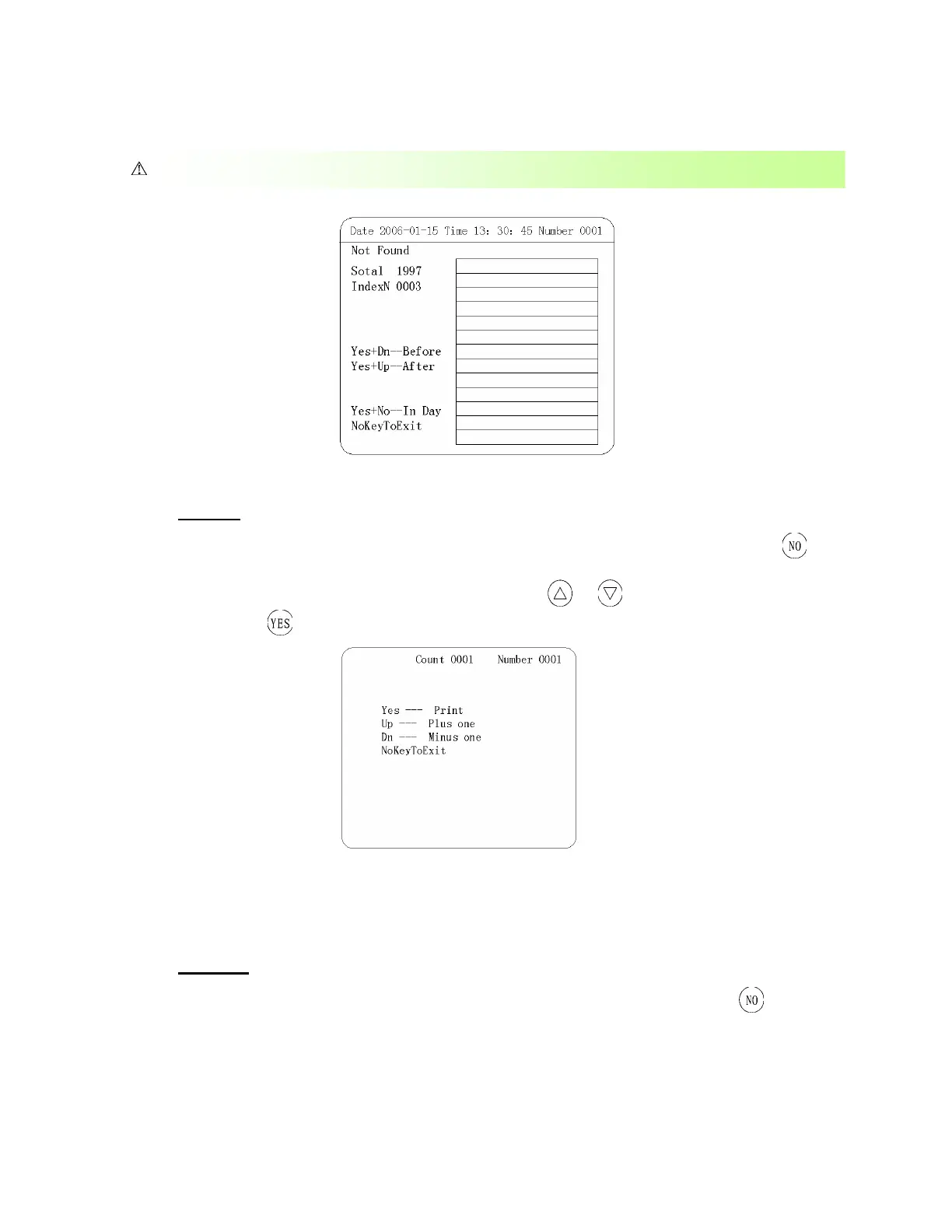
Figure 10
(
Ⅱ
) Print
If you need to print the data in the “Search” operational interface (See methods “Search”), press
back to “Manage” menu, choose “Print Data” and enter into operational menu, the user could choose the
data needed to print according to your demand (Fig 11). Press
or , and choose your sample ID
number and press
,.
Figure 11
(
Ⅲ
) Send
The apparatus can send test data to a computer. After finding the data using “search”, press to go
to main menu, choose “Send” and enter into operational interface, user can choose a list of data to send
If no test data on that researched date, the apparatus will display no data. (See Figure 10)


 To Next Page