- 25-
7. ERROR MESSAGE and TROUBLESHOOTING
The following is a guide in troubleshooting simple problems with the TC-720 plus. If there is a
malfunction with a code please refer to the malfunction table. If there are any problems with the
instruments not covered in this section or if this guide does not fix the problem contact the
manufacturer immediately. Do not attempt to fix complicated issues without the guidance of the
distributor or manufacturer.
(Ⅰ)
Screen does not turn on
Resolution:
A. The screen may have no display if its ground light is not well adjusted. You can press and hold ,
then use
or to adjust the brightness of screen.
B. If the power requirements are not to specifications outlined in this manual, or if the power is not
connected correctly the instrument will not turn on. Make sure that the power requirements are met and
that the power connections are secure.
C. Check whether the fuses at the back of the apparatus are still functional.
(Ⅱ)
The thermal printer doesn't work.
A. Make sure the thermal printer has paper.
B. Make sure the printer paper is installed correctly. If the paper is installed with the wrong side facing
the thermal heads then the printer will not print. Reinstall the paper with the reverse side facing the heads.
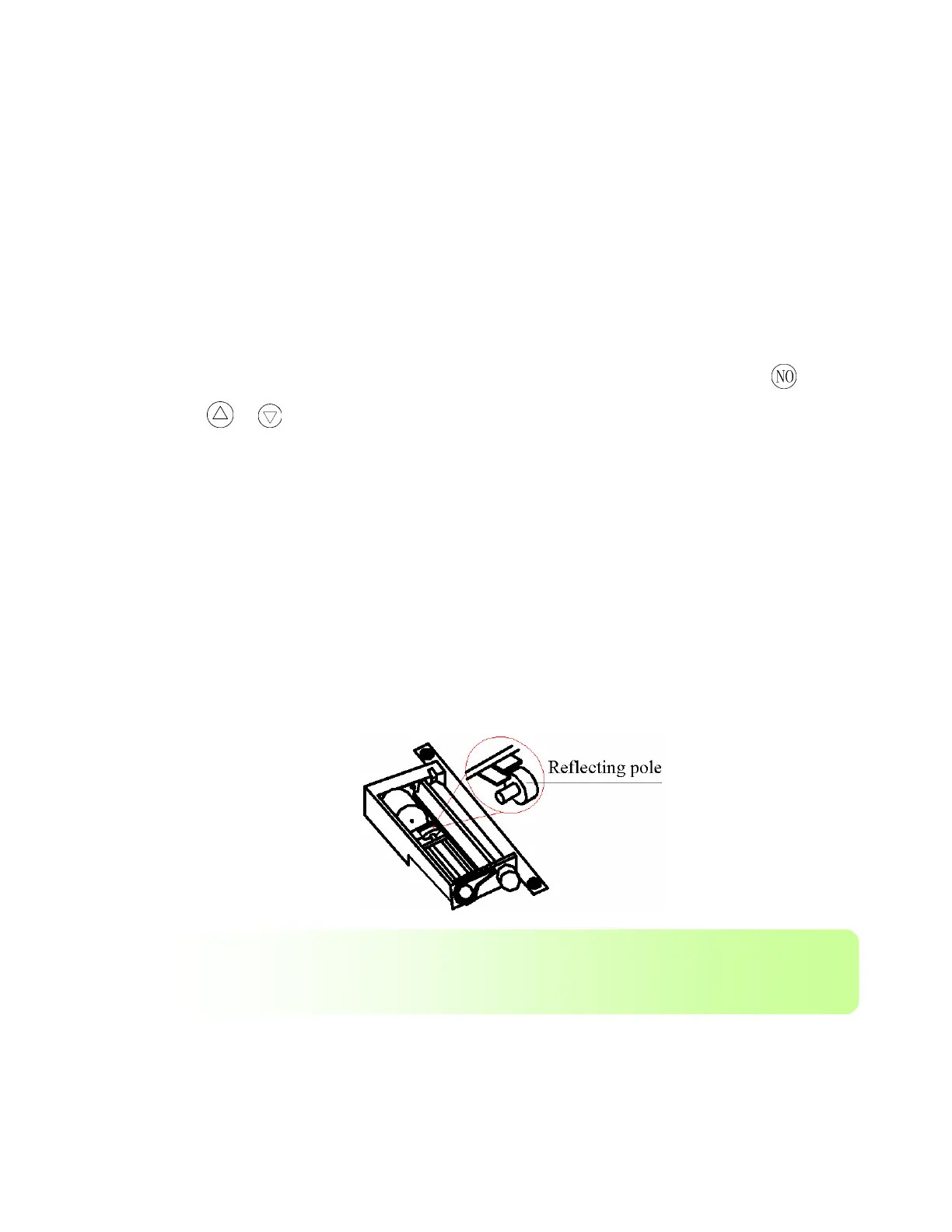
C If the reflecting pole of the thermal printer is dirty, then the printer will not work properly. Clean the
reflecting pole with a soft rag.
D. Make sure that the printer is set to print. This is done in the “Parameter” menu the printer
setting should say “Print On”
CAUTION: Except for replacement of expendables and the above Routine normal
maintenance, don’t open the apparatus and disassemble its parts randomly, the apparatus
may be damaged.


 To Next Page