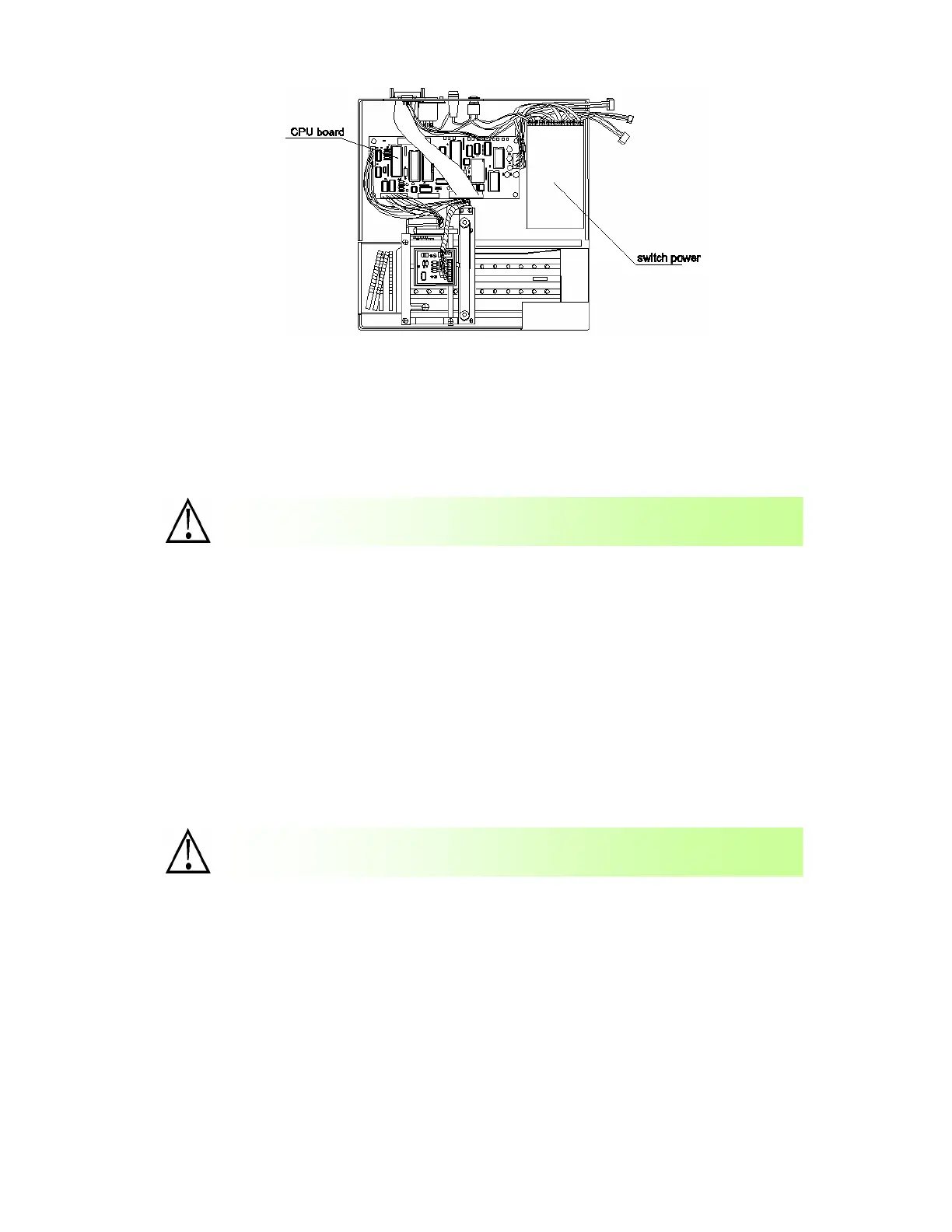
- 31-
10.3 Replacement of CPU board
(1) Turn off the power and pull out the power plug.
(2) Remove the upper cover of the apparatus
(3) Pull out all the plugs on the CPU board.
(4) Move the four bolts fixing the CPU board and then CPU board can be removed for
replacement.
(5) After the replacement, screw the bolts and connect the plugs in reverse procedures of the above.
10.4 Replacement of printing board
(1) Turn off the power and pull out the power plug.
(2) Remove the upper cover of the apparatus
(3) Pull out all the plugs in the interior of upper cover that are connected with the CPU board and
power, etc.
(4) Remove the four bolts fixing the printing board and then printing board can
be removed for replacement.
(5) After the replacement, screw the bolts and connect the plugs in reverse
procedures of the above.
The plugs shall be connected according to their labels; otherwise the
a
aratus will not be able to work.
The plugs shall be connected according to their labels; otherwise the
a
aratus will n
t be able to work.


 To Next Page