- 19-
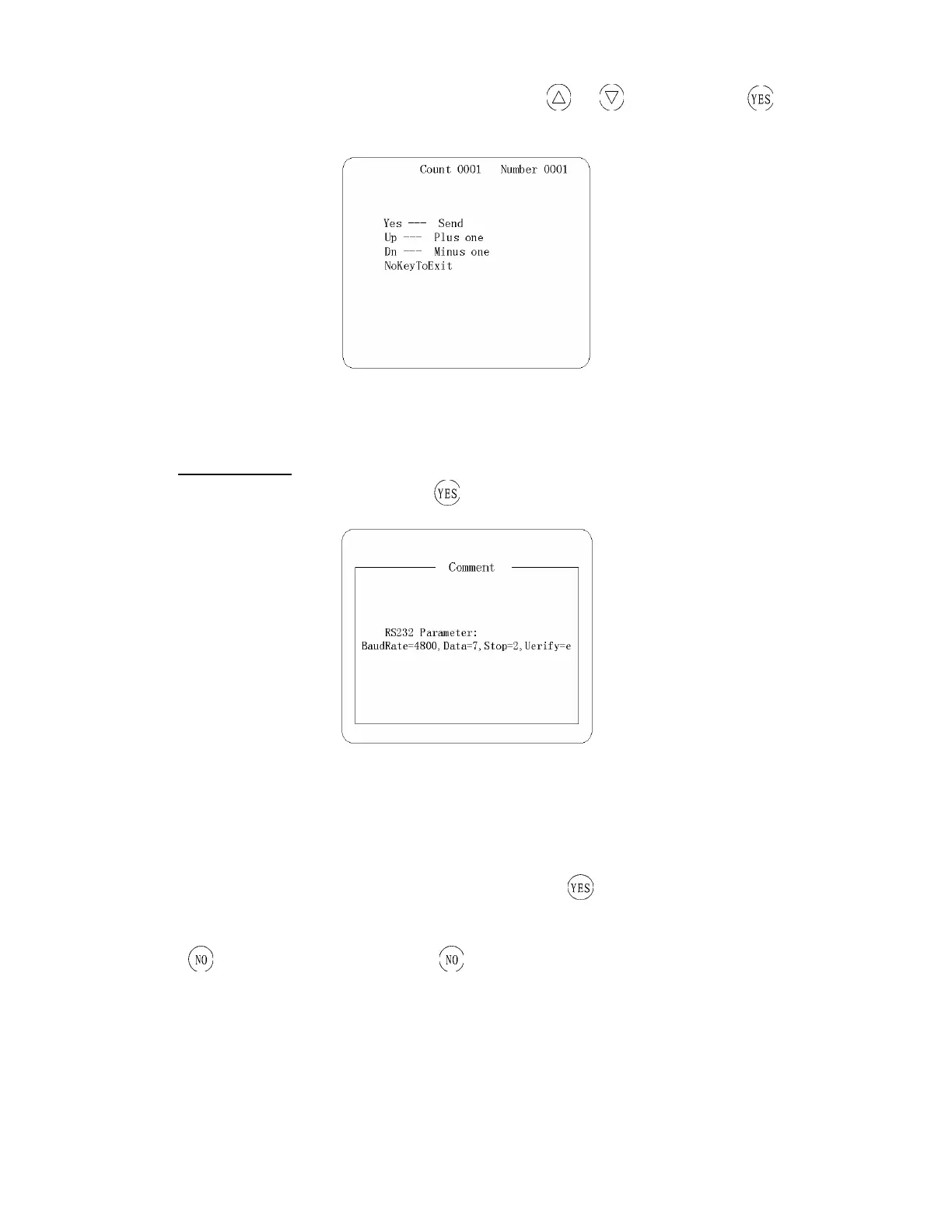
according to your demand (Figure 12), respectively press or , set and press , the
instrument will send that data to the computer
Figure 12
(
Ⅳ
) Comment
Choose “Comment” in the menu and press the screen will display the technical information for the
instrument
4.4 Parameter
Choosing “Parameter” on main operational menu and pressing , the apparatus will enter into its
operational interface (Figure 13), and you can do setting on “Print on, English, Date, Time and Strip”.
Press
and back upper menu while press still back main menu.


 To Next Page