Through the Wi-Fi connection, the TECSYSTEM WEB SERVER interface allows the user to access all the information present
on the web server integrated in the NT935 WS EVO.
To take full advantage of the product features it is advisable to connect the NT935 WS EVO to a Wi-Fi network (STATION
mode).The Wi-Fi connection will allow you to manage multiple control units under a single network and to control them from
any device connected to the network. The NTP Server setting (time.google.com or other), see STATION options page 24, will
allow automatic updating of date and time.
The STATION or ACCESS POINT operating mode is shown in the footer on the HOME screen:
• WI-FI CONNECTED TO - NETWORK NAME (dBm signal reception level) - MODBUS RUNNING (STATION)
• WI-FI DISCONNECTED - MODBUS RUNNING (ACCESS POINT)
NOTE: in the Access point functions, the device automatically keeps the date and time, through a back-up battery, set at the
first start-up. Accessing the "Options" page it will be possible to set the date/time data manually, see page 25.
The data collected on the web server is divided into 7 screens:
• Presentation screen
• Home screen
• Temperatures and alarms screen
• Settings screen
• Graphics screen
• Event log screen
• Statistics screen
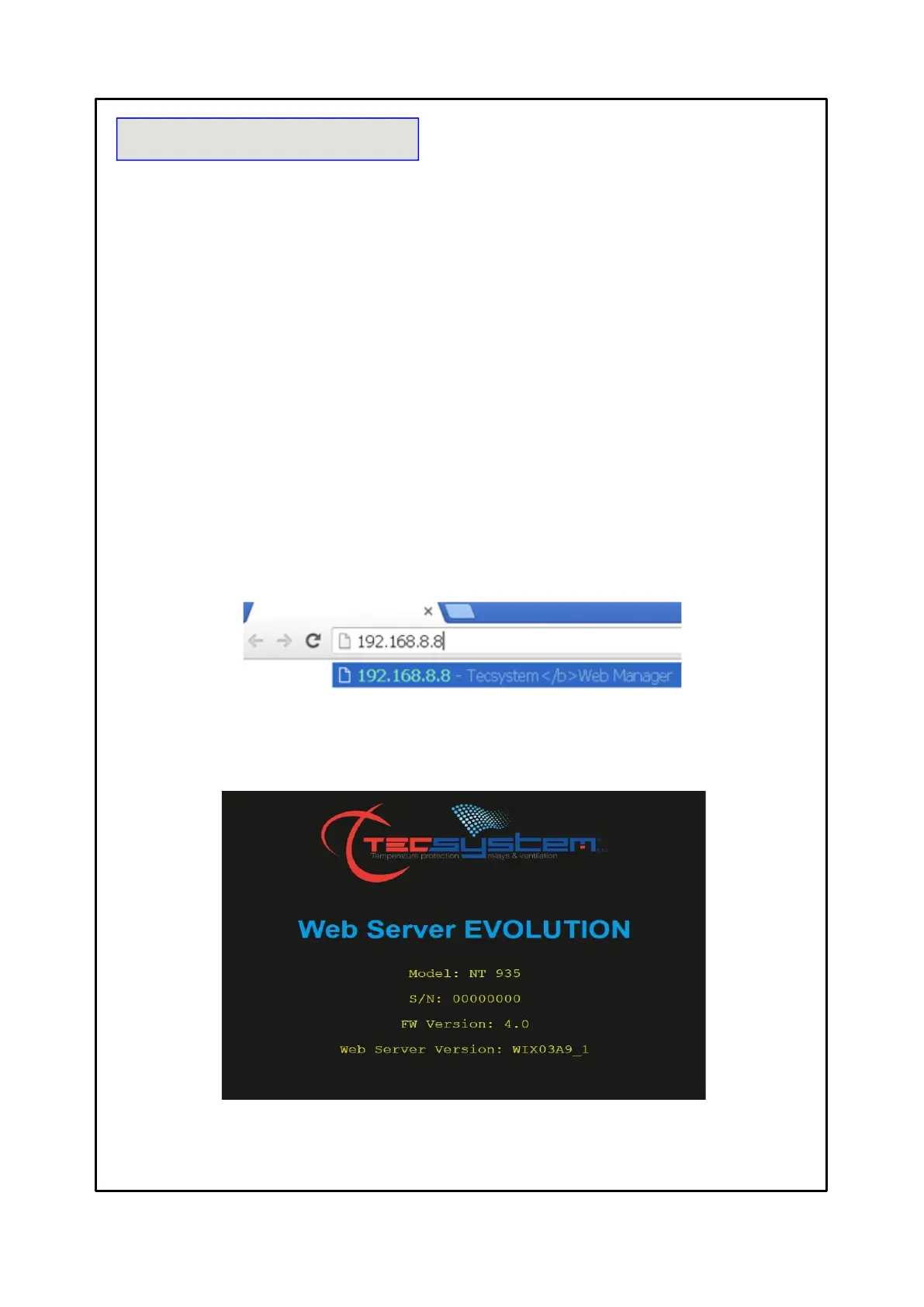
Open your browser and enter the address: 192.168.8.8
Select 192.168.8.8 Tecsystem Web Server, press ENTER.
The web manager's presentation page will appear for a few seconds, showing the model of the control unit, the serial number
of the device and the year of production, its firmware version and the web server version.
(Device serial number, firmware version and web server version)
(screen selection pages)
(measured temperatures and channel status)
(NT935 device programming and web manager settings)
(display of temperature graphs and CHn channel data export)
(display and events export)
(view channel statistics)



 To Next Page