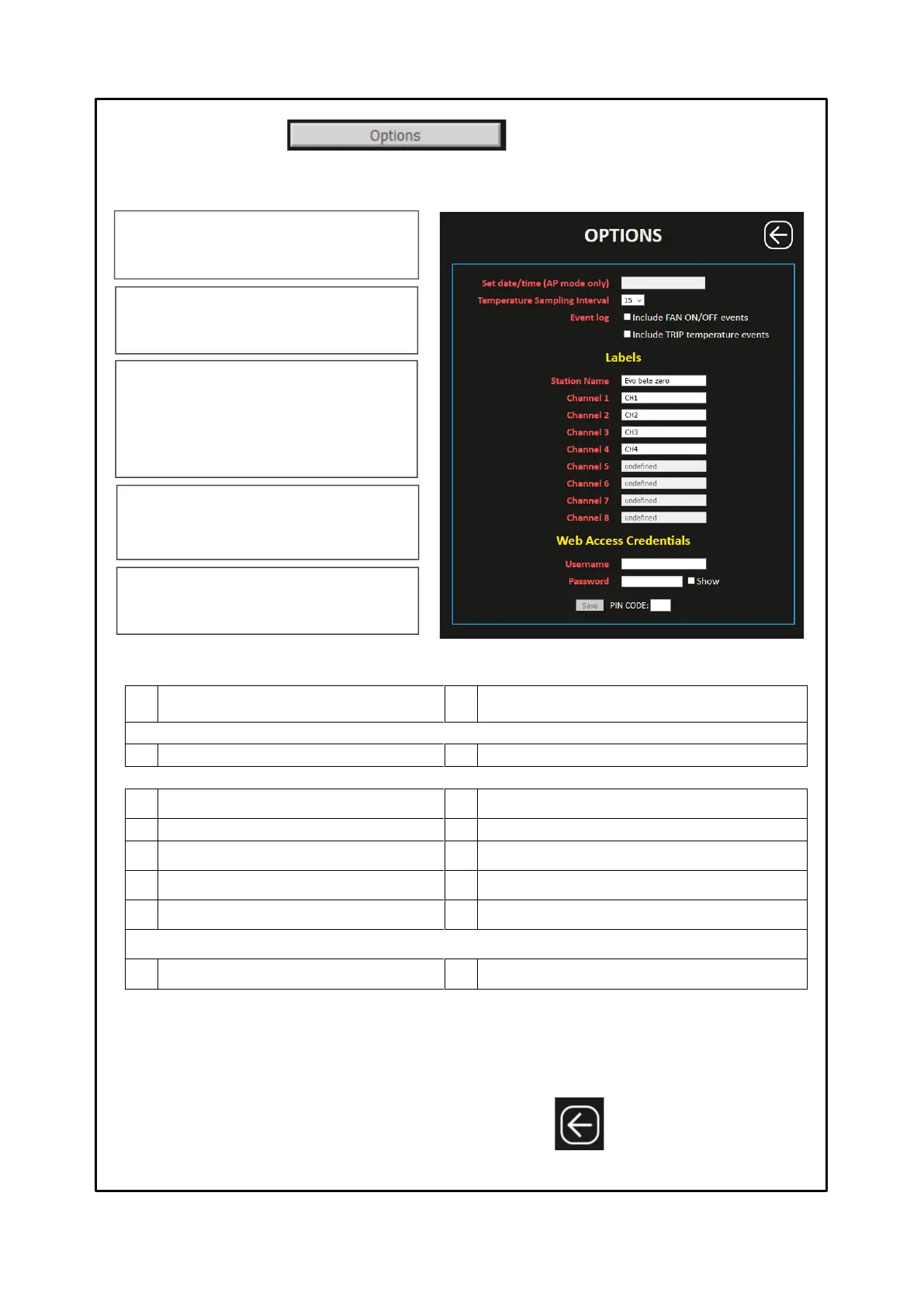
Pressing the OPTIONS button accesses the options screen. On this page it is possible to: set the date and time in the Access
Point mode, select the sampling interval, customise the labels (labels) station and channels and set the username and
password useful to access the web server.
Date and time setting in mode
Access point mode
Sampling frequency 15 minutes
Include FAN ON / OFF log records
Include TRIP achievement log records
Channel 5 label (only NT538 WS)
Channel 6 label (only NT538 WS)
Channel 7 label (only NT538 WS)
Channel 8 label (only NT538 WS)
Web Access Credentials (setting of Username and Password for Web Server access)
Password (SHOW for password verification)
After entering the PIN CODE, default 00000, press SAVE to save the set values. A POP UP window will confirm the correct
saving of data.
Note: PIN CODE settings and operation on page 29.
The Web Access Credentials setting
It is used to set username and a password. Upon
each log in to the web server, a POP-UP credential
window will appear.
Set data/time (AP mode)
It allows the user to manually set the date and time in
AP mode. This information is essential for correct
operation of the control unit.
Temperature Sampling Interval.
The sampling interval represents the waiting time
between one recording and the next, a 15 minutes
pre-set fixed value.
Labels
The labels are used to customise, as desired,
identification of the control unit and of the individual
channel.
Event log
√ FAN ON/OFF events log enabling flag. NOTE: when
the FAN event is enabled, the maximum recording
limit, 10,000 events, may be reached early.
√ TRIP events log enabling flag when the TRIP
threshold is reached.
Press BACK to return
to the previous screen



 To Next Page