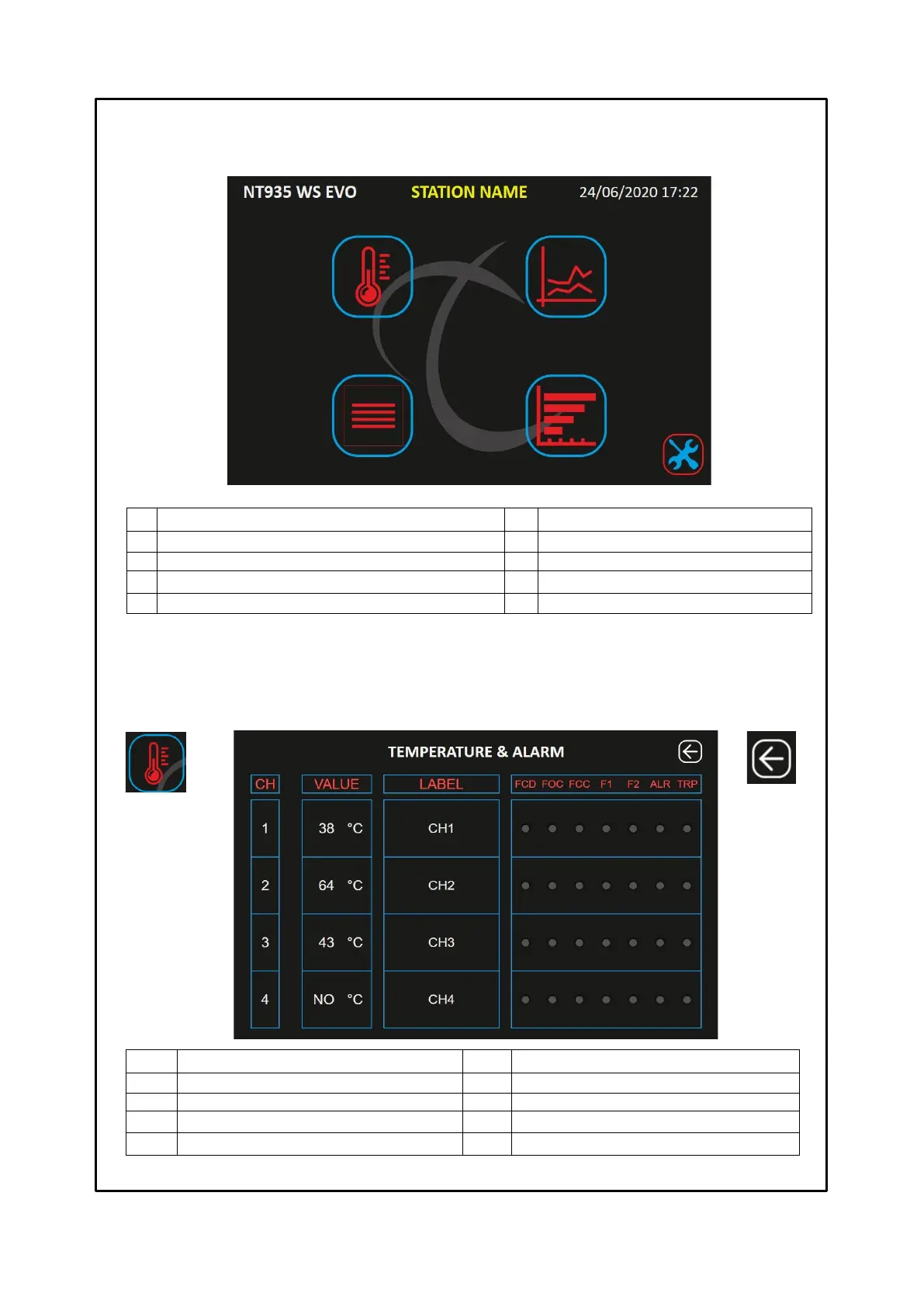
Channel indication CH1-CH2-CH3-CH4
Channel temperature CH1-CH2-CH3-CH4
F1 signal ON yellow LED (FAN1)
Channel reference label (*)
F2 signal ON yellow LED (FAN2)
ALR signal ON red LED (ALARM)
TRP signal ON red LED (TRIP)
(*) the label indication can be customised by the user in the options – labels settings screen, see page 25.
TEMPERATURE AND ALARMS SCREEN
The temperatures and alarms screen shows the operating status of each channel, i.e.: the temperature detected by each
channel, the FCD-FOC-FCC sensor fault indications, activation of the F1-F2-ALARM-TRIP alarms.
HOME SCREEN
The home screen allows the user to identify the cabin and to select the various screens.
The management screen shows the following information:
GRAPHICS screen selection key
Station Name or monitored cabin (*)
EVENT LOG screen selection key
STATISTICS screen selection key
SETTINGS screen selection key
TEMPERATURES AND ALARMS screen selection key
(*) The Station Name indication can be customised by the user in the options- labels settings screen, see page 25.
Pressing the selection keys 5-6-7-8-9 it is possible to access the various screens; the web server will display only
one screen at a time.
Key: BACK
Return to the
HOME screen



 To Next Page