EasyManua.ls Logo

Teknatool NOVA DVR XP - Voltage Selection Procedure

Teknatool NOVA DVR XP
50 pages
Print Icon
To Next Page IconTo Next Page
To Previous Page IconTo Previous Page
Loading...
115-0214-004 36
Voltage selection
By removing a small jumper the unit will efficiently run on 220V and a gain in power can be achieved. Or
the jumper can be replaced to enable the unit to run on 115V.
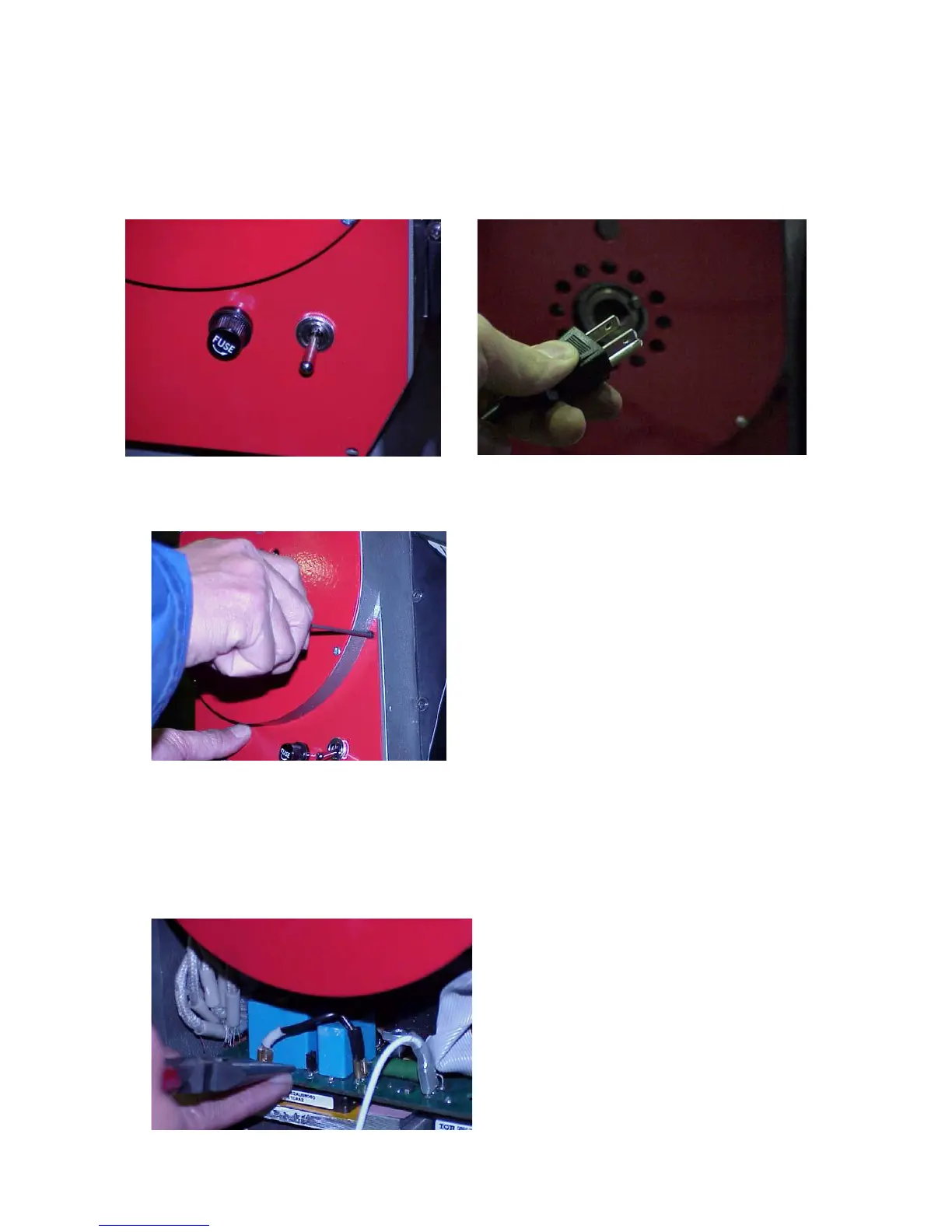
1. Ensure that the power is off and that the plug is disconnected from the wall.
2. Allow minimum of 3 minutes discharging time for capacitors before opening rear panel.
3. Remove the rear lower switch panel. This will expose the main control panel in the lower
compartment.
4. Use a pair of long nose pliers and earth yourself first by momentarily placing a hand on the lathe
casting. This will remove any static electricity that could damage sensitive components. Visually
locate the jumper. It will be between the 2 square blue capacitors.

Related product manuals