EasyManua.ls Logo

Tektronix TDS3000 Series - User Manual

Tektronix TDS3000 Series
232 pages
Print Icon
To Next Page IconTo Next Page
Loading...
User Manual
TDS3000 Series
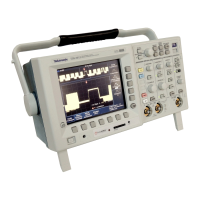
Digital Phosphor Oscilloscopes
071-0274-01
This document supports firmware version 2.00
and above.

Table of Contents

Other manuals for Tektronix TDS3000 Series

Questions and Answers

  • B
    btaylorJul 26, 2025
    What to do if Tektronix TDS3000 Test Equipment RS-232 debug menu displays CTS: Low?
    • D
      Donna BarnesJul 26, 2025
      If the Tektronix Test Equipment RS-232 debug menu displays CTS: Low, and the oscilloscope is using hard flagging, verify that the RS-232 cable is the recommended cable. Also, ensure that the personal computer program is using CTS/RTS hard flagging, as some cables may be wired without the CTS or RTS lines which are used by hard flagging.
  • A
    Amanda WolfAug 3, 2025
    Why does my Tektronix Test Equipment RS-232 Debug menu display Framing errors?
    • L
      Leslie LeeAug 3, 2025
      If the Tektronix Test Equipment RS-232 Debug menu displays Framing errors, it indicates a mismatch. This could be due to a baud rate mismatch, a data bits mismatch (the oscilloscope expects 8-bit data), or a parity mismatch between the oscilloscope and the personal computer. Note that the scope might be set to expect no parity.
  • P
    Patricia SandersAug 9, 2025
    What to do if Tektronix TDS3000 Test Equipment transmissions are incomplete?
    • W
      William LaneAug 9, 2025
      If transmissions are incomplete, or the Tektronix Test Equipment oscilloscope does not process all commands from the personal computer, it may be caused by flagging not being used correctly by the oscilloscope or the personal computer (or they are using different types of flagging). Another possible cause is an EOL terminator mismatch between the oscilloscope and the personal computer.
  • K
    Kathy RamseyAug 18, 2025
    What to do if Tektronix Test Equipment first message fails after sending a BREAK?
    • M
      maciasluisAug 18, 2025
      If your personal computer program sends a BREAK and the first message fails, verify that the personal computer program is waiting for and reading the DCL and end of line terminator response sent by the oscilloscope.

Summary

General Safety Summary

To Avoid Fire or Personal Injury

Safety precautions to prevent fire and personal injury during operation.

Preventing Electrostatic Damage

Procedures to protect components from damage caused by electrostatic discharge.

Getting Started

Initial Setup

Procedures to verify oscilloscope power-up and function, and probe compensation.

Front-Panel Menus and Controls

Explanation of front-panel buttons, controls, and menu system navigation.

Reference

Acquisition Controls

Detailed explanation of the oscilloscope's acquisition functions and buttons.

Trigger Controls

Detailed explanation of trigger functions, modes, and settings.

Tektronix TDS3000 Series Specifications

General IconGeneral
Bandwidth100 MHz to 500 MHz
Sample RateUp to 5 GS/s
Channels2 or 4
DisplayColor LCD
Operating Temperature0 °C to +50 °C
Vertical Resolution8 bits
Input Impedance1 MΩ || 13 pF
Vertical Sensitivity10 V/div
Trigger ModesEdge, Video
Power Source100 to 240 VAC
InterfaceGPIB

Related product manuals