User Manual
40
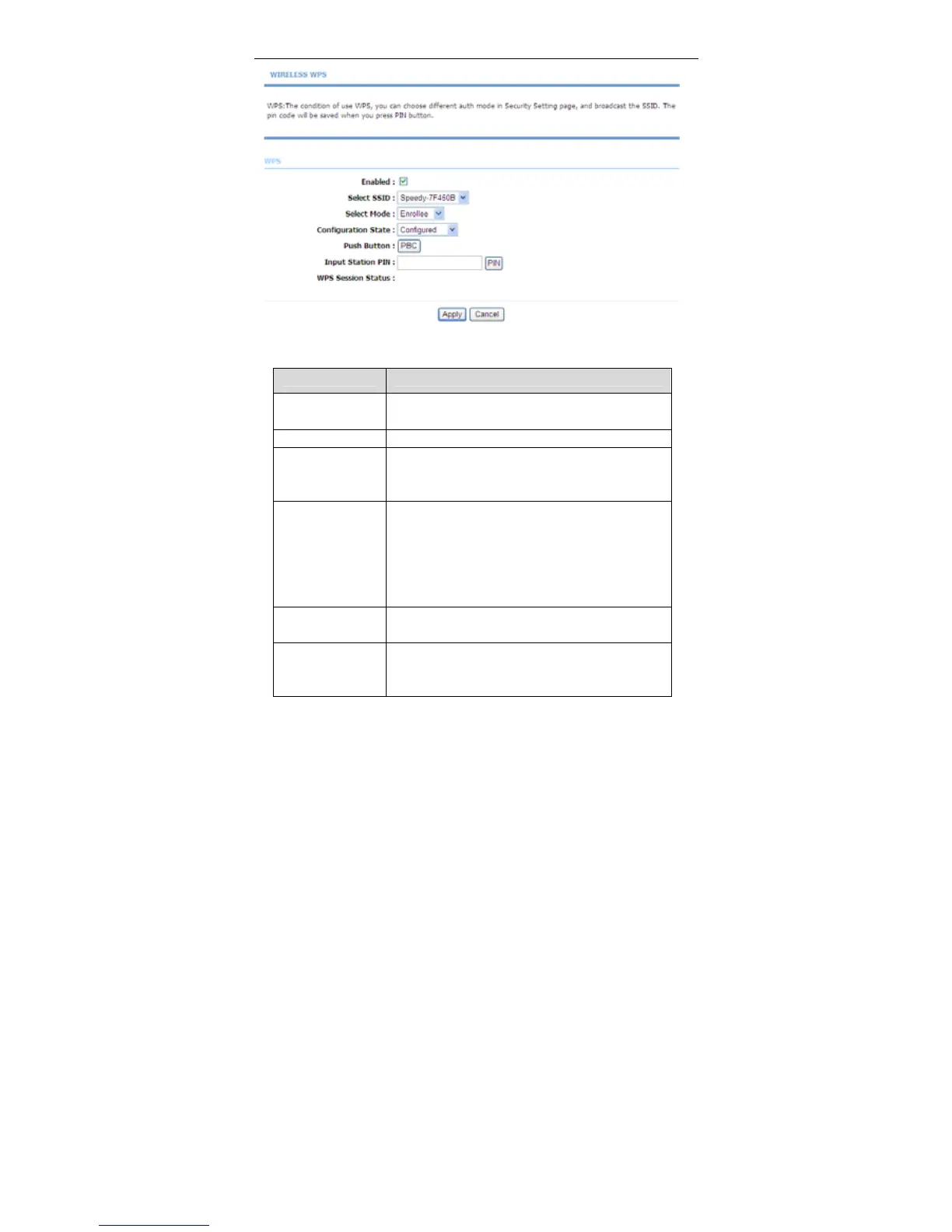
The following table describes the parameters of this page.
Field Description
Enabled
Choose to enable WPS function to set the following
parameters.
Select SSID Select one SSID of the CPE.
Select Mode
Select the mode either Registar or Enrollee. When
an AP or a station used Registar mode, the other
should use Enrollee mode.
Configuration
State
When Configured state is selected, wireless
parameters (for example, the encryption password)
are provided by the CPE in WPS negotiation. When
Unconfigured state is selected, wireless
parameters are provided by the connecting user end
(for example, PC).
Push Button
Press the button, the CPE will connect the station
automaticlly.
Input Station PIN
You need to enter a pin the station which mode is
Enrollee Generate. Press the button to connect the
other with the pin.



 To Next Page