User Manual
2
Do not put this device close to a heat source or under a high temperature
occurs. Keep the device away from direct sunshine.
Do not put this device close to an overdamp or watery place. Do not spill
fluid on this device.
Do not connect this device to a PC or electronic product unless instructed
by our customer engineer or your broadband provider. Wrong connection
may cause power or fire risk.
Do not place this device on an unstable surface or support.
1.3 LEDs and Interfaces
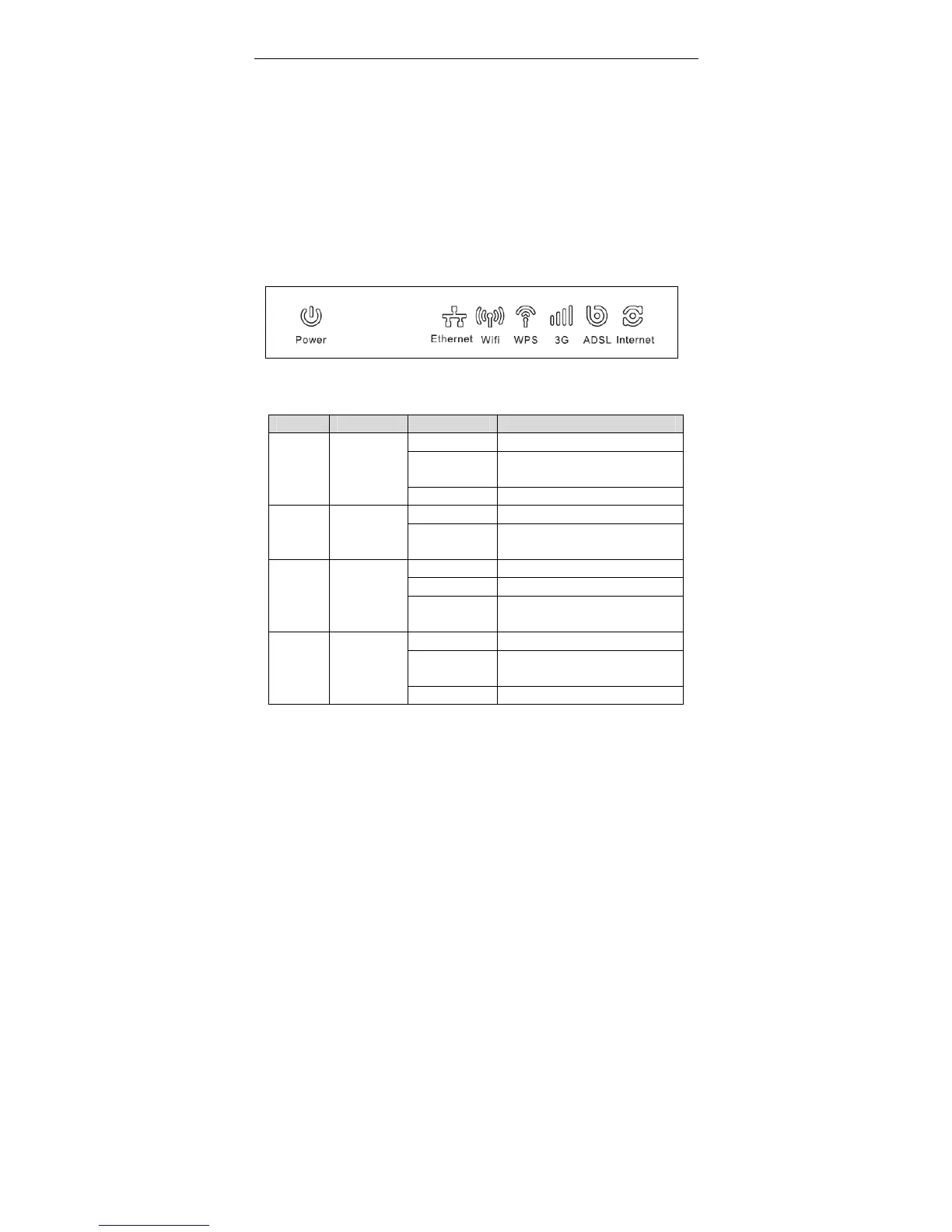
Front Panel
Figure 1 Front panel
The following table describes the LEDs of the device.
LED Color Status Description
Off Router powered off
Blinking 2Hz
Red
Failure on power-on self-test
Power Red/Green
Solid Green Router powered on correctly.
On Ethernet connection is available.
Ethernet Green
Off
Ethernet connection is
unavailable.
On Wi-Fi connection is available.
Off Wi-Fi connection is unavailable.
Wifi Green
Blinking
Green
Negotiation or traffic on line.
Solid Green WPS active
Blinking 2Hz
Green
WPS negotiation open
WPS Red/Green
Solid Red (20 Problems on WPS registration



 To Next Page