User Manual
63
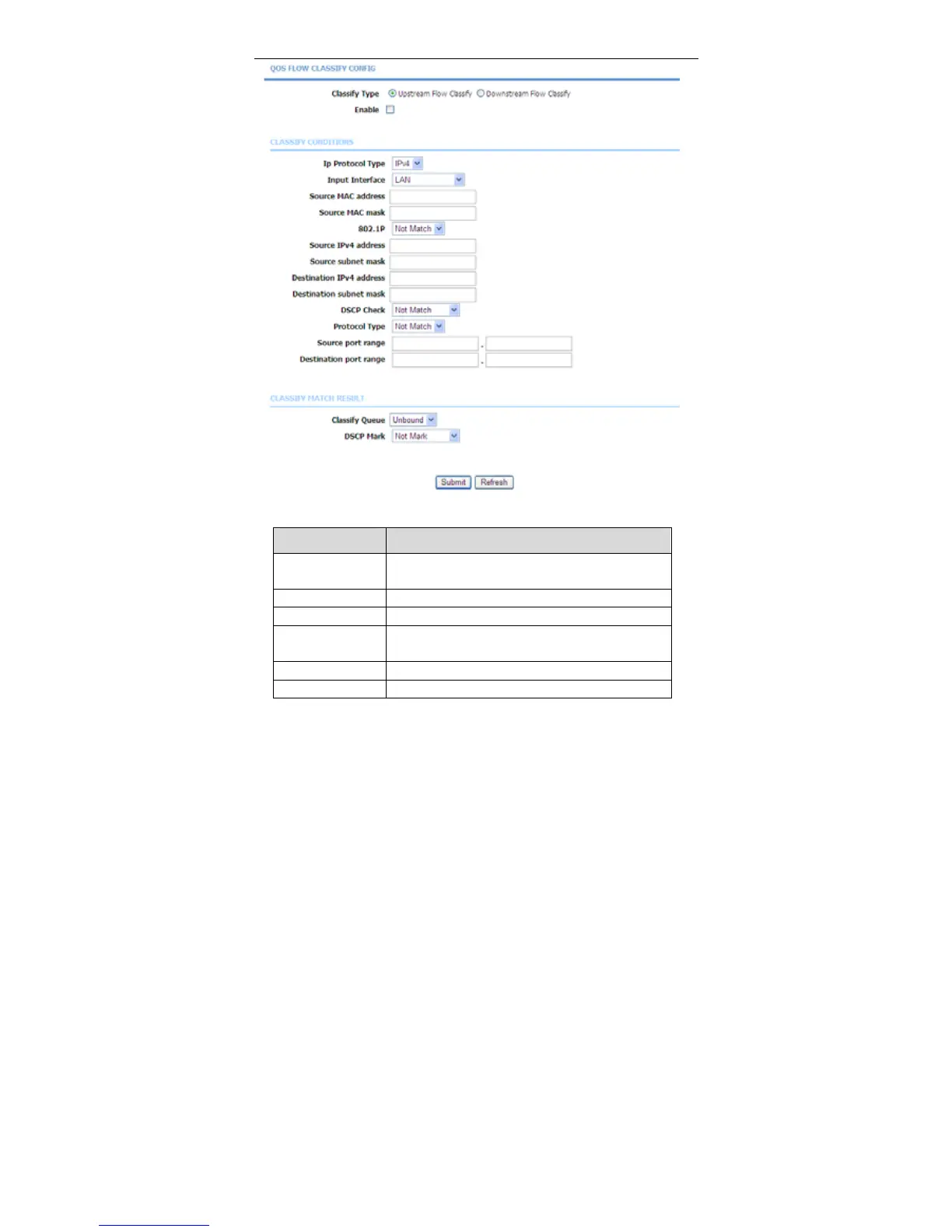
The following table describes the parameters of this page.
Field Description
Classify Type
Set the QoS rule type as Upstream or
Downstream.
Enable Tick in the box to enable this QoS rule.
Ip Protocol Type Select the protocol type IPv4.
Input Interface
Based on the Classify Type, choose a WAN/LAN
interface.
802.1P Choose a matched 802.1P VLAN priority.
DSCP Check Choose a matched DSCP type.



 To Next Page