User Manual
66
hostname.dyndns.org and allow remote access to a host. Many ISPs assign
public IP addresses using DHCP, so locating a specific host on the LAN using the
standard DNS is difficult. For example, if you are running a public web server or
VPN server on your LAN, DDNS ensures that the host can be located from the
Internet even if the public IP address changes. DDNS requires that an account
be set up with one of the supported DDNS service providers (DyndDNS.org or
dlinkddns.com).
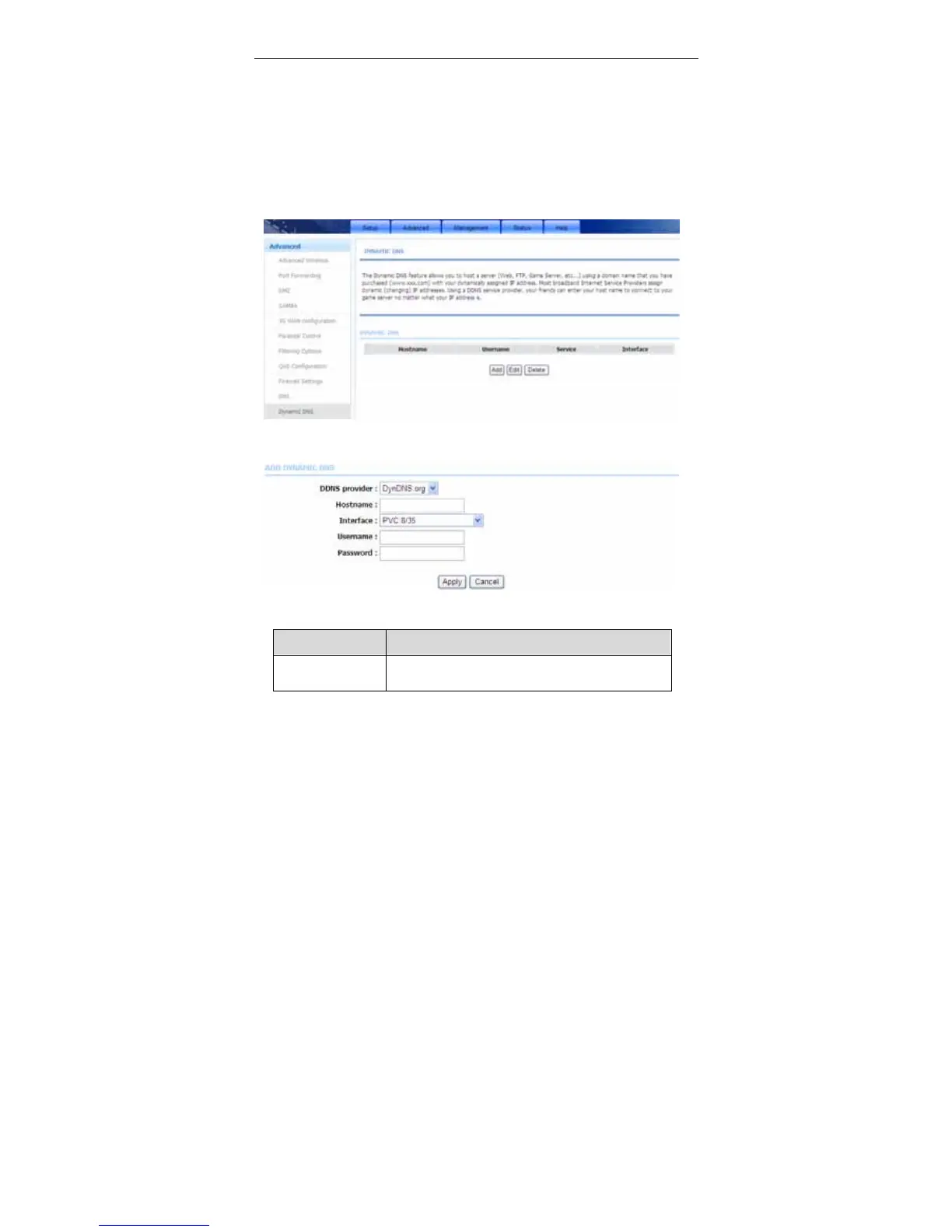
Choose Advanced > Dynamic DNS. The page shown in the following figure
appears.
Click Add to add dynamic DNS. The page shown in the following figure appears.
The following table describes the parameters of this page.
Field Description
DDNS provider
Select one of the DDNS registration organizations
from the down-list drop. Available servers include



 To Next Page