User Manual CXE85X
59300464 Rev.005
9.12.2013 28(44)
Properties viewer page
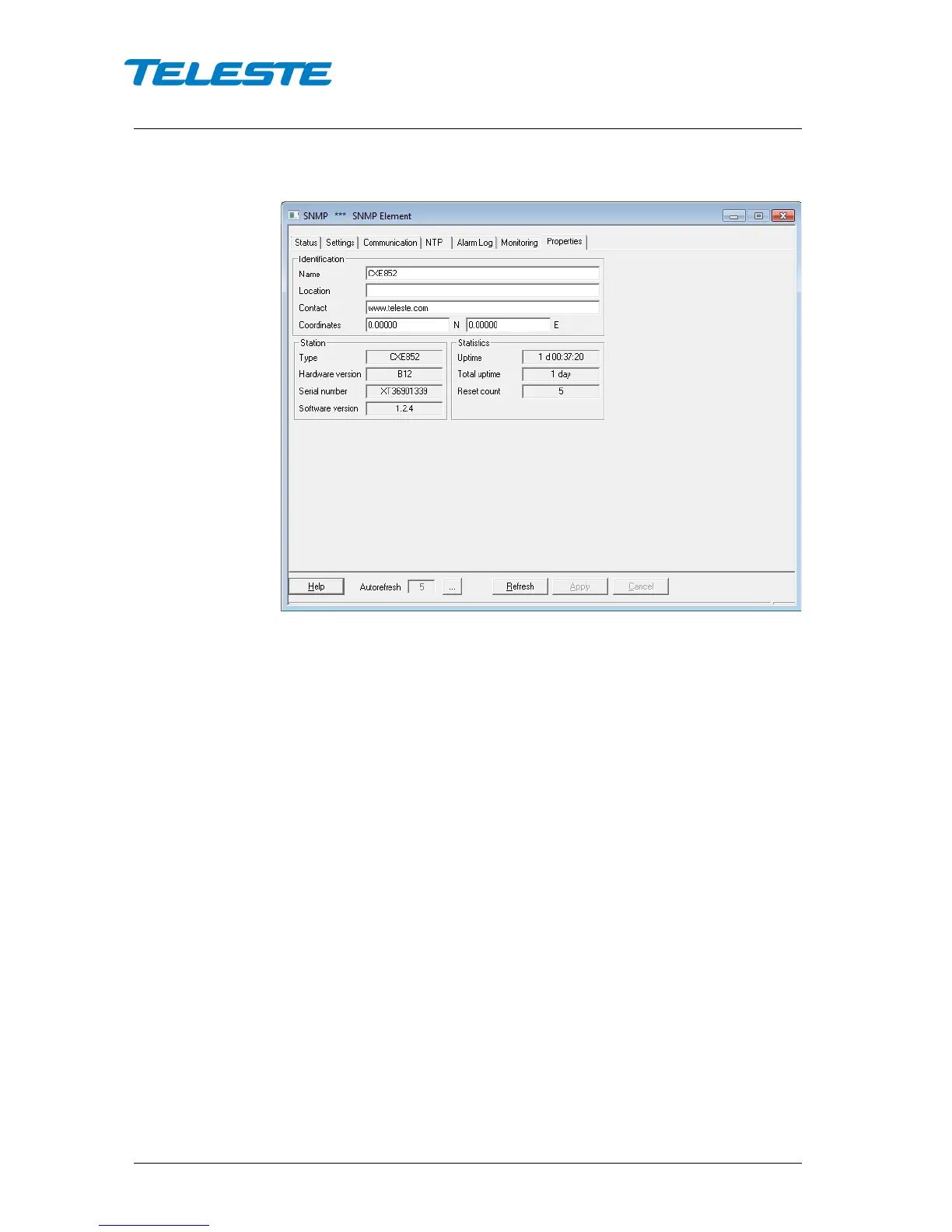
Figure 14. CXE85x Properties page
The “Properties” page displays unit identification and statistics data.
Identification
A descriptive alias name for the node can be entered into the “Name” field, site
location into “Location” field and contact information into “Contact” field. All
these fields can contain up to 63 characters. Geographical coordinates of the
unit can be entered into respective latitude and longitude fields.
Station
The station type, hardware version, serial number and software version are
shown as read-only information.
Statistics
The “Uptime” field shows the time since the last reset or power up. The format
is days, hours, minutes and seconds, with ±5 s/day accuracy.
The "Total uptime" field shows the total number of full operating days. The
"Reset count" field shows the total number of resets.


 To Next Page