User Manual CXE85X
59300464 Rev.005
9.12.2013 33(44)
Communication WebUI page
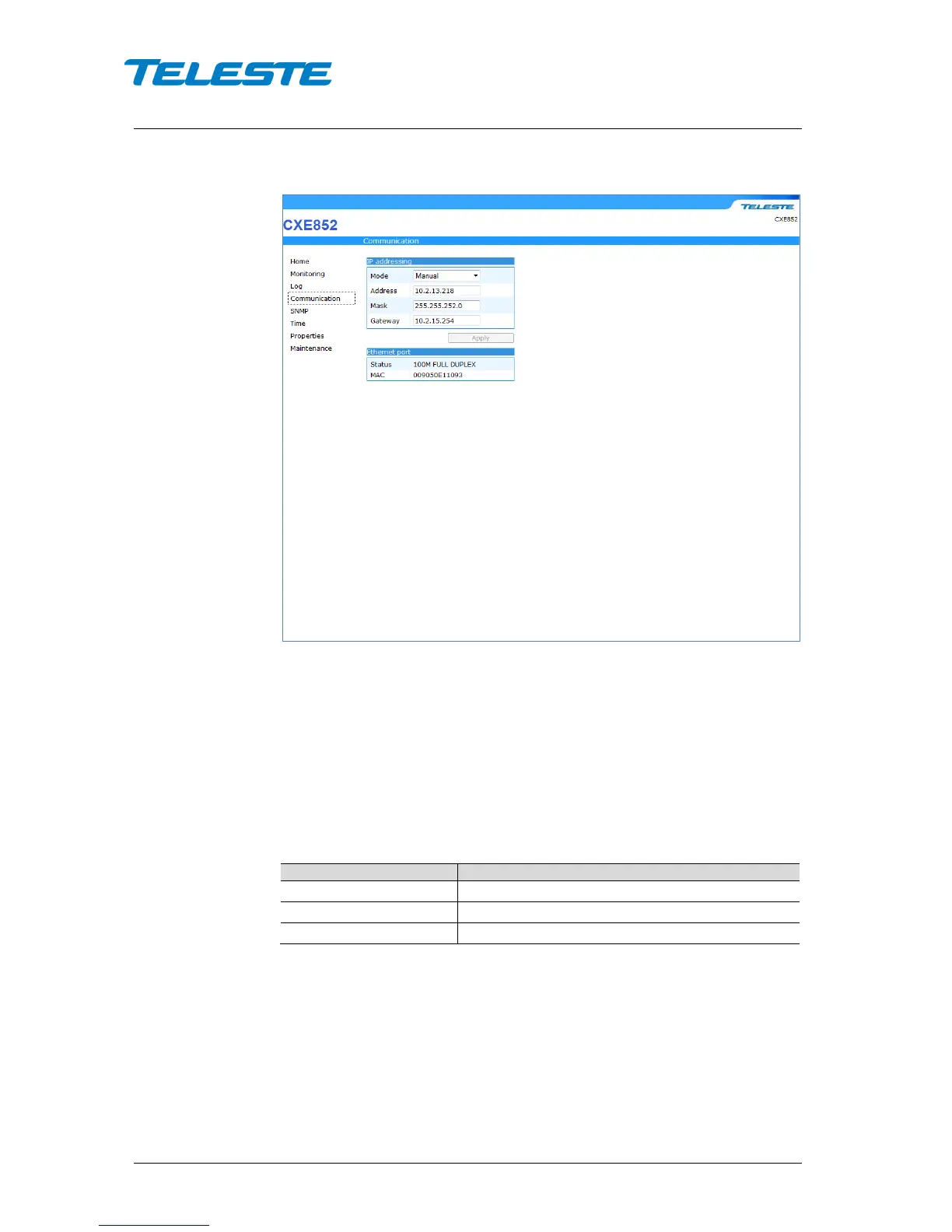
Figure 18. Communication page
The Communication page is used to configure the network of the device.
IP Addressing
Mode: Enable DHCP (Dynamic Host Configuration Protocol) or apply network
parameters manually. With DHCP mode the IP address is assigned
automatically provided that a DHCP server is installed on the network. If
CXE85x cannot get an IP address within limited tries, it will assign the factory
default network configuration.
Table 6. Factory default network configuration
Ethernet port
Status: The Ethernet port speed and duplex mode is shown in the field.
MAC address: The Ethernet port’s globally unique MAC address.


 To Next Page