EasyManua.ls Logo

TELEVAC CC-10 - 7.2 Installing the sensor; 7.3 Sensor Disassembly; 7.4 Sensor Cleaning

TELEVAC CC-10
40 pages
Print Icon
To Next Page IconTo Next Page
To Previous Page IconTo Previous Page
Loading...
CC-10
INSTRUMENT MANUAL
Phone:(215) 947-2500 fax:(215) 947-7464 e-mail:sales@televac.com web site:www.televac.com
CC-10 MANUAL REV D
Page 32 of 40
Y
TELEVA
7.2
I
ns
t
a
lli
ng
t
h
e
s
e
nso
r
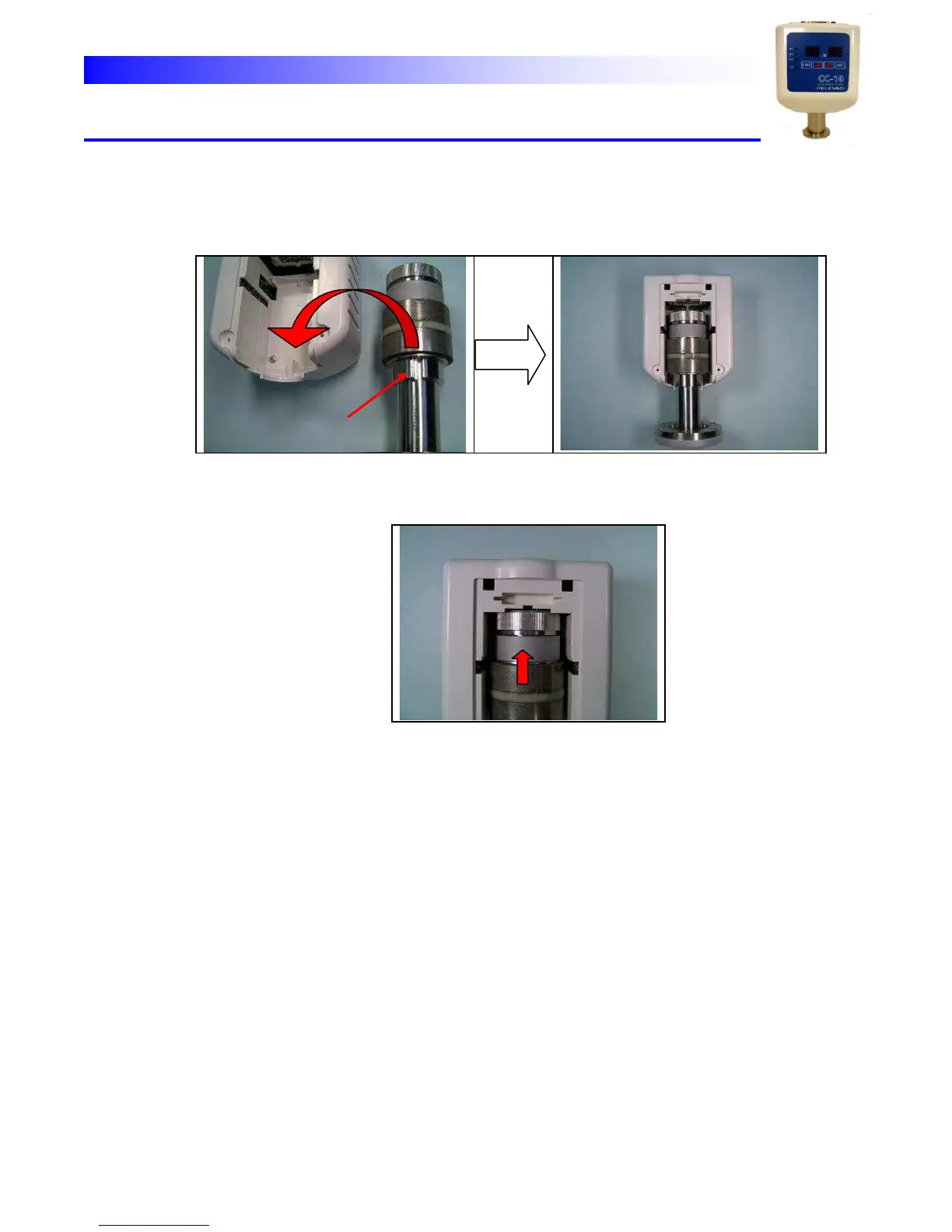
1.
Put
the
sensor
in
the
plastic
housing
fitting
the
anti-rotation
slot
on
the
sensor
and
the key
on
the
housing
together.
a
n
t
i
-
r
o
t
a
t
i
on
s
l
o
t
2.
Slide
the
sensor
toward
the
socket
so
that
all
the
pins
are
inserted
correctly
into
the socket.
Do
not
push
the
sensor
too
strong.
Normally
the
pins
can
be
inserted
smoothly
with a
little
power.
s
li
d
e
3.
If
the
pins
are
firmly
inserted
put
the
plastic
cover
back
on
the
housing
and
fix
it
with two
screws.
(if
the
pins
are
not
fully
inserted
the
cover
can
n
ot
be
shut
completely.)