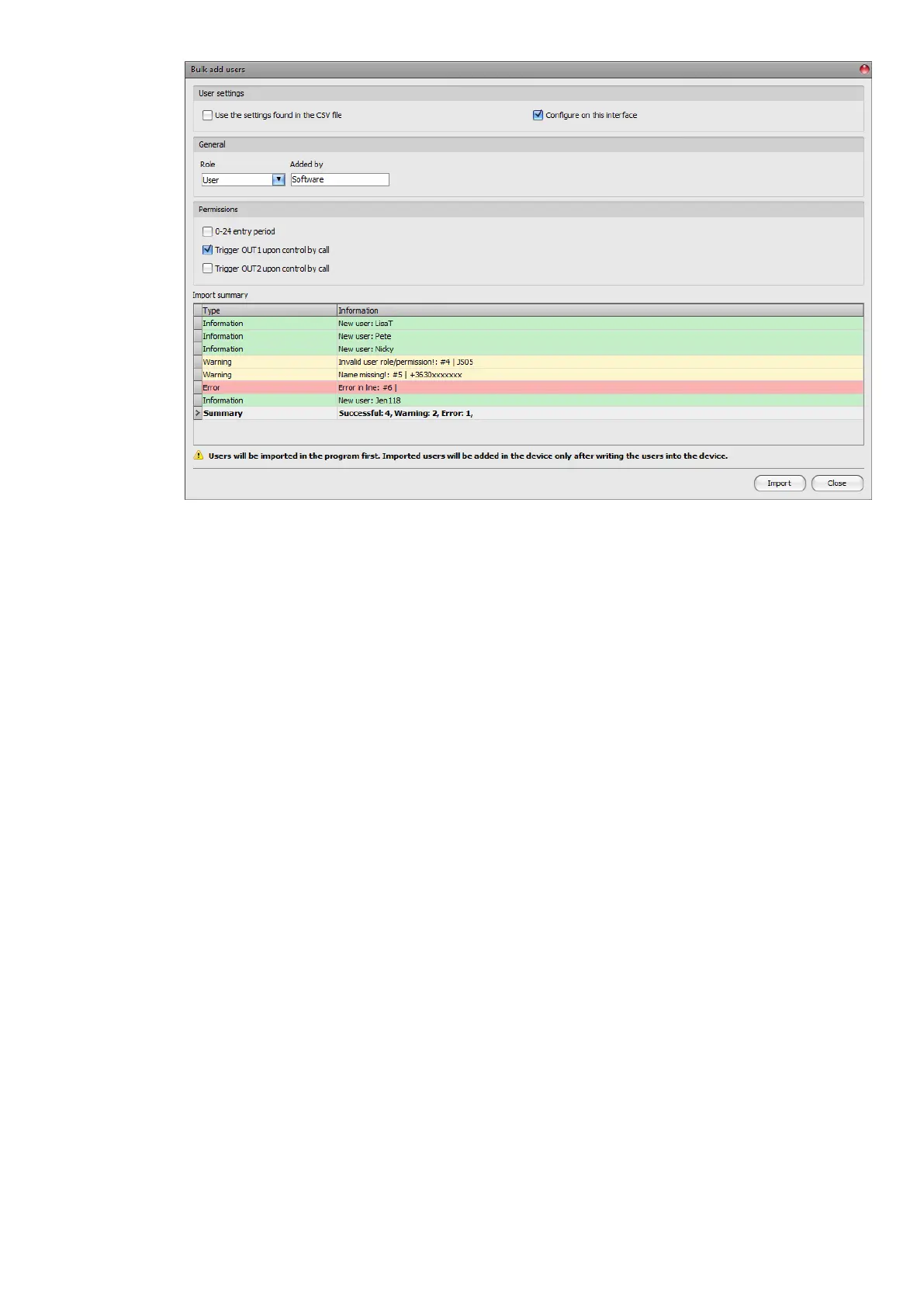
The structure requirements of the CSV file, in case of importing from CSV:
The program enables you to import a simple user list, or an extended file that also
contains user settings. The program detects the type of the list you want to import
automatically, based on the file content.
The program considers the first line of the CSV file as the header, therefore,
it will not process the firs line!
• Simple user list:
The file should contain the users starting from the second line. The line should start
with the username, followed by a semicolon, and then the comment, and then
again, a semicolon followed by the phone number.
Example:
Username;Comment;Phone number
JSmith;John Smith;+3630xxxxxxx
• Extended user list with user settings:
The file should contain the users and their settings starting from the second line.
The line should start with the username, followed by the comment, the phone
number, the role, the 0-24, OUT1 and OUT2 permissions, and finally the
registerer’s username, each separated by semicolons.
Example:
Username;Comment;Phone number;Role;0-24h;OUT1;OUT2;Added by
JSmith;John Smith;+3630xxxxxxx;S;1;1;0;Software
Possible values for user roles that you can configure in the file:
U: user
A: administrator
S: super administrator
Possible values for the 0-24, OUT1, and OUT2 permission parameters:
0: disabled
1: enabled



 To Next Page