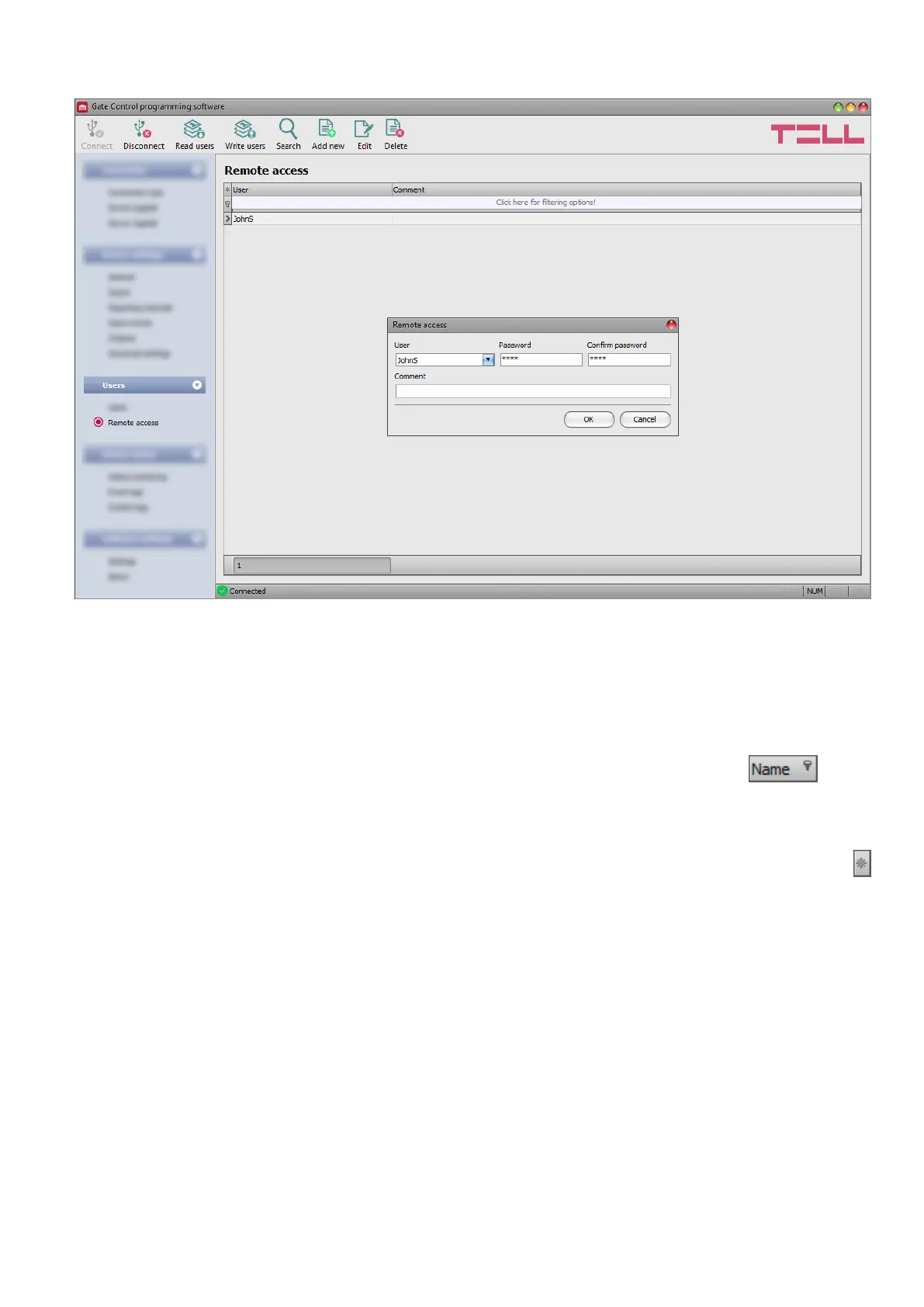
5.3.2 Remote access
In this menu you can configure passwords for remote access, for super admins and admins.
In the possession of the username and password, the super admin or admin will be authorized
to connect to the system remotely over the Internet, using the programming software. You can
register up to 2000 remote access passwords in the system.
You can filter data in any column using the filter placed under the header of the data table.
Filtering can be cancelled by deleting the entered or selected filter condition.
An advanced filter is also available for each column by clicking on the filter icon which
appears on the right-hand edge of each column header by moving the mouse pointer on the
given header. You can toggle between ascending and descending data sorting by clicking on
a column’s header. You can toggle between show/hide columns or change the order of the
columns in the spreadsheet by drag-and-drop, after clicking on the button marked with a star
in the top left corner of the spreadsheet. You can also change the order of the columns by
moving the header of the columns.



 To Next Page