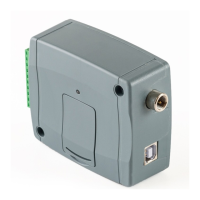
3.4 Connections
Attention! Do NOT connect the metallic parts of the antenna connector or the device’s
terminals directly or indirectly to the protective ground, because this may damage the
device!
A power supply with adequate power is essential for the product to operate properly.
The power supply must provide a power that can serve the minimum operating voltage
and the maximum power consumption of the device. The power feed must be continuous
and transient-free.
An ideal solution for the above purposes is the power supply designed and manufactured
by TELL, which we expressly recommend using for our devices.
• Recommended TELL power supply: TT25VA-12V5.
3.4.1 Wiring diagrams according to output control modes
System terminal inputs and outputs:
V+ Supply voltage 12-30V DC or 12-16.5V AC (min. 500mA)
V- Supply voltage negative (if DC)
IN1 Dry contact input 1
IN2 Dry contact input 2
IN3 Dry contact input 3
IN4 Dry contact input 4
OUT1 Relay output 1 (normally open dry contact, max. 1A@24V AC/DC)
OUT2 Relay output 2 (normally open dry contact, max. 1A@24V AC/DC)
Control mode 1:
- For one or two gates, or one gate with
two opening options (partial/total
opening).
- Both outputs are normally open (NO).
- OUT1 is controlled by call with caller
identification.
- OUT2 is controlled by calls from private
(hidden) number.
- A control call only opens the gate.
Closing should be done automatically
by the gate automation control board.
Control mode 2:
- For one or two gates or one gate with
two opening options (partial/total
opening).
- Both outputs are normally open (NO).
- Both outputs are controlled by call with caller identification as configured (OUT1 only, OUT2
only, or both at the same time).
- Output control permission can be configured separately for each user and each output.
- A control call only opens the gate. Closing should be done automatically by the gate
automation control board.



 To Next Page