5.1.3 Device register
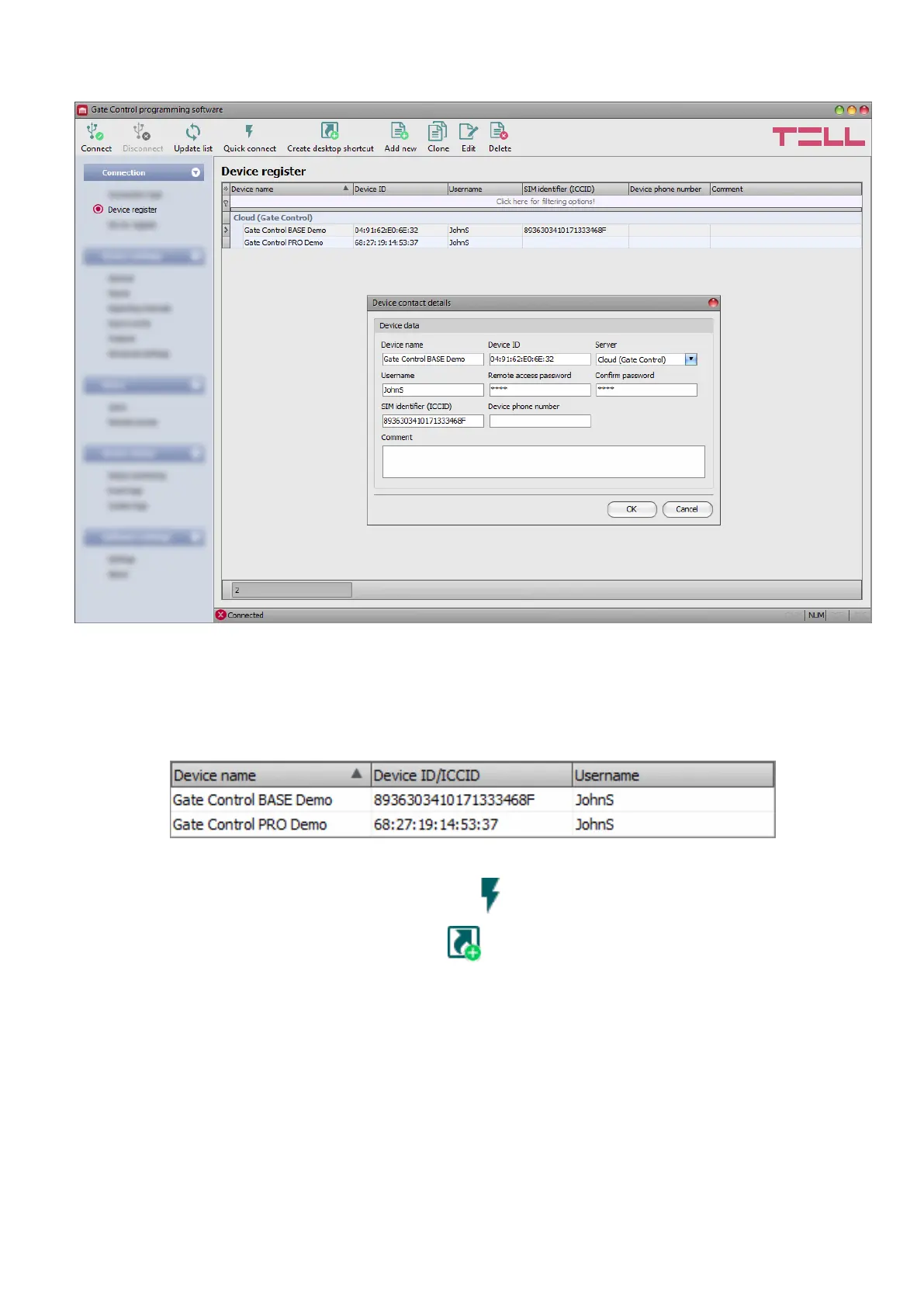
The device register serves for storing and easy management of Gate Control BASE and PRO
device contact details used for remote access. You can add new device contact details to the
database and edit, delete, and clone entries for easy adding devices with similar contact details.
When connecting remotely, you can easily select by name the device you want to connect to
from the “Device name” drop-down menu, out of the devices you have added to the database.
You can also connect remotely to a device directly from the device register, by selecting the
device, and then clicking on the Quick connect button.
You can use the “Create desktop shortcut” button to create a shortcut on your desktop for
the device selected in the device register. The shortcut will open the software and will initiate a
remote connection to the given device automatically.
If you enter new device contact details in the connection type section, the program will add this
automatically to the device register database using the device ID as device name, which you can
change by editing the given record in the device register. The database is stored locally on the
computer. If needed, you can import a database exported from an earlier version of the program
using the MMTool software available on the product’s page on the manufacturer’s website.



 To Next Page