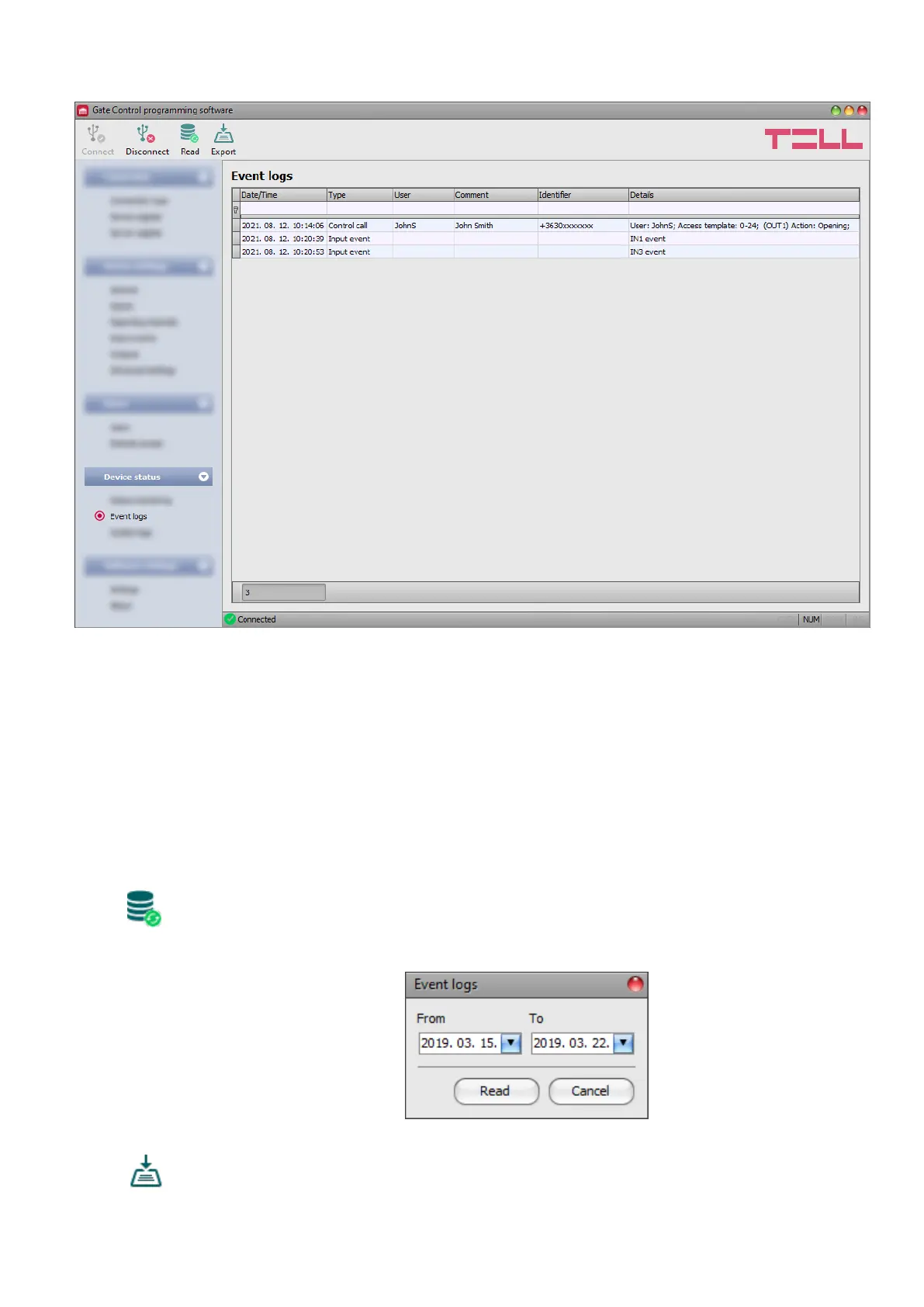
5.4.2 Event logs
In this menu you can view and export the event logs to file, which includes control and input
events recorded by the system. The system stores the latest 1200 events in the event log
memory.
The values configured in the “Comment” field in the user settings are not stored in the event
logs. The data in the “Comment” column is filled in by the software from the user list.
Therefore, data will only be shown in this column if you read the users from the device before
reading the event logs.
Available options:
• Read:
After clicking on this button, the program opens a dialog window, where you can
specify the period, for which you want to read the event logs from the device.
Select the start and end date using the drop-down menus, and then click on the
“Read” button.
• Export:
You can use this button to save the event logs shown in the window to file in CSV
format.



 To Next Page