Teo IP Phone 4101 Installation Instructions
Page 50 13-280135 Rev. K
T
T
e
e
s
s
t
t
Select this option to test the LCD display or keys.
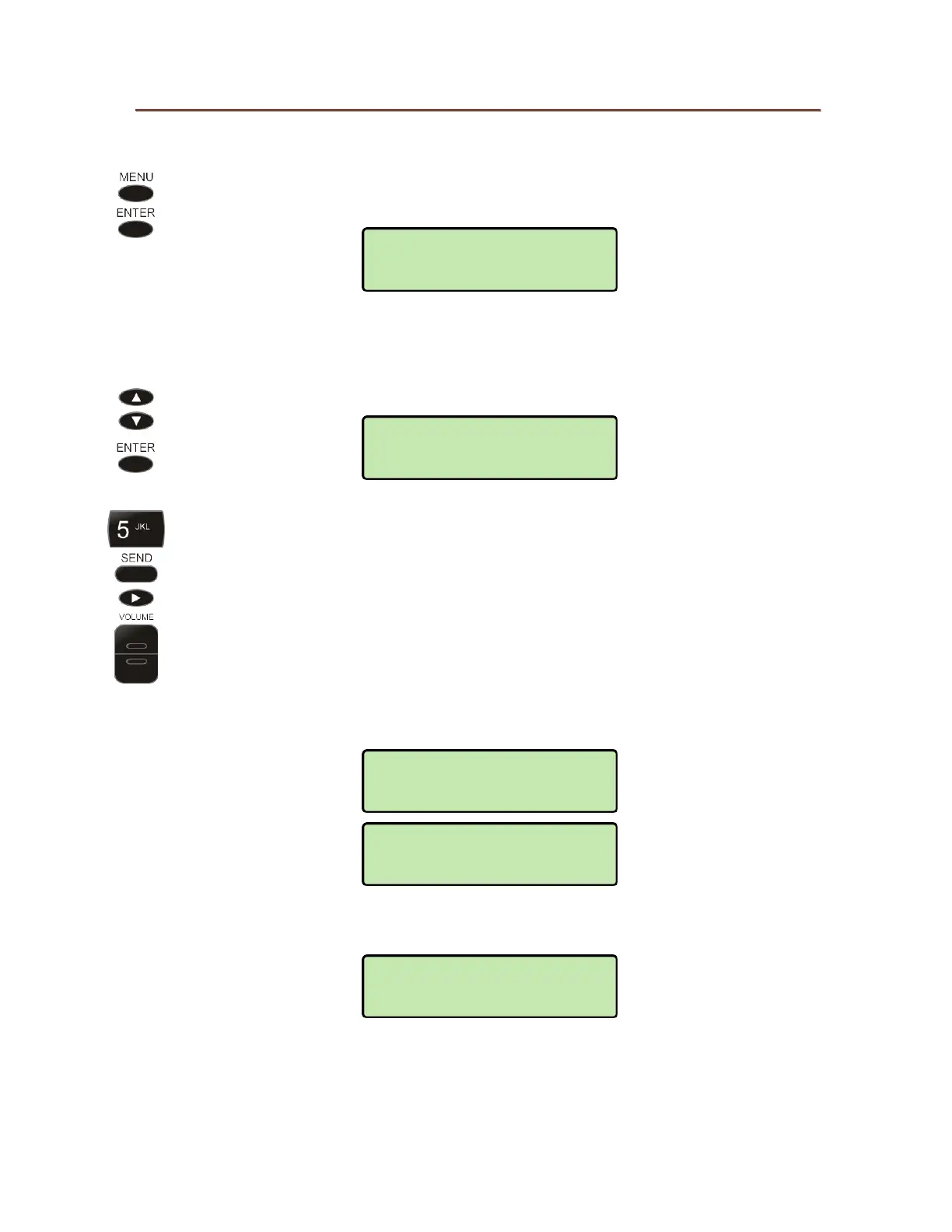
From the Administration Options menu, select TEST.
(
MENU → ADMIN
→ TEST)
K
K
e
e
y
y
s
s
Select KEYS.
Press each key on the telephone, including the dial pad keys, one at a time.
Press both the top and bottom of the
VOLUME key.
A letter should appear in the display for each pressed key.
Three lines of letters or numbers are used to accommodate all keys; the
display will shift up or down to show the last key pressed.
If all keys are operational, the following display will be shown. Press any key
to return to the Test menu.
If any key fails, or to exit before testing all keys, go off-hook with the handset
or unplug the phone.
KEY TEST PASSED
ANY KEY TO EXIT
123456789*******
****************
ABCDEFGHIJKLMNOP
ABCDEFGHIJKLMNOP
PRESS EACH KEY
OFF-HOOK TO EXIT
ADMIN>TEST
DISPLAY



 To Next Page