13-280135 Rev. K Page 19
The following options are available from the Installation Options menu:
•
Network Settings •
Call Timeouts
•
PC (LAN) Port •
Installation PIN
•
SIP Options •
Reset to Default Settings
•
Quality of Service * •
Security Options
• Line Settings • Configuration Updates *
Keys
Debugging Options
* Noted options are explained briefly in this manual. –
For details, refer to the IP Telephone Network Administration Guide
.
Auto Answer is configured from the User Options menu.
I
I
n
n
s
s
t
t
a
a
l
l
l
l
a
a
t
t
i
i
o
o
n
n
O
O
p
p
t
t
i
i
o
o
n
n
s
s
M
M
e
e
n
n
u
u
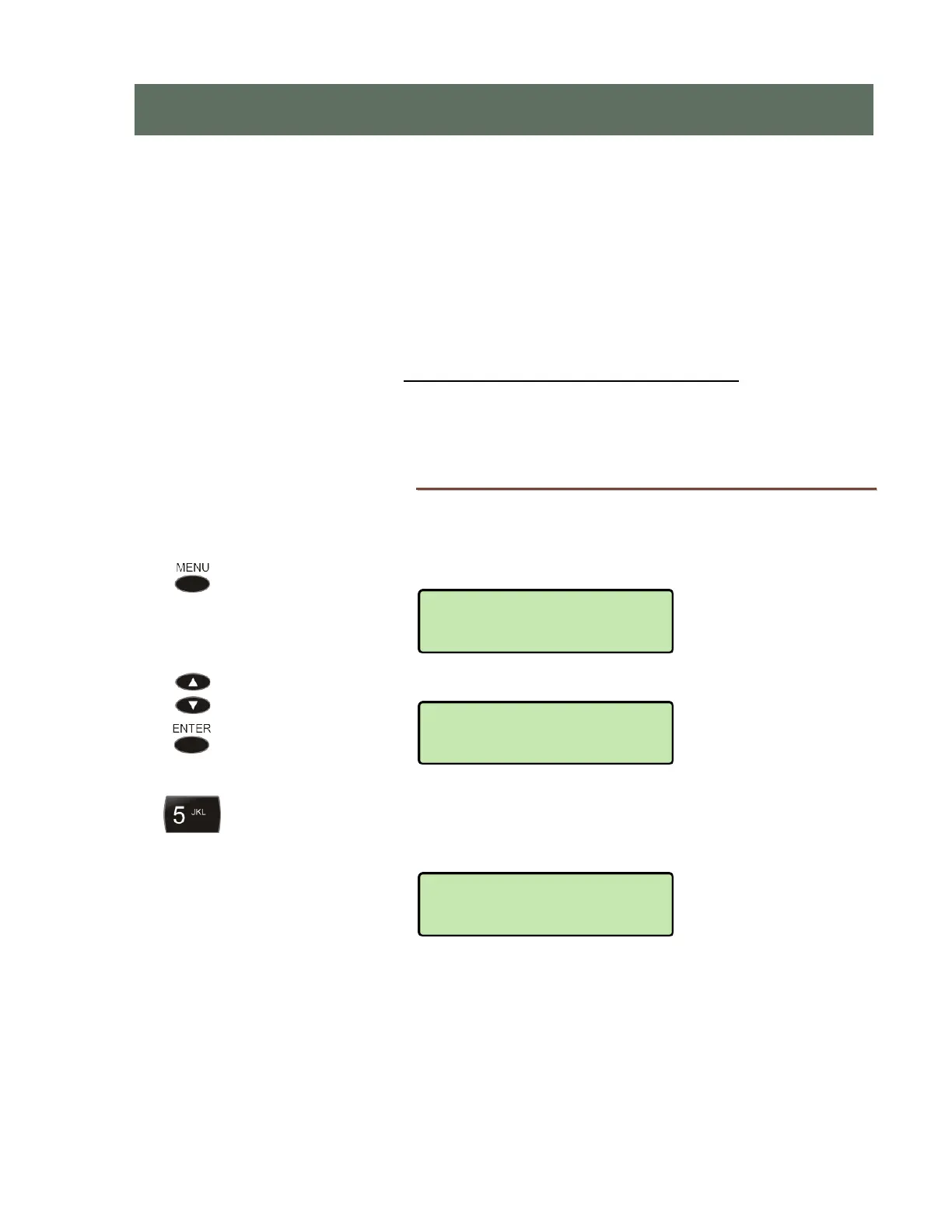
You can enter the Installation Options menu when the phone is idle.
Press the MENU
key.
Scroll to the INSTALL menu, and then press the
ENTER key.
The Installation Options menu may be protected by a PIN. Enter your PIN with
the dial pad, and then press the
ENTER key.
To change or remove the PIN, please refer to page 43.
I
I
I
n
n
n
s
s
s
t
t
t
a
a
a
l
l
l
l
l
l
a
a
a
t
t
t
i
i
i
o
o
o
n
n
n
O
O
O
p
p
p
t
t
t
i
i
i
o
o
o
n
n
n
s
s
s
*********
SETUP>INSTALL
NETWORK
USER



 To Next Page