Controls and Operating
3-63
Differential Lock
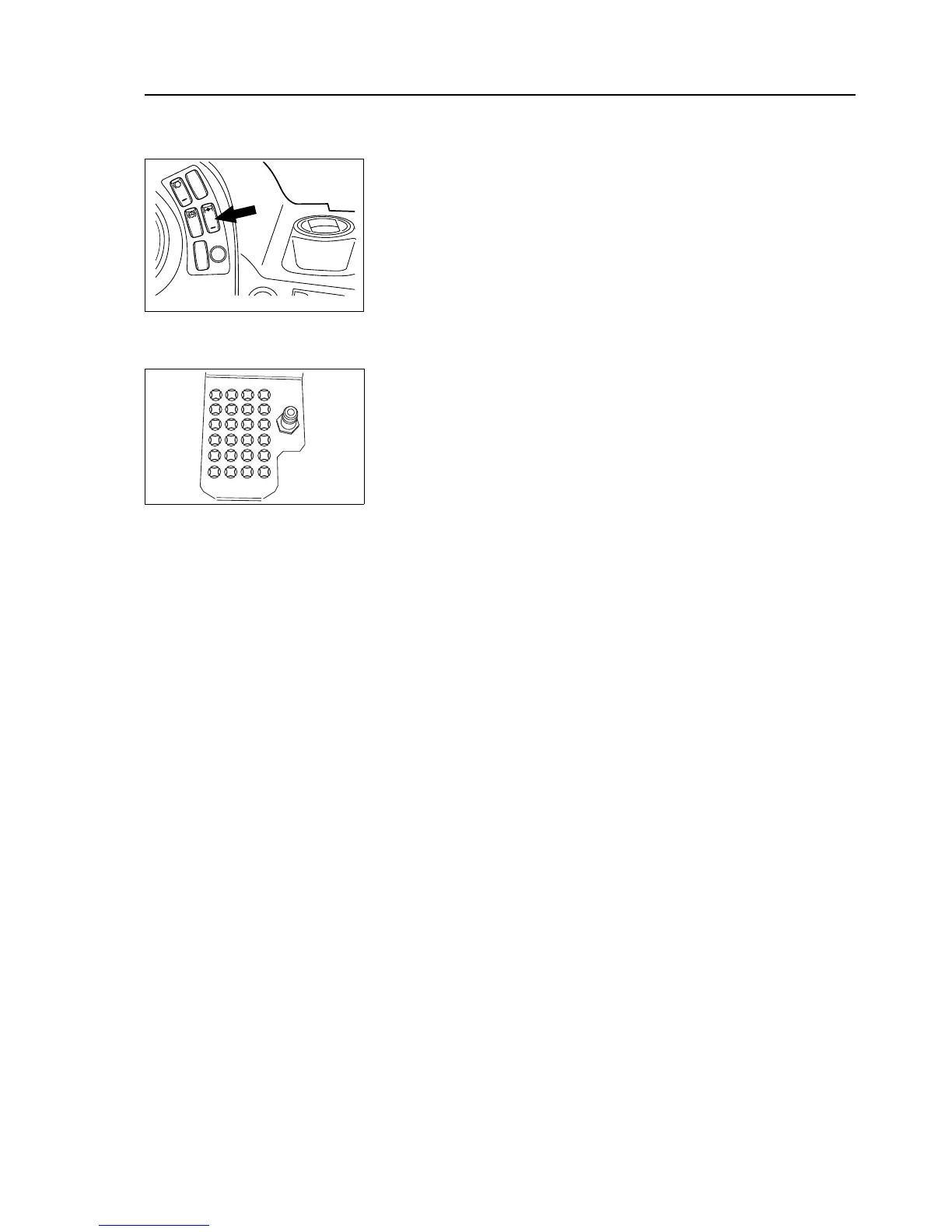
Transmission Differential Lock Request Switch Press the bottom of
the switch to engage the transmission differential lock in manual mode.
The differential lock warning lamp on the instrument panel will illuminate
when the function is activated. Pressing the switch to the Off position will
disengage the differential lock. By default automatic mode is ON.
To apply the differential locks, slow the machine with the service brakes
and operate the differential lock switch(s). Stop the machine and disen-
gage the differential locks as soon as conditions allow.
NOTICE: It should only be necessary to engage the differential locks in
extreme conditions.
NOTICE: On trucks using Ergotraction software, the differential lock lamp
will illuminate briefly when accelerating quickly from rest and when the
engine brake is activated. In both cases this identifies that the differential
lock is engaging due to the level of torque/brake torque, and is normal.
Ergotraction software, where fitted, monitors the torque/speed output to
front and rear drives, and if the difference exceeds design parameters the
TCU sends a signal to apply the differential lock automatically, locking the
front and rear outputs and resulting in 1:1 drive.
NOTICE: Before driving in soft or slippery conditions, stop and engage
differential locks. Spinning wheels can result in damage to the dropbox
and axle differentials.
NOTICE: Disengage differential locks when driving on firm ground.


 To Next Page