Controls and Operating
3-16
wiper intermediate S tatus Bar is shown just as the control stock
wiper switch is set to “Intermediate” position.The intermediate sta-
tus can be set from step 1 (slow - 15 sec pause time) to step 6
(fast – 0 sec pause time) by using the “Display-Menu (+)(-)
Switch”.
8. MCU Error Code - Refer to Section 3 for MCU error codes. The
error codes will be displayed in sequence in intervals of 1sec.
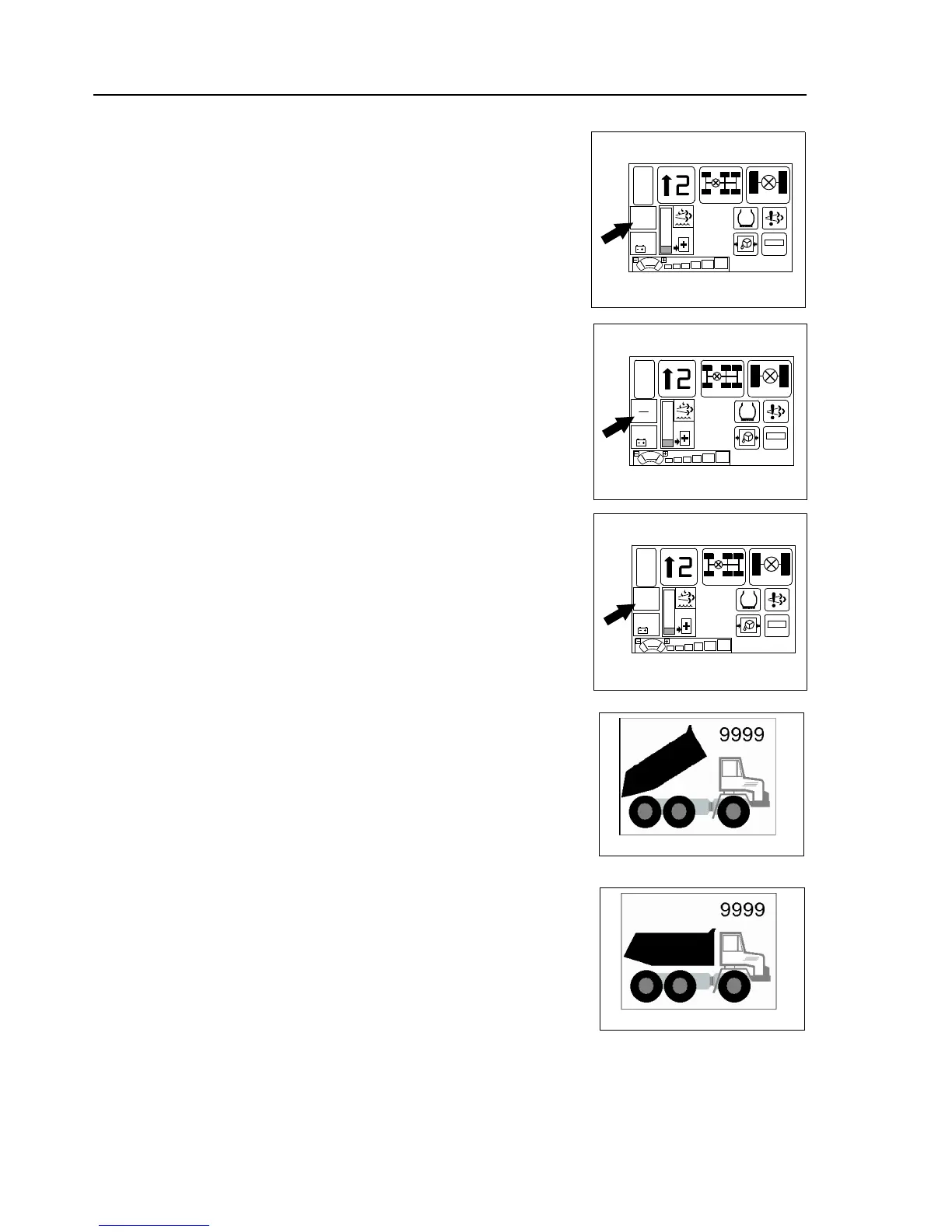
9. Fuel Consumption Indicator - Displays 3 possible indications on
fuel consumption:
- Total fuel consumption since last reset in litres (Refer 8a).
- Average fuel consumption since last reset in litres / hour (Refer 8b).
- Instantaneous fuel consumption in litres / hour (Refer 8c).
A normal short click on left menu control button toggles the display
between the 3 possible indications. The indicator can be set to zero by
pressing Left Menu Control Button for 2 seconds.
10.Exhaust System Fault Indicator Illuminates to warn of a fault in
the Exhaust system. Stop the machine and investigate the cause
when the indicator illuminates.
11.Battery Voltage Indicator Indicates the power supply voltage of
the machine. In the normal condition the indicator glows green.
When the voltage drops below 24V the indicator glows yellow.
When the voltage drops below 20V the indicator turns red.
Recharge the battery or replace with a new one.
Screen - 3:
Body Up Screen
The “Body Up Screen” appears automatically once the body control lever
has been activated for more than 2 seconds. It shows the body’s current
state depending on the signal coming from the body proximity switch.
‘Body Up’ Indicates that the body has been raised and it is off the chassis
bed. Transmission upshift / vehicle movement is restricted while the light
is illuminated.
The “Body Up Counter” is incremented after each “regular” body up/
down cycle.
A few seconds after the body proximity switch signal has changed from
“Body is UP” to “Body is DOWN” position the display returns to the main
screen.
Whenever the body up screen is displayed, the counter can be set to zero
by pressing the “Left Menu Control Button” on the dashboard display for 2
seconds.



 To Next Page