4 Product description
21
Button Functions
[▲]
Scroll up, increase value, navigate
[▼]
Scroll down, reduce value, navigate
[esc]
Back, cancel function
[ ]
Open main menu
[ ]
Transmit data to the Testo protocol printer.
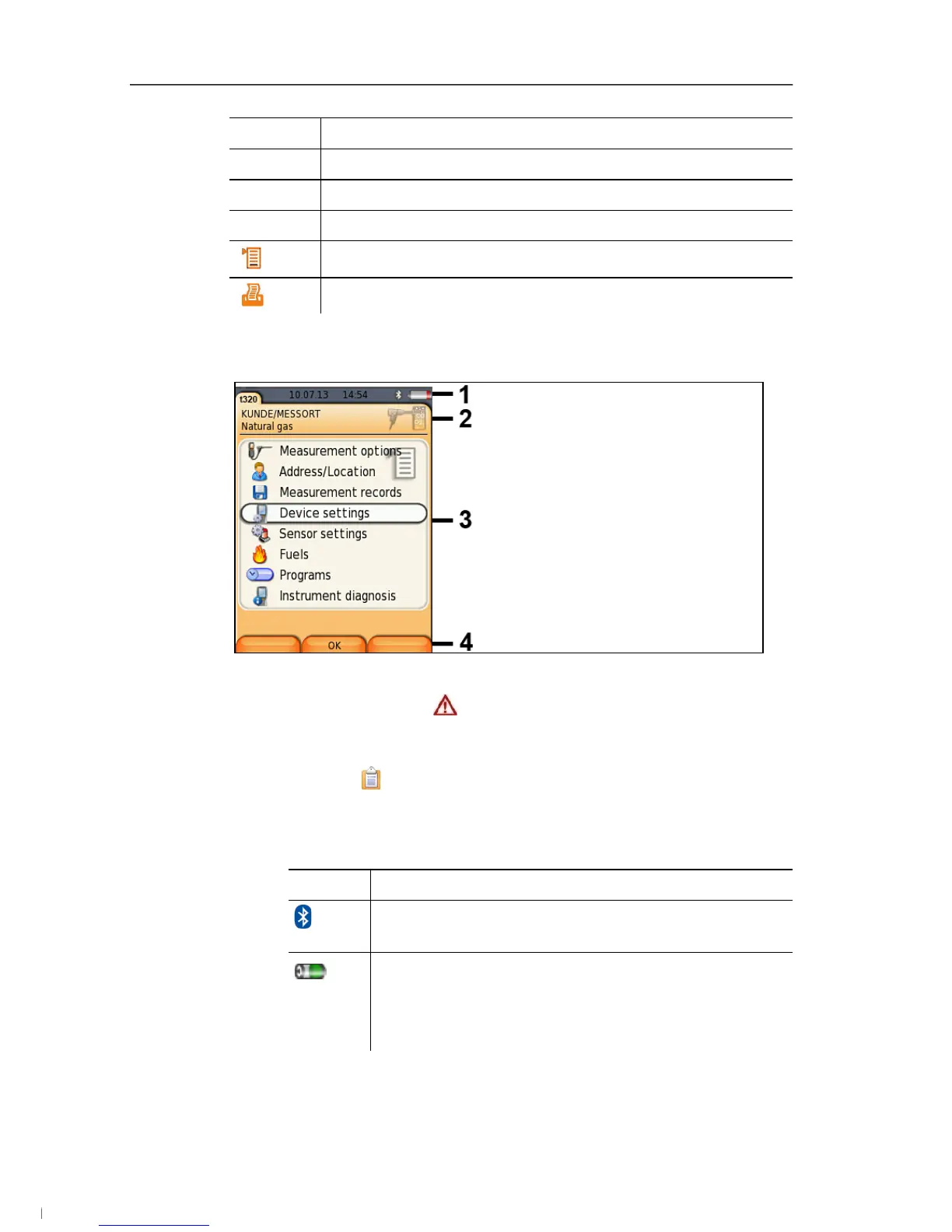
4.3.3. Display
1 Status bar (dark grey background):
• Warning symbol (only if there is an instrument error,
display of error in instrument diagnosis menu), otherwise:
Instrument designation.
• Symbol (only if data is stored in the temporary memory).
• Display of date and time.
• Indication of Bluetooth
®
status, power supply and remaining
rechargeable battery capacity:
Icon Feature
blue symbol = Bluetooth
®
on,
grey symbol = Bluetooth
®
off
Battery operation
Display of remaining rechargeable battery
capacity by colour and fill level of the battery icon
(green = 5-100%, red = < 5%)
1.888.610.7664 info@Testo-Direct.com
www.Testo-Direct.com



 To Next Page