Helpline No. UK/ North Ireland 0871 37 61 020 Rep. Ireland 1-800-992 508
Web Support www.medion.co.uk
Model Number: 82663
12
Entering the device code according to the code list
The codes of the corresponding devices can be found in the code list enclosed with
these operating instructions.
Switch on the device to be controlled.
Keep the SETUP key pressed down for approx. 3 seconds,
until
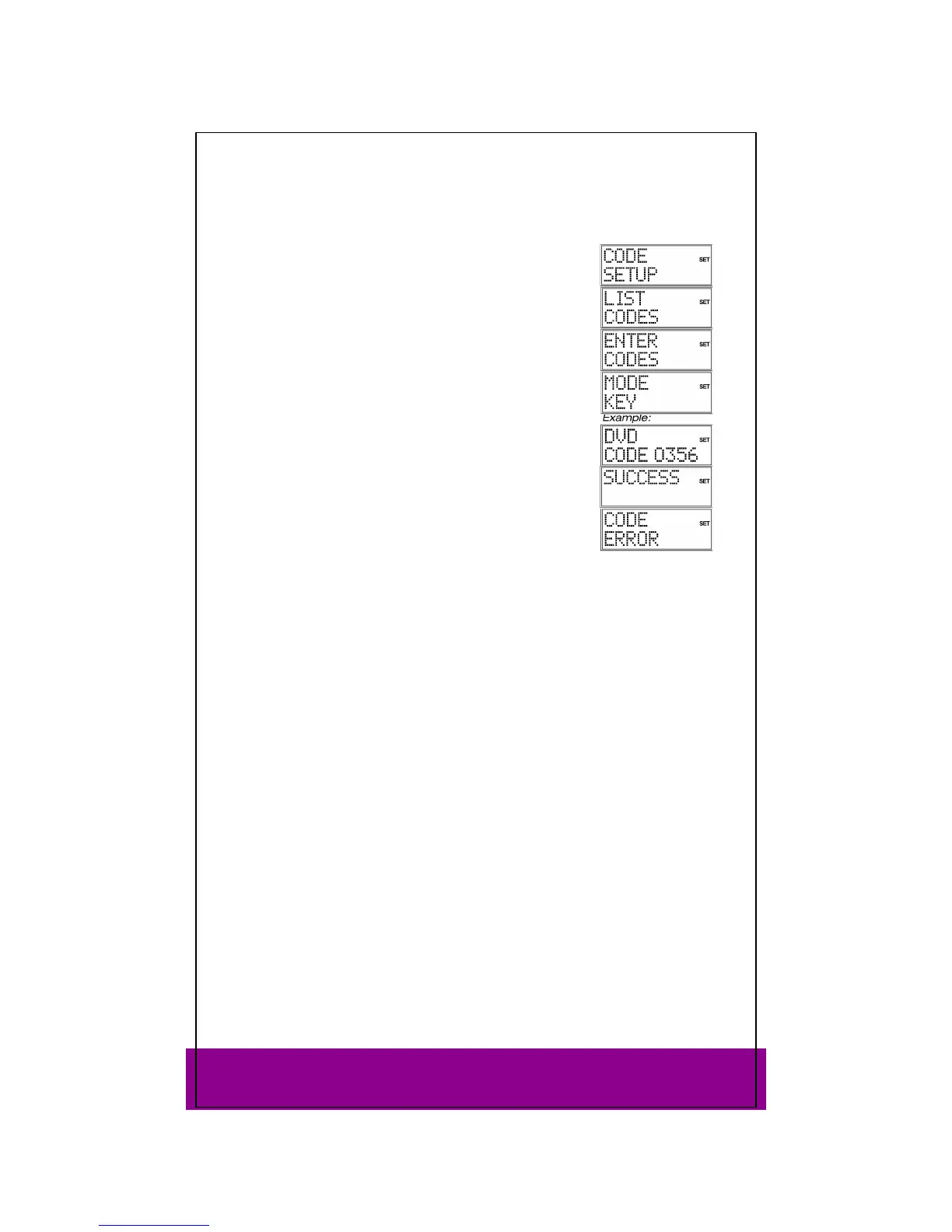
CODE SETUP appears.
Press OK. LIST CODES now appears in the display.
Use the arrows to select the ENTER CODES menu.
Press OK. The
MODE KEY display appears.
Press the required mode key (TV, VCR, DVD, CD, ASAT, CBL,
AUX, DSAT). The mode key label is displayed with the current
code.
Use the number keys to select the preferred code from the
code list. After you enter the fourth digit, the confirmation
message
SUCCESS is displayed.
The remote control returns to normal operation.
If an incorrect code is entered, the error message CODE ERROR
appears. – The universal remote control then switches to
normal operation.
Entering the device code for a Sky Box
To program the universal remote control to operate your Sky Box, please select one of
the following device codes and follow the instructions for “Entering the device code
according to the code list” below.
For Sky Digital use 0584
For Sky+ (Sky Plus) use 0555
For Sky+HD (High Definition) use 1151
For a short overview of the Sky keys on this device, see “Sky Box keys” on page 25.
Please refer to your Sky Owner Manual for operating your Sky Box.



 To Next Page