Helpline No. UK/ North Ireland 0871 37 61 020 Rep. Ireland 1-800-992 508
Web Support www.medion.co.uk
Model Number: 82663
20
Program commands
To programme, proceed as follows:
1 Place the remote controls with the infrared diodes facing each other spaced 15 to
50 mm apart on the table. The infrared diodes must be pointing directly at each
other.
2 Keep the SETUP key pressed for approx. 3 seconds until
CODE SETUP appears.
3 Press SETUP briefly three more times to open the LEARN SETUP menu.
4 Press OK to open the learn mode.
5 Confirm once again with OK.
6 Now select the mode key on which the device of the original remote control was
programmed.
7 The
LEARN KEY prompt appears. Now select the key on the universal remote
control that is to be assigned to the original remote control function (not:
SETUP or MACRO).
8 In the display you now see
LEARNING. Now select the key on the universal remote
control whose function should be assigned to the universal remote control. Keep
this key pressed until either the
SUCCESS or LEARN ERROR message appears.
9 The following query appears: LEARN MORE?. If you want to perform additional
learn functions, confirm with OK. The LEARN KEY prompt appears again. Proceed
as described in point 7.
If you want to end the learn function, press EXIT. The remote control returns to
normal operation.
Delete commands
Deleting commands for only one mode key
Open the learn mode as described in the previous section,
steps 2 to 4. Proceed as follows:
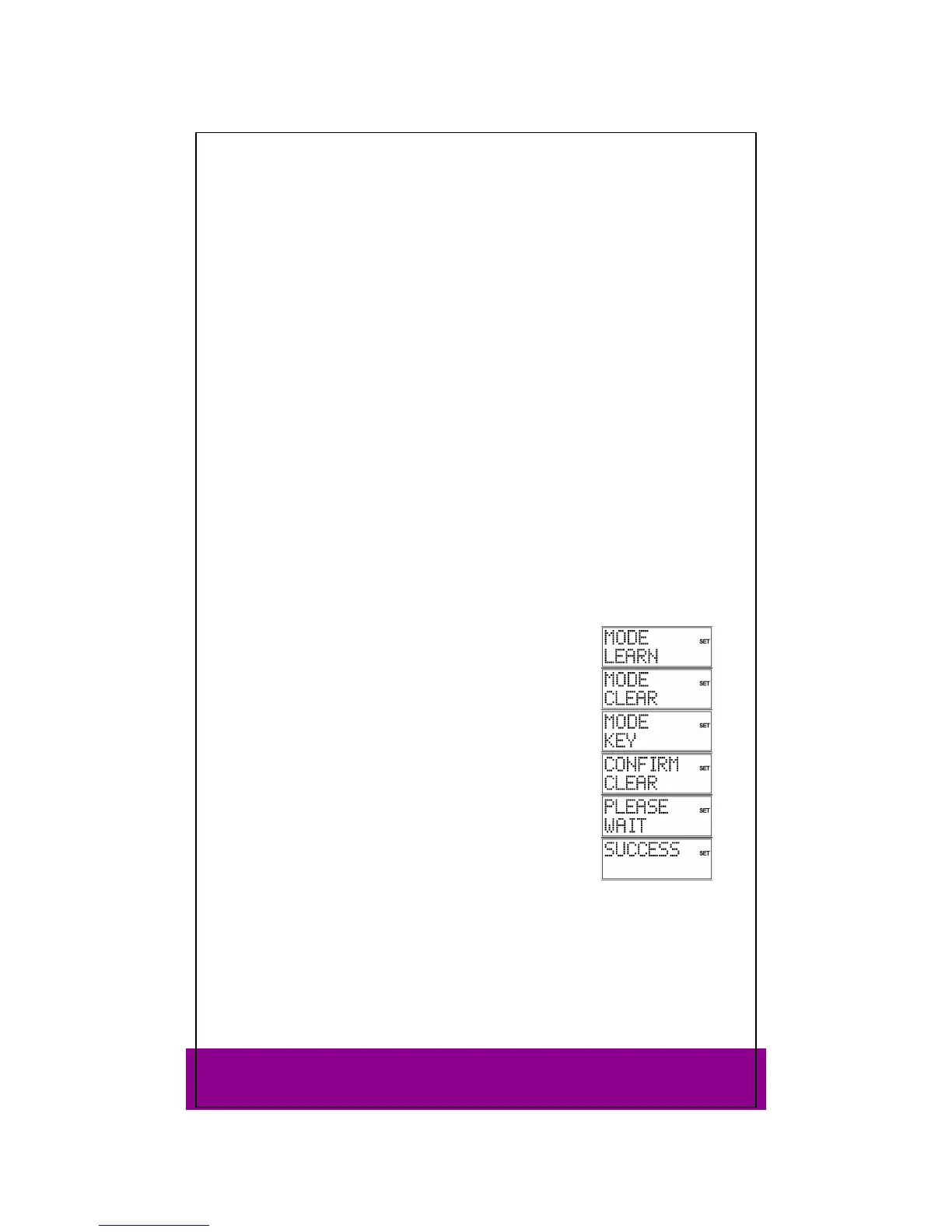
Use the arrows to select the delete mode and press OK.
Now select the mode key whose commands are to be deleted.
Confirm the additional
CONFIRM CLEAR prompt by pressing OK.
If this message does not appear then the mode key does not
have any commands associated with it.
PLEASE WAIT appears again in the display, followed by the
confirmation message
SUCCESS.
The remote control returns to normal operation.



 To Next Page