Helpline No. UK/ North Ireland 0871 37 61 020 Rep. Ireland 1-800-992 508
Web Support www.medion.co.uk
Model Number: 82663
23
Universal functions 16
The universal functions (also called “Punch Through” functions) enable you to carry
out certain functions on a different device type than the programmed one. These are
the volume, mute and playback functions.
Playback functions
If the remote control is in TV, SAT or cable mode (devices without playback function),
the PLAY, STOP, PAUSE, FAST FORWARD/BACK, and in some cases RECORD
keys will control a connected video recorder, DVD player or video recorder. The DVD
or VCR mode keys do not need to be pressed in advance. The last selected device is
activated.
This Punch Through control does not work if the programmed TV, SAT or cable code
has its own video recorder function (for example in the case of a combined TV-video
recorder device).
Volume/mute
Image transmitting devices connected to a TV (e.g. TV, DVD, VCR, SAT, CBL) often do
not have their own volume control.
When the universal remote control is controlling this type of device and the VOL
(Volume) or (
) (Mute) keys are pressed, the volume control is transferred to the TV.
You can modify this basic device setting (cf. both sections below).
The volume/mute functions are referred to in the shortened form VOL/MUTE
below.
Programming the VOL/MUTE universal functions to another
device type
You can program the remote control so that the universal functions VOL/MUTE will
control a device type other than the TV set. Of course this device must have a volume
control.
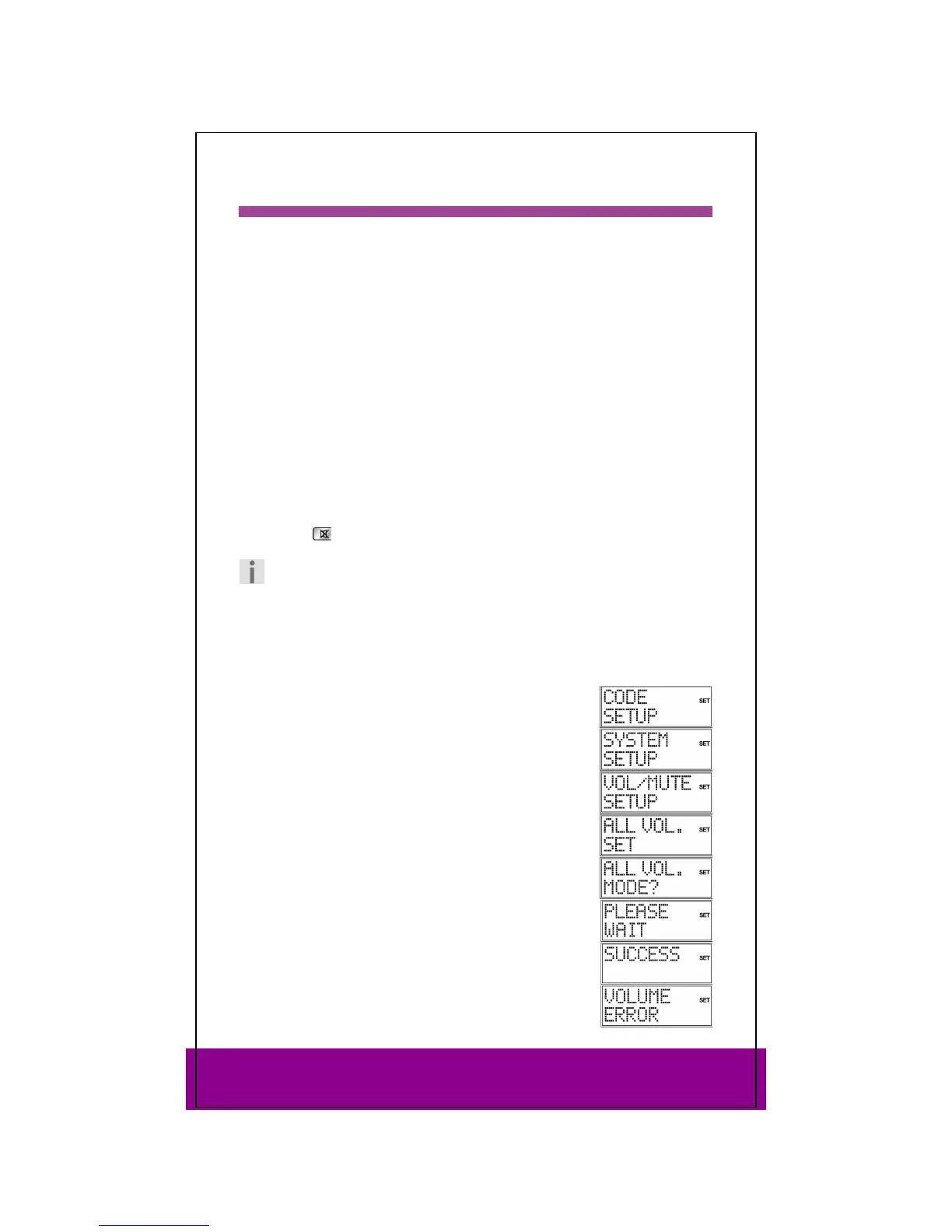
Keep the SETUP key pressed down for approx. 3 seconds,
until
CODE SETUP appears.
Press SETUP again briefly to open
SYSTEM SETUP.
Press OK. The
VOL/MUTE SETUP is displayed.
Press OK again. The following menu is displayed
ALL VOL. SET.
All VOL/MUTE commands are programmed on a device type
that you select in the next step.
Press OK again. The
ALL VOL MODE? query appears.
Use a mode key to select the device type to which the
VOL/MUTE control is to be applied.
PLEASE WAIT appears again in the display, followed by the
confirmation message SUCCESS.
If you selected the wrong device that does not have its own
volume control, an error message appears.



 To Next Page