Helpline No. UK/ North Ireland 0871 37 61 020 Rep. Ireland 1-800-992 508
Web Support www.medion.co.uk
Model Number: 82663
17
Set timer 13
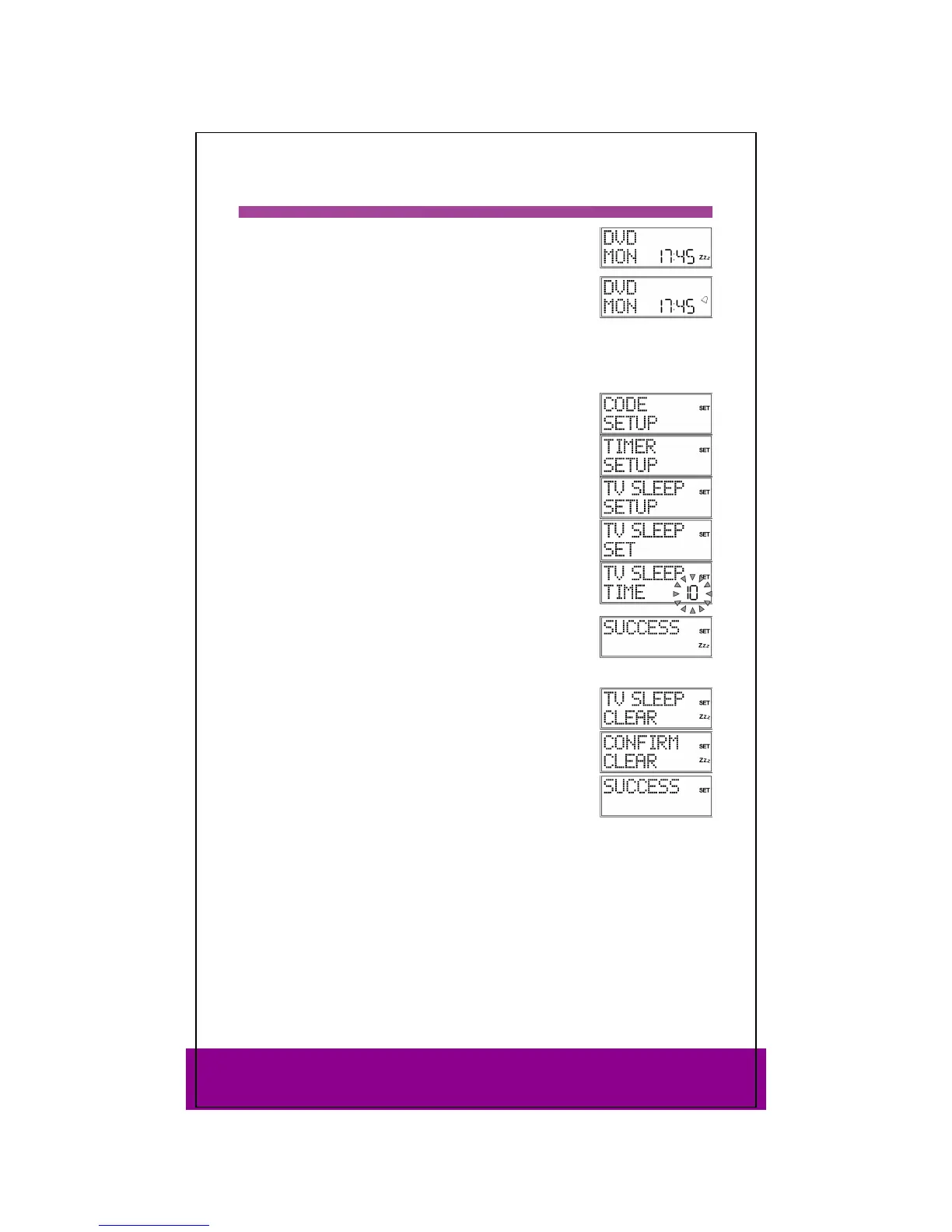
The universal remote control has two timer functions:
a sleep-timer for the TV (automatic switch off after 1 to 90
minutes); "Zzz" appears in the display:
four additional times for customisable commands (e.g.
switching to another programme); the bell symbol appears in
the display.
TV sleep-timer
Set sleep-timer
Keep the SETUP key pressed down for approx. 3 seconds,
until CODE SETUP appears.
Press SETUP briefly twice more to open TIMER SETUP.
Press OK. The
TV SLEEP SETUP menu is displayed.
Press OK. The
TV SLEEP SET display appears.
Press OK. The number of minutes flash in the display.
Use the arrows to enter the time after which the TV
device should switch itself off automatically.
Press OK. The
SUCCESS confirmation message appears along
with the TV timer symbol "Zzz".
Lay the universal remote control down so that it is pointing
towards the device and is not obstructed.
Switch off sleep-timer
If a sleep-timer is on ("Zzz" appears in the display) TV SLEEP
CLEAR
appears in the display instead of TV SLEEP SET when
you perform the steps described above.
Perform steps 1 to 4 as described above. The
TV SLEEP CLEAR
display appears.
Press OK" The message CONFIRM CLEAR is displayed.
Press OK" The
SUCCESS confirmation message appears.



 To Next Page