Helpline No. UK/ North Ireland 0871 37 61 020 Rep. Ireland 1-800-992 508
Web Support www.medion.co.uk
Model Number: 82663
8
Setting time and date 8
In the standard display, the day and time appear in the lower column.
Press the SETUP key briefly to show the date in the lower column for approx. 30
seconds.
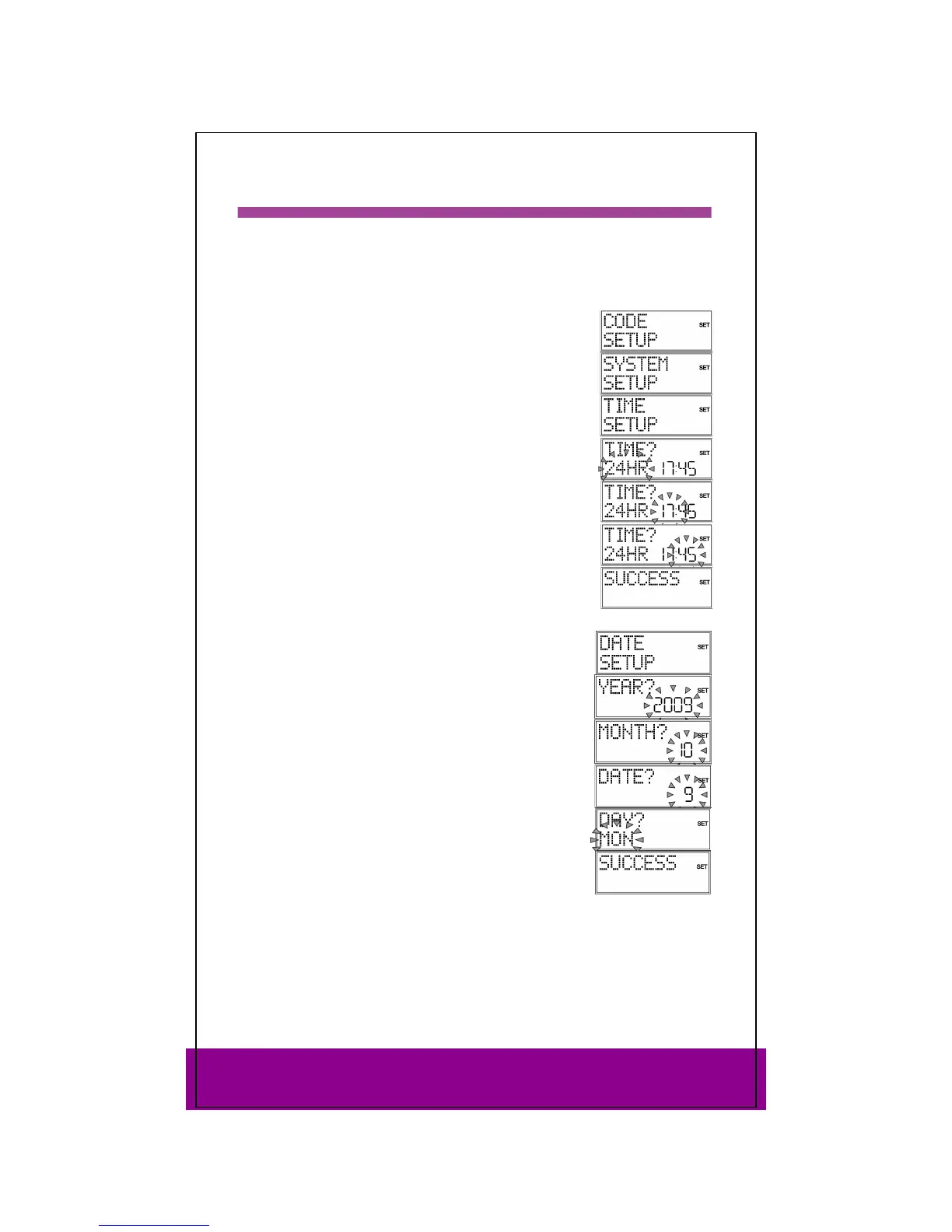
Setting clock time
Keep the Setup key pressed down for approx. 3 seconds, until
CODE SETUP appears.
Press SETUP again briefly to open the SYSTEM SETUP.
Confirm with OK. The VOL/MUTE SETUP is displayed.
Use the arrows to select the TIME SETUP and confirm with
OK.
The current time format flashes. Use the arrows to select
the
12 or 24 HR time format ) and confirm with OK (see the end
of the section).
The hour display flashes. Use the arrows to select the
hour and confirm by pressing OK.
The minute display flashes. Use the arrows to select the
number of minutes and confirm by pressing OK.
The message
SUCCESS appears and the display returns to CODE
SETUP
.
If you choose
12 HR format, the time is displayed with the AM
or PM symbols.
Setting the date
Open SYSTEM SETUP as above.
Confirm with OK. The VOL/MUTE SETUP is displayed.
Use the arrows to select the DATE SETUP (press twice) and
confirm with OK.
The year flashes. Use the arrows to select the year and
confirm by pressing OK.
The month flashes. Use the arrows to select the month
and confirm by pressing OK.
The day (
DATE) flashes. Use the arrows to select the day
and confirm by pressing OK.
The day (
DAY) flashes. Use the arrows to select the day
of the week and confirm by pressing OK.
The message SUCCESS appears and the display returns to
CODE SETUP.



 To Next Page