www.ti.com
2
SBAU090E–November 2003–Revised November 2018
Submit Documentation Feedback
Copyright © 2003–2018, Texas Instruments Incorporated
ADS1256EVM and ADS1256EVM-PDK
Contents
1 EVM Overview ............................................................................................................... 3
2 Analog Interface.............................................................................................................. 6
3 Digital Interface .............................................................................................................. 7
4 Power Supplies .............................................................................................................. 8
5 Voltage Reference ......................................................................................................... 10
6 Clock Source................................................................................................................ 11
7 EVM Operation ............................................................................................................. 12
8 ADS1256EVM-PDK Kit Operation ....................................................................................... 15
9 Evaluating Performance with the ADCPro Software................................................................... 30
10 Schematics and Layout.................................................................................................... 38
List of Figures
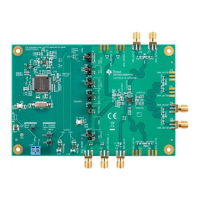
1 ADS1256EVM................................................................................................................ 5
2 GPIO Pins .................................................................................................................... 8
3 Jumper Block................................................................................................................. 9
4 Switch S3.................................................................................................................... 10
5 Switch S4.................................................................................................................... 11
6 Switches S1 and S2 ....................................................................................................... 12
7 ADS1256EVM Default Jumper and Switch Locations................................................................. 14
8 ADS1256EVM-PDK Setup Wizard....................................................................................... 16
9 ADS1256EVM-PDK License Agreement................................................................................ 16
10 ADS1256EVM-PDK Installation in Progress............................................................................ 17
11 ADS1256EVM-PDK Installation Complete.............................................................................. 17
12 MMB0 Initial Configuration ................................................................................................ 18
13 Connecting the ADS1256EVM to the MMB0 ........................................................................... 19
14 MMB0 Powered From AC Adapter....................................................................................... 20
15 MMB0 Configured for Lab Power Supply ............................................................................... 21
16 NI-VISA Driver Installation Wizard, Screen 1........................................................................... 22
17 NI-VISA Driver Installation Wizard, Screen 2........................................................................... 23
18 NI-VISA Driver Installation Wizard, Screen 3........................................................................... 23
19 NI-VISA Driver Installation Wizard, Screen 4........................................................................... 24
20 NI-VISA Driver Verification Using Device Manager.................................................................... 25
21 ADCPro Software Start-up Display Window............................................................................ 25
22 ADS1256EVM-PDK Plug-In Display Window .......................................................................... 26
23 Install New Driver Wizard Screen 1...................................................................................... 27
24 Install New Driver Wizard Screen 2...................................................................................... 27
25 Install New Driver Wizard Screen 3...................................................................................... 28
26 Install New Driver Wizard Screen 4...................................................................................... 28
27 Install New Driver Wizard Screen 5...................................................................................... 29
28 USBStyx Driver Verification Using Device Manager................................................................... 29
29 ADS1256EVM-PDK Plug-In Averages, PGA Gain, and Effective Data Rate Controls ........................... 30
30 MUX Tab .................................................................................................................... 31
31 Clocks Tab .................................................................................................................. 32
32 GPIO Tab ................................................................................................................... 33
33 Power & Ref Tab ........................................................................................................... 34
34 Cal Tab ...................................................................................................................... 35
35 EVM Software About Tab ................................................................................................. 36
36 Software Progress Indicator .............................................................................................. 37







 To Next Page