1
SLOU489–August 2017
Submit Documentation Feedback
Copyright © 2017, Texas Instruments Incorporated
AFE5832 32-Channel Analog Front-End Evaluation Module (EVM Rev. A)
User's Guide
SLOU489–August 2017
AFE5832 32-Channel Analog Front-End
Evaluation Module (EVM Rev. A)
This user’s guide gives a general overview of the AFE5832 evaluation module (EVM) and provides a
general description of the features and functions to be considered while using this module. This manual is
applicable to the AFE5832 analog front-end, and to the Rev. A version of the EVM hardware. The
AFE5832 EVM provides a platform for evaluating the AFE under various signal, clock, reference, and ADC
output formats. In addition, the EVM supports the testing of the low-voltage differential signaling (LVDS)
interface using the TSW1400EVM capture card.
This user’s guide refers to software AFE5832 GUI v.1.0.0 or higher, and High-Speed Data Converter Pro
(HSDC Pro) Software v.4.7 and requires Microsoft Windows 7
®
or Windows 10
®
to function.
For any further questions regarding the EVM, GUI or device, contact TI support.
Contents
1 EVM Hardware Overview................................................................................................... 4
2 GUI Software Installation ................................................................................................... 5
3 Quick Views of Evaluation Setups for LVDS Interface.................................................................. 6
3.1 Equipment Setup Overview ....................................................................................... 6
4 Testing the EVM Data Capture with LVDS Interface ................................................................... 8
4.1 EVM Hardware Setup .............................................................................................. 8
4.2 Capturing an Analog Input Signal With the LVDS Interface ................................................. 10
5 Testing the EVM in Digital Time Gain Compensation (DTGC) Mode ............................................... 15
6 Using the EVM in CW Mode.............................................................................................. 17
Appendix A Software Installation .............................................................................................. 19
Appendix B Overview of the AFE5832 EVM GUI Features ................................................................ 34
Appendix C Hardware Configuration .......................................................................................... 49
Appendix D Triggering Options................................................................................................. 54
Appendix E Common Hardware Modifications............................................................................... 57
Appendix F Hardware Reference.............................................................................................. 58
Appendix G FAQ and Troubleshooting........................................................................................ 82
List of Figures
1 AFE5832 EVM Hardware Overview....................................................................................... 4
2 Provided Power Cable for J1 Connector ................................................................................. 5
3 Evaluation Setup Overview................................................................................................. 6
4 TSW1400EVM and AFE5832 EVM Hardware Setup for LVDS Capture ............................................ 8
5 Connect to TSW EVM (TSW1400 Shown) ............................................................................. 10
6 Choose Firmware .......................................................................................................... 10
7 TSW1400 EVM LEDs Turn On After Firmware Download ........................................................... 11
8 AFE5832 GUI Launches .................................................................................................. 11
9 Clock Configuration on AFE EVM for LVDS Capture ................................................................. 12
10 Software Reset and Initialize Buttons on AFE5832 EVM GUI ....................................................... 12
11 AFE_RST Hardware Reset Button....................................................................................... 12
12 AFE5832 EVM GUI Data Format and Analog Configuration (LVDS) ............................................... 13
13 LED D5 on the TSW1400 EVM Turns On When ADC is Ready..................................................... 14

 Need help?
 General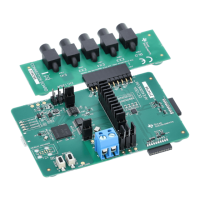






 To Next Page