www.ti.com
AFE5832 GUI Installation
31
SLOU489–August 2017
Submit Documentation Feedback
Copyright © 2017, Texas Instruments Incorporated
Software Installation
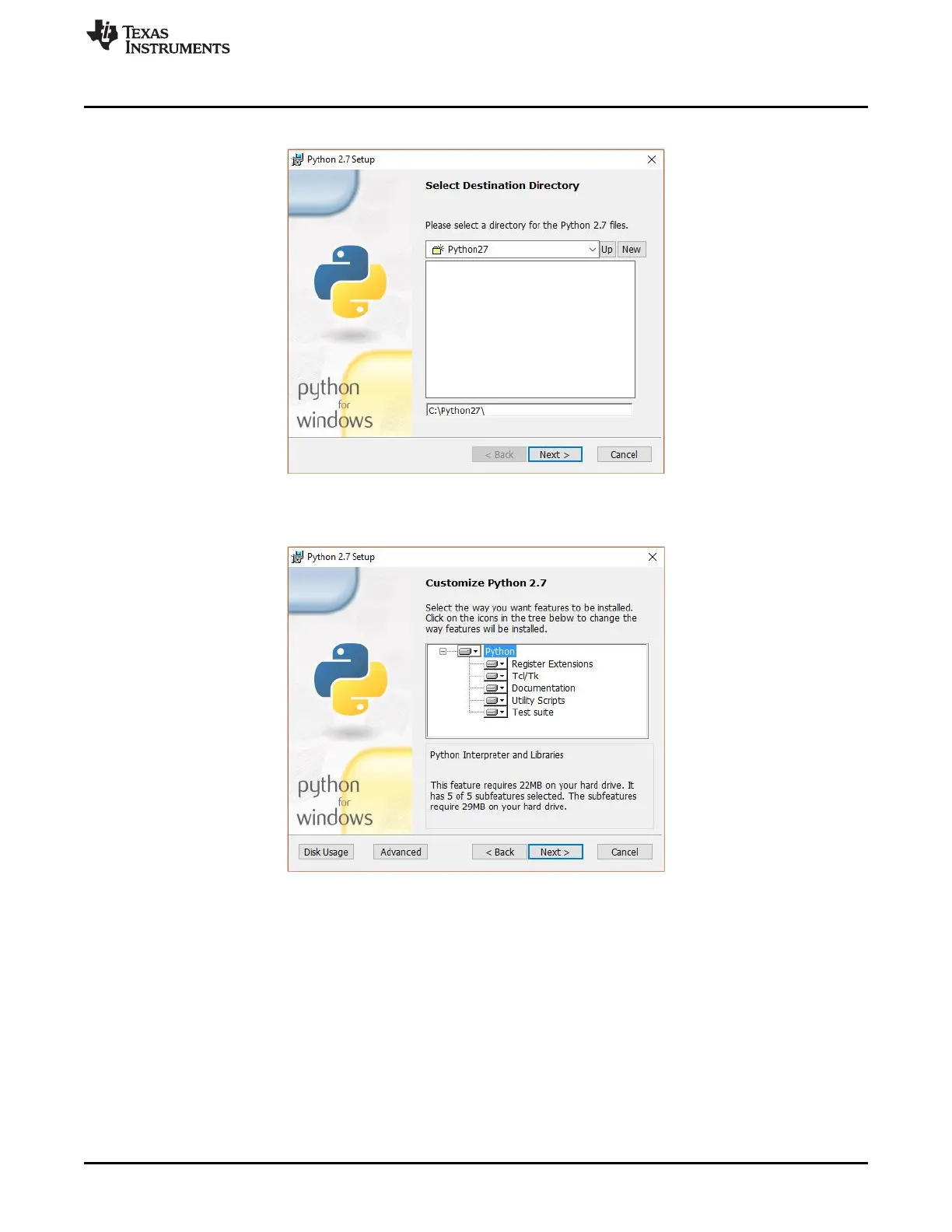
10. Allow the software to be installed in the default destination directory as in Figure 41.
Figure 41. AFE5832 GUI Install (Destination Directory)
11. Click Next on the screen displayed in Figure 42.
Figure 42. AFE5832 GUI Install (Customize Python
®
)







 To Next Page